- Specify the scene order, exact captions and output format before rendering.
- Ask for a downloadable MP4, then play and inspect the file instead of accepting a production description.
- Keep source photos, font licensing, captions and rebuild materials together for later edits.
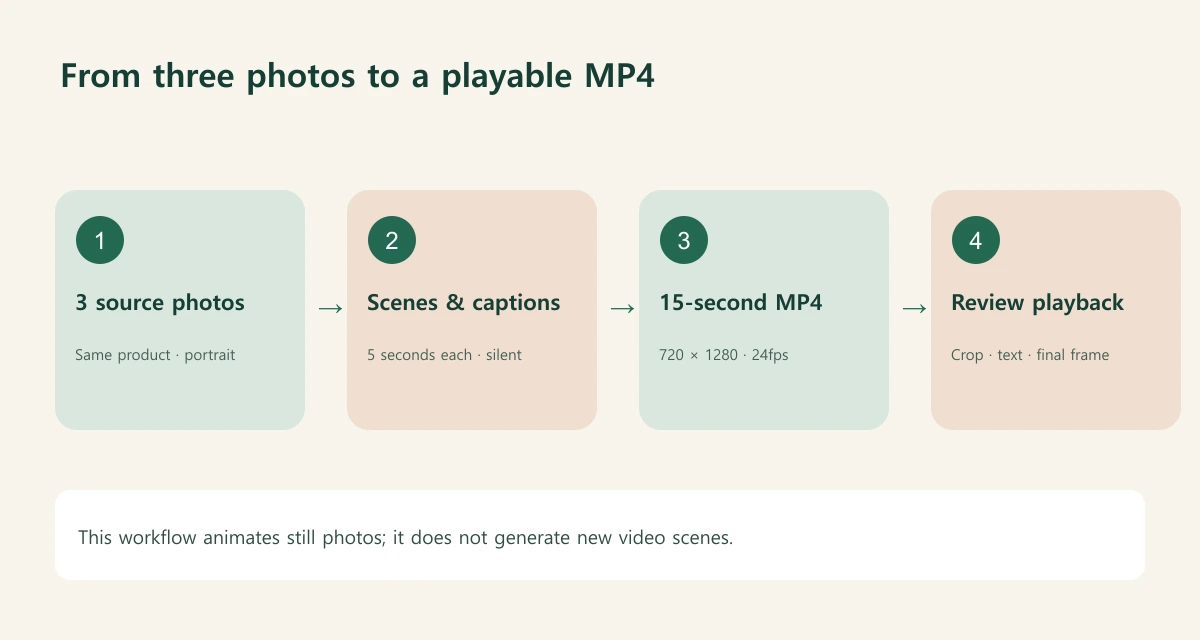
This exercise animates still photos with gentle zooms and pans. It does not use a video-generation model to invent new product motion. The product is fictional and the actual video is silent.
Files for this exercise
AIHotple example files and prompts. Try the exercise before substituting real work data.
Watch the actual result first
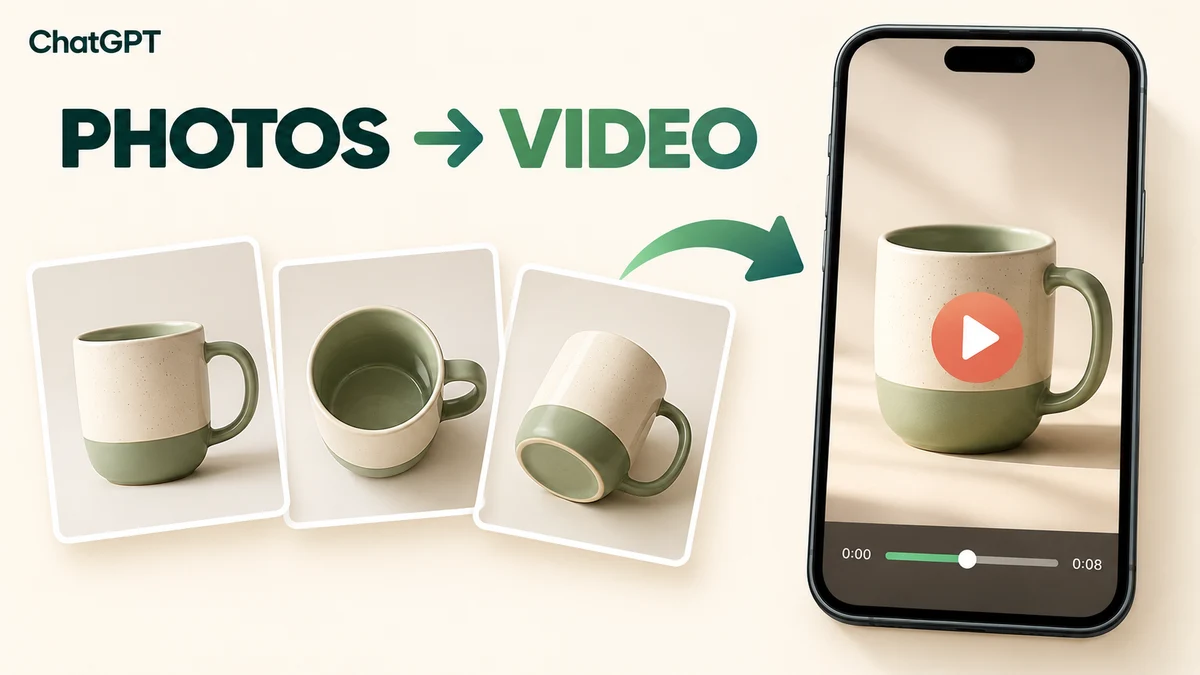
Three fictional product photos appear for five seconds each. The file contains English captions, subtle motion and a small fictional-demo footer. Use the player below, or download the same MP4 from the practice files.
This is a useful starting point for a simple product introduction when you already have consistent photos. It will not make a person pick up the mug or show coffee pouring into it. Those would require a different production method and a fresh check of product consistency.
1. Prepare three consistent photos and a short scene list
Download the practice ZIP and open mug-front.jpg, mug-top.jpg and mug-detail.jpg. They are AI-generated views of a fictional unbranded mug, not photographs of an actual item for sale. For your own promotion, use photos you have permission to publish and check the product shape, color and branding across all views.
The example uses 720×1280 portrait source images. Leave enough space around the product for small camera moves and text. If your own photos are tightly cropped, request background padding and preservation of the entire product rather than a large zoom. Decide the words before uploading; do not ask the model to invent prices or offers.
| Time | Source photo | Exact caption |
|---|---|---|
| 0–5 seconds | mug-front.jpg | A moment to pause |
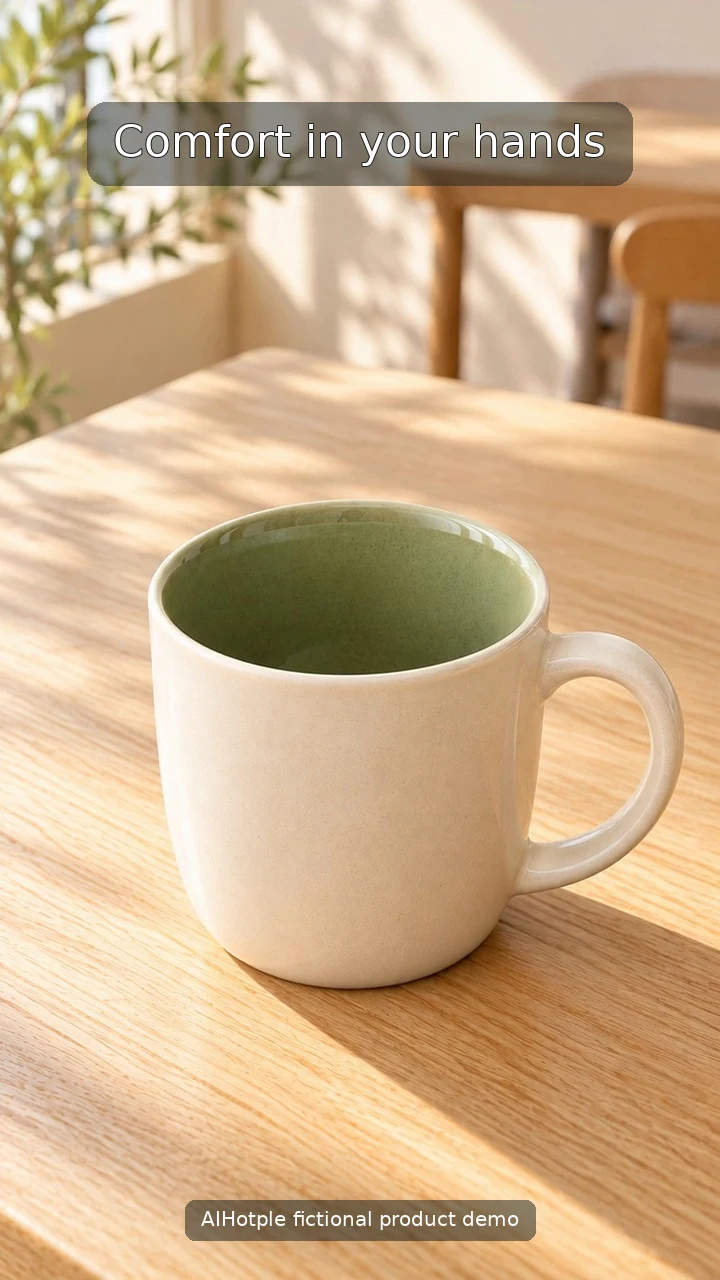
| 5–10 seconds | mug-top.jpg | Comfort in your hands |
| 10–15 seconds | mug-detail.jpg | Meet your everyday mug |
2. Attach the photos and request a file, not just a storyboard
Open a new ChatGPT chat. Choose the plus button beside the composer, then the option to add photos and files from your computer. Select all three images and wait until the attachments finish uploading. Submit the prompt below in the same conversation.
This route requires code execution and file creation in the chat you are using. Availability can vary by account and surface. If it returns only instructions, ask whether it can actually create a downloadable MP4 in that conversation. A subscription does not automatically include a separate video-generation service.
Use only the three attached fictional mug photos. Create an actual downloadable silent 15-second portrait MP4 using Python/Pillow and FFmpeg, not a paid video-generation service. Use 720×1280, 24 fps, H.264/yuv420p and five seconds per photo in front/top/detail order. Keep the full mug and handle visible with very small zooms and pans. Burn in these exact captions: 0–5s “A moment to pause”; 5–10s “Comfort in your hands”; 10–15s “Meet your everyday mug”. Add a small “AIHotple fictional product demo” footer. Use readable text in safe areas, clean cuts at 5 and 10 seconds, and short opening/closing fades. Do not invent prices, discounts, music or a real business. Provide the MP4, UTF-8 SRT, preview frames at 3/7/12 seconds, a rebuild script and English README in a ZIP. Check the actual file specifications and report what you verified.3. Control framing, readability and transitions
The three decisions that matter here are how much of the product stays visible, where the caption sits, and how scenes change. We asked for only small motion and clean cuts. Large zooms can cut off a handle or logo even when the source image looks fine.
A shaded caption background helped the white English text remain readable against a bright wall. Leave a margin around important text because the destination platform may overlay its own controls. The actual output uses approximately 0.4-second fades at the beginning and end, rather than elaborate effects between every photo.
4. Download, play and inspect the actual MP4
Open the returned download link and save the MP4. Watch it from the beginning to the end. Check the three photos, spelling, reading time, product crop and final frame. If the model supplies preview images, compare them with frames taken from the MP4 itself rather than assuming they match.
The English result is 1,381,292 bytes. Independent full decoding confirmed 360 frames over 15 seconds at 720×1280 and 24 fps, with H.264/yuv420p video and no audio stream. We extracted the 3-, 7- and 12-second frames from that actual file and checked each caption and the complete mug and handle.
The captions are burned into the picture. The separate SRT is an editable timing/text reference; enabling it in a player as well may display the same words twice. These checks establish this example’s output, not a general success rate for every input or account.
5. Make targeted edits and preserve the rebuild materials
Ask for a change by scene and time, such as “replace only the last caption” or “hold the final photo for two more seconds.” If duration changes, review the scene timings and subtitles again. Keep the original result and save the revision with a new filename.
The ZIP contains source photos, English captions, a Python rebuild script, a bundled DejaVu Sans font and its license, and a README. Running the script locally requires Python, Pillow, FFmpeg with H.264 encoding and ffprobe. The font alone does not install those tools. We inspected the supplied script and decoded the delivered MP4; we did not perform a separate local rebuild.
Keep the product photos, scene order and 15-second duration. Change only the caption from 10 to 15 seconds to “A small pause, every day”. Save a new MP4 filename and show the revised final-scene frame and file specifications. Do not change other text or add music.Before using it as a real advertisement
Replace the fictional-demo copy with your checked business information and verify the rights to the photos. The example contains no real price, location, contact details or sales offer. A valid video file is not a substitute for reviewing the claims in an advertisement.
The result is silent. If you add music, obtain the appropriate rights for your intended use and platform. Keep the source and licensing record. For newly generated scenes, compare video tools separately and check credits and availability before committing to a production workflow.
Continue this workflow
Before making a video: prepare ten checked product posts with ChatGPT and Canva →
Next: create a narrated explainer from a checked factual brief with Manus →
Sources & verification
On October 21, 2026, one English ChatGPT web request used three supplied fictional mug photos to produce an English-captioned MP4, SRT, preview frames and rebuild package. AIHotple independently decoded all 360 frames and checked 15 seconds, 720×1280, 24 fps, H.264/yuv420p and no audio stream. Frames at 3, 7 and 12 seconds were visually inspected; all three supplied photos were returned byte-identical. We did not use a paid video-generation model, record a real product, add music, or independently rerun the rebuild script.
- OpenAI · Work with files and artifacts
- OpenAI · Use ChatGPT with your materials
- FFmpeg · Video filter documentation
Sources checked: 2026.10.21