- Create a named saved reference and select its suggestion; typing a plain name is not equivalent evidence.
- Compare the actual outputs against the source at full size before using them as product imagery.
- Use generated scenes as concepts when packaging accuracy matters; exact catalog presentation needs a separate asset-preserving workflow.
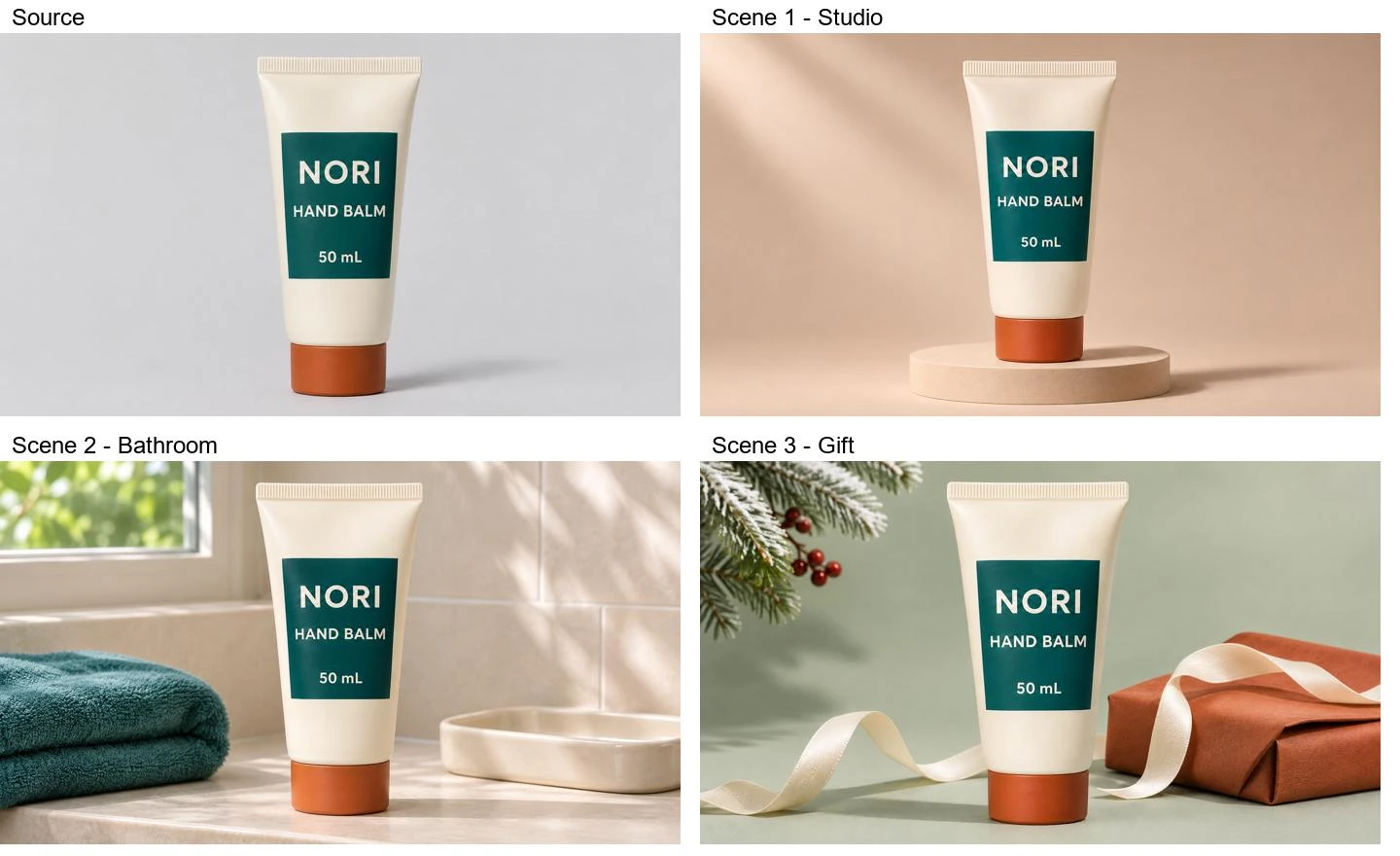
We saved Nori Balm once and selected it through the @ reference suggestion in three separate ChatGPT chats. Each output listed that saved reference and downloaded as a 1672×941 PNG. The main label text and color scheme stayed recognizable, but package proportions and lighting varied: these were redraws, not identical product cutouts.
Files for this exercise
AIHotple example files and prompts. Try the exercise before substituting real work data.
The useful promise is reuse, not an unchanged product layer
Repeated product-image requests often begin with the same upload and the same explanation of what must not change. A named reference can remove that repeated setup. OpenAI’s November 4 release notes describe saved image references that can be reused in later chats with an @ mention.
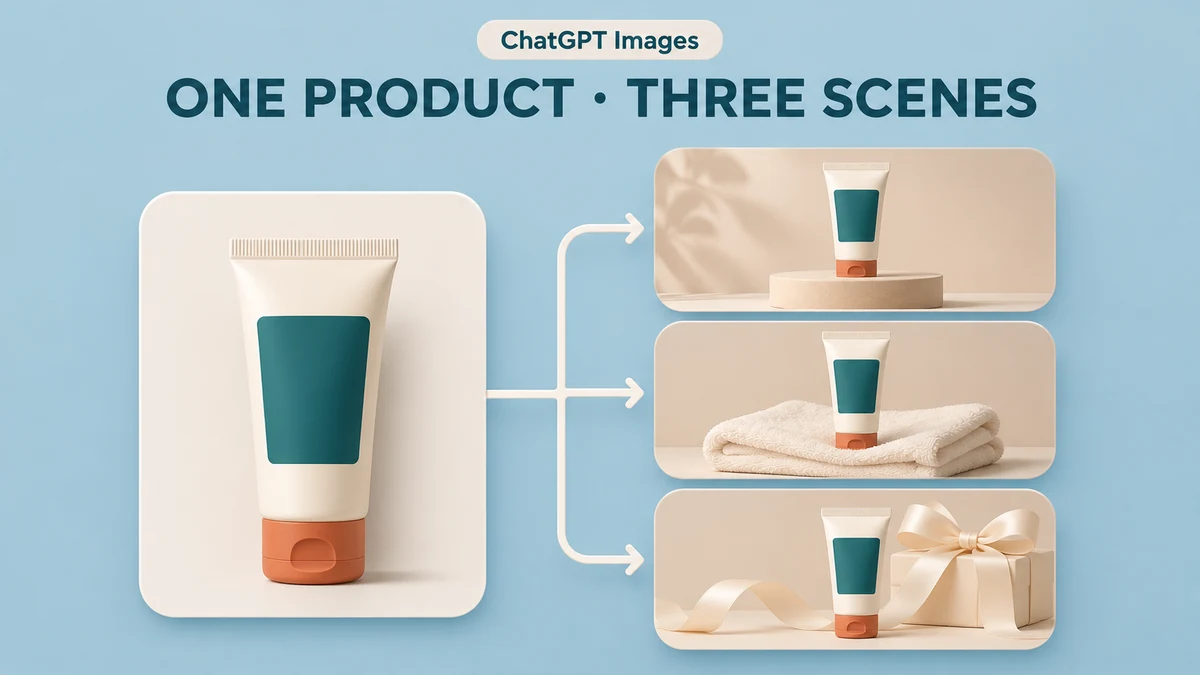
We tested the part that matters for a small creative workflow: save one owned source, open three independent image chats, select the saved reference each time and inspect three different scenes. We did not ask later chats to imitate the first generated result. All three were anchored to the same saved original.
This differs from our catalog-matching guide: the question here is whether the new saved-reference route works across chats, and what still drifts when it does.
Prepare a source you own and a short identity checklist
Our source is an original fictional ivory squeeze tube with a terracotta bottom cap, deep teal rectangular label and three lines: NORI, HAND BALM and 50 mL. It has no ingredient panel, barcode or real brand claim. The source and all three downloads are included in the kit.
Write down the traits that define the product before you generate: one tube, the silhouette, cap placement and color, label shape and color, exact words and capacity. Keep scene instructions separate from these invariants. Otherwise a nice new background can distract you from a subtly redesigned package.
Use a clear image with the whole product visible. Do not upload a customer’s photo or packaging you lack permission to use. Our test uses invented packaging precisely so the public source, requests and outputs can be inspected together.
Save the reference in the image library
In our account the working route was Images → My images → Add reference. Uploading a file into an ordinary image composer did not itself save a reusable reference. Asking chat to “save this reference” returned instructions rather than creating it. The actual library save and its named entry were the evidence we needed.
The observed interface was in Korean; the corresponding labels included My images, Reference images, Add, Other, Name and Save. Check your account’s current menu and generation allowance. We confirmed feature access in this account without an extra purchase; this is not a promise that every plan or account has the same controls.
Read the official saved-reference image announcement ↗
- Open Explore → Images → My images
Find the Reference images section above your image history. Choose its Add reference button rather than selecting an unrelated existing image.
- Upload the owned product image
Choose Image upload and select nori-source.png from the kit. A crop/zoom dialog appeared in our account. Keep the complete tube and label visible, then confirm.
- Choose Other and name the reference
Select Other for this fictional product, enter Nori Balm in Name and click Save. We saw a saved-reference confirmation and a Nori Balm entry in the library.
- Check the named entry before generating
A file attachment or a model’s sentence saying it saved something is insufficient. Look for the actual saved reference entry that can be selected in a later chat.
Select the @ suggestion and request the first scene
Start a new image request. Type @Nori, wait for the reference suggestion and click Nori Balm. In our composer the selected name became a reference chip. Append the scene request without replacing that chip, then send.
For the studio scene we asked for a beige pedestal, directional light and no extra props. The same identity paragraph specified one ivory tube, the terracotta cap, deep teal label and exact front wording. You can adapt the scene while leaving those identity requirements unchanged.
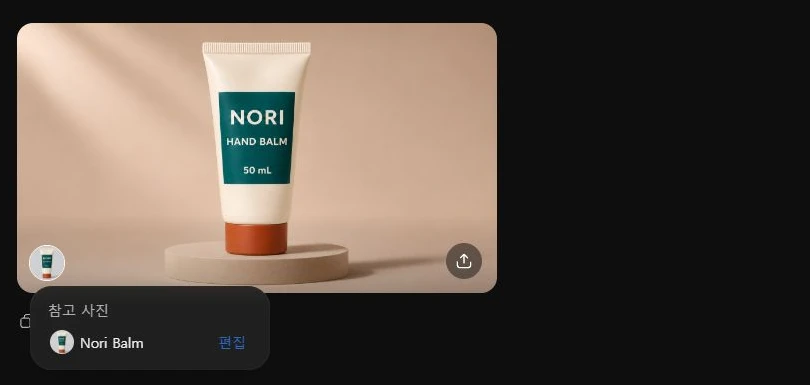
Create one 16:9 promotional product photograph using the selected Nori Balm saved image reference. Scene 1: a clean warm beige studio pedestal with soft directional light and no extra props. Keep exactly one ivory squeeze tube, the terracotta bottom cap, deep teal rectangular label, tube silhouette and front text NORI / HAND BALM / 50 mL. Show the label front-on and fully legible. Do not redesign the packaging or add claims, badges, prices, hands, people or extra text. Make the full product visible with margins. This is a fictional editorial practice.Repeat in two fresh chats, then download the originals
For scene two we opened a fresh Images request, selected @Nori Balm again and asked for a quiet bathroom shelf with a folded teal towel and ivory tray. For scene three we used another fresh request, selected the same saved reference and asked for a pale-sage winter gift scene with rust paper and cream ribbon.
After each result completed, we opened Used references and checked that it named Nori Balm. Then we opened the generated image preview and used its Download button. Each native file was a 1672×941 PNG. The exact three requests and unretouched scene downloads are in the kit; the contact sheet in this article is a labelled comparison assembled from those files.
We did not keep retrying until the output looked consistent. The comparison includes the first completed result from each of the three scene requests, which makes the visible variation part of the result rather than hiding it.
| Separate request | Requested scene | Observed result |
|---|---|---|
| 1 — studio | Warm beige pedestal, no extra props | One tube on a pedestal; warm directional lighting |
| 2 — bathroom | Folded teal towel, ivory tray, window light | One tube, towel and tray; bathroom/window context |
| 3 — winter gift | Sage background, rust paper, cream ribbon | One tube, wrapping and ribbon; added seasonal greenery |
| All three | Same selected saved reference | Used references named Nori Balm; native PNGs 1672×941 |
What stayed recognizable, and what did not stay identical
Visual inspection of the full-size outputs found the same three front-label lines in all three scenes: NORI / HAND BALM / 50 mL. Each showed one upright ivory tube, a terracotta bottom cap and a deep teal label. That is useful continuity for an exploratory promotional set.
The studio tube and label proportions differ from the original, and the later scenes vary in product scale, silhouette, apparent hue and illumination. The winter scene also added seasonal greenery beyond the named wrapping props. The generated product is not an unchanged pixel layer moved onto another background.
We did not validate small print, ingredients, legal labeling or a scannable barcode; none was present in the fictional source. Three readable labels do not demonstrate dependable reproduction of a real package. If customers must see the exact SKU, label or regulated wording, preserve the approved product image through a separate compositing workflow and inspect that final asset.
| Check | This small test | Decision for a real campaign |
|---|---|---|
| Brand, product name, capacity | Visually readable and matching in all three | Inspect every final image at full size |
| Tube/cap and main colors | Recognizable across the set | Check against an approved product master |
| Geometry and label proportions | Changed across redraws | Do not call it pixel-identical catalog imagery |
| Background and props | Distinct scenes; winter adds greenery | Approve scene details and implied claims |
| Repeatability and model backend | Not established beyond these three runs | Do not claim a universal consistency rate or exact model |
Fix the cause of a mismatch, not just the prompt length
If the reference name appears as plain text and no suggestion was selected, return to the composer, type @ and choose the saved item. If the result’s Used references menu does not show the intended product, treat the identity link as unverified before judging image quality.
If label text drifts, request that specific correction and recheck the entire label afterward. Keep the first result so you can distinguish initial performance from a corrected version. If a cap or silhouette keeps changing, adding more adjectives may not solve the requirement: use an unchanged product cutout when exact packaging is the real goal.
A strong source image and a saved reference reduce repeated setup. They do not eliminate final review. For this fictional set, the useful outcome was three visually coherent concepts with clearly disclosed shape variation and downloadable evidence, rather than a claim that AI preserved every detail.
Check catalog-style product identity with a controlled comparison →
Compare a Gemini brand-kit campaign workflow →
Take an approved product-photo set into a promo-video workflow →
Sources & verification
Tested November 22, 2026 in ChatGPT web Images through the ChatGPT in-app browser. The fictional NORI HAND BALM source was created by AIHotple with a separate built-in image generator before the web test. Three scene outputs below were actually generated and downloaded from ChatGPT using its saved reference feature, with no corrective regeneration. The chat selector displayed Medium; we did not independently identify the image backend. The Images 2.6 announcement is product context, not verified model attribution for these files. No real product, private person, paid upgrade or performance claim is involved.
Sources checked: 2026.11.22