- Keep query IDs, catalog IDs and visible evidence together.
- A catalog capacity is not a size measurement from an unscaled image.
- Use a review lane for ambiguity instead of forcing a SKU.
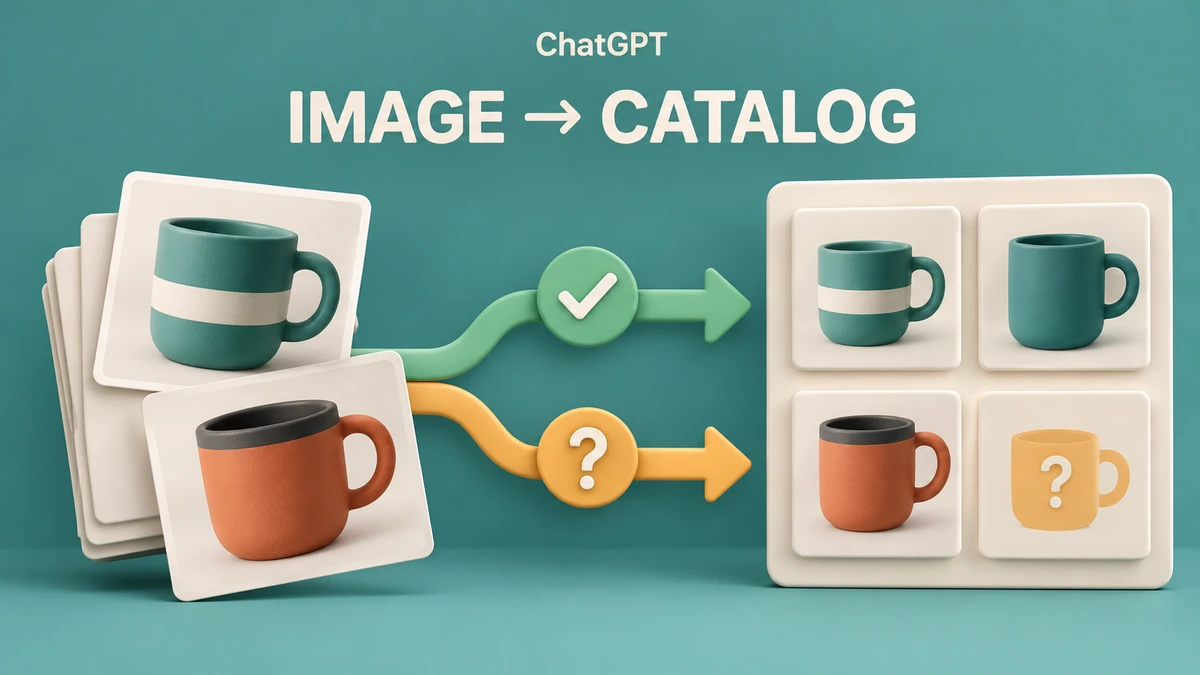
Give ChatGPT a labeled catalog and ask for one evidence-backed decision per incoming image. A useful result includes uncertain and unmatched items—not only the closest-looking SKU.
Files for this exercise
AIHotple example files and prompts. Try the exercise before substituting real work data.
What changed this week—and what to try first
OpenAI’s 26–30 October update introduced GPT-6.1 Terra in ChatGPT Work and Codex and specifically described matching product photos to catalog entries as a use case. Its availability depends on the plan and workspace; the update says it is not available in ordinary Chat. Check the model menu in your account rather than assuming a new Chat conversation uses Terra.
A small matching exercise makes the idea concrete. Imagine a shop receives unlabeled supplier images. It already has a catalog, but two items look identical from the front. The task is to suggest a supported match or hold the image for review. Updating stock, prices or listings is a separate decision.
Download the kit and open inputs/catalog.png beside inputs/incoming.png. These are our fictional mug illustrations. catalog.csv supplies six SKU records; the incoming sheet supplies query IDs Q01–Q06. The independent answer key is in checks, so omit it from the first model request.
1. Open Work and confirm the model
On the ChatGPT home screen choose Work. Open the model selector, open its current-model row if the list is nested, then choose GPT-6.1 Terra. Check the label beside the composer before sending. Our account showed Terra with Light effort; we did not run a controlled comparison with another model or effort level.
If Terra is absent, check your account and organization access against the official release note. You can rehearse the review-table method with another image-capable model, but record its actual name and do not label that run a Terra test. You do not need API credentials for the web workflow shown here.
Use the plus/attachment control, choose the upload-from-computer option and attach catalog.png, incoming.png and catalog.csv. Wait until all three attachments are ready. You are supplying both the visual reference and the machine-readable catalog; neither should silently replace the other.
- Choose Work
Start a new task so unrelated conversations do not define the catalog.
- Confirm GPT-6.1 Terra
Inspect the composer’s model label before sending the request.
- Attach only the three inputs
Keep the answer key and previous outputs out of the first run.
2. Ask for evidence and a real CSV
Request exactly one row per incoming query, with a status, a supported SKU, any candidate SKUs and visible evidence. Include an explicit unmatched outcome. Otherwise a model can treat “find the match” as an instruction to choose something even when the catalog contains no suitable item.
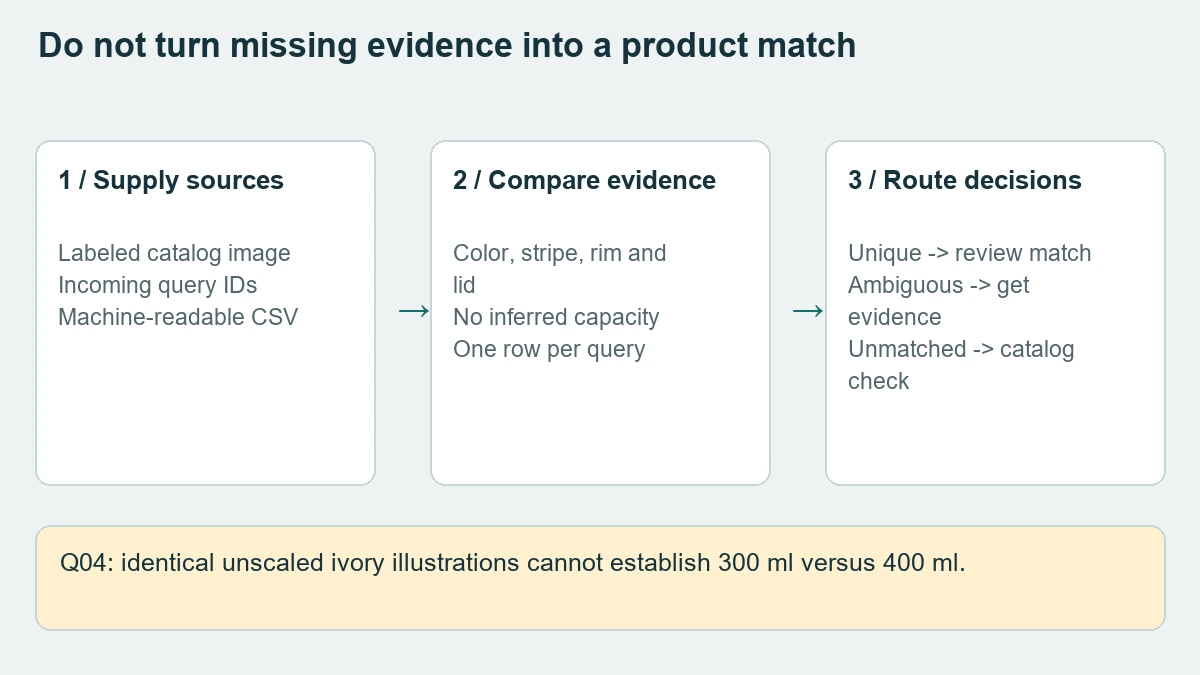
Also say what the images cannot establish. Our ivory mugs have different declared capacities but share the same unscaled illustration. The CSV tells you which capacity belongs to each SKU; it does not tell you which one an unlabeled incoming image depicts.
Use only catalog.png, incoming.png and catalog.csv. For Q01–Q06, compare visible color, stripe, rim and lid. Return exactly one row per query: query, status (matched/ambiguous/unmatched), sku, candidate_skus, visible_evidence, unresolved_details. Give a SKU only when uniquely supported. Do not infer capacity from an unscaled image or force a closest match. Create downloadable matches.csv and review.md. State any unreadable file. Do not browse or change a live catalog.3. Inspect the two decisions that matter most
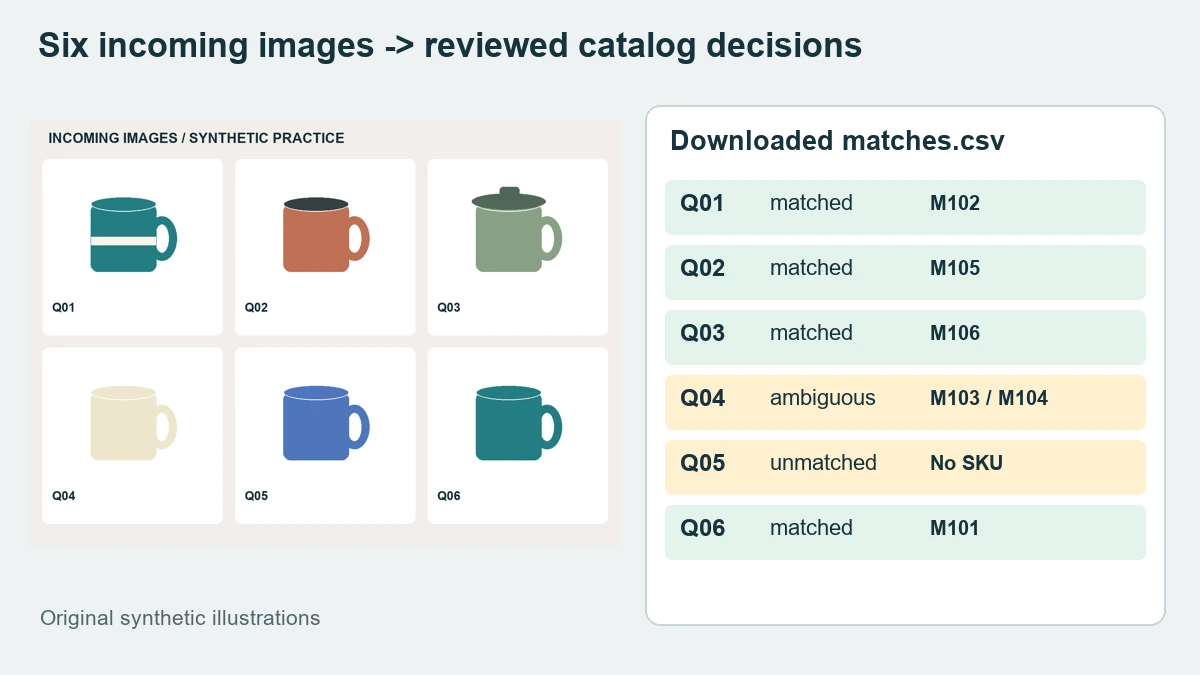
Q04 is the useful stop case. Its ivory body, plain rim and lack of a lid fit both M103 and M104. Terra left the SKU blank and named both candidates, explaining that 300 ml versus 400 ml could not be determined from these illustrations. Obtain a label, measurement or another distinguishing view before assigning an item.
Q05 is blue, and the catalog has no blue item. Its row is unmatched rather than a teal SKU with a confident explanation. Q01, Q02, Q03 and Q06 were uniquely matched to M102, M105, M106 and M101 in this fixture.
These six outcomes matched our separately prepared key. That is a check of this tiny fixture, not a percentage to advertise as general product-recognition accuracy. Real photographs add lighting changes, packaging, occlusion and near-identical variants that the illustrations do not cover.
| Query | Actual decision | What to do next |
|---|---|---|
| Q01 / Q02 / Q03 / Q06 | M102 / M105 / M106 / M101 | Review visible distinguishing features before using the suggestion |
| Q04 | Ambiguous: M103 or M104; no selected SKU | Obtain size or label evidence |
| Q05 | Unmatched; no selected SKU | Check whether the catalog is incomplete or the item is different |
4. Download, count and review before updating anything
Use the download control on matches.csv, then open it in a spreadsheet application. Check that Q01–Q06 each occur once, every chosen SKU exists in the catalog and ambiguous/unmatched rows have no selected SKU. Read the evidence column alongside the incoming image, not only the green-looking status.
Keep unresolved details in the handoff. Even a unique visual match did not independently verify the mug’s capacity. A later catalog update should use authoritative product data and a human-approved mapping, not convert a model’s visual explanation into a new product specification.
For your own first batch, use a few permitted images with known answers and include deliberately difficult cases. Keep the input, returned CSV and reviewed corrections. Expand only after you understand what the model can see and which evidence must come from somewhere else.
When this workflow is a good fit
Use it to prepare a visual review queue, find likely reference items or catch missing catalog coverage. It is less suitable when an exact variant depends on a barcode, a hidden label, material composition or a measurement absent from the image. In those cases, ask for the missing evidence rather than asking the model to be more confident.
If the answer ignores an attachment or invents a capacity, stop and request a corrected table with the unsupported field left unknown. A more polished explanation does not repair a missing source. The kit includes the exact original request, returned files and answer key so you can inspect the boundary yourself.
Sources & verification
Tested on 29 October 2026 in signed-in ChatGPT Work on the web, with GPT-6.1 Terra and Light visibly selected. One English request used two original AIHotple code-drawn illustration sheets and a six-row CSV. We downloaded matches.csv and review.md and independently checked all six rows: four unique matches, one ambiguous case and one unmatched case. The interface was localized in Korean; the instructions below use English equivalents. These simple synthetic illustrations are not real product photography, a recognition benchmark or evidence of inventory-scale reliability. No catalog, store, account connection, purchase or public listing was changed.
- OpenAI · GPT-6.1 Terra release and access requirements
- OpenAI · attach files and choose Chat or Work
- OpenAI · review and download generated files
Sources checked: 2026.10.29