- We installed the Claude Code and Codex files in separate exercise folders and checked their different locations.
- Claude Code explicitly invoked the skill and read the saved design document with project decisions.
- We distinguish a rejected CLI option and unsuitable recommendations from verified steps.
We verified installation, generated files and a Claude Code invocation. Codex installation files and documented paths were checked; a Codex model response was not tested.
Files for this exercise
AIHotple example files and prompts. Try the exercise before substituting real work data.
Decide what you want the skill to help with
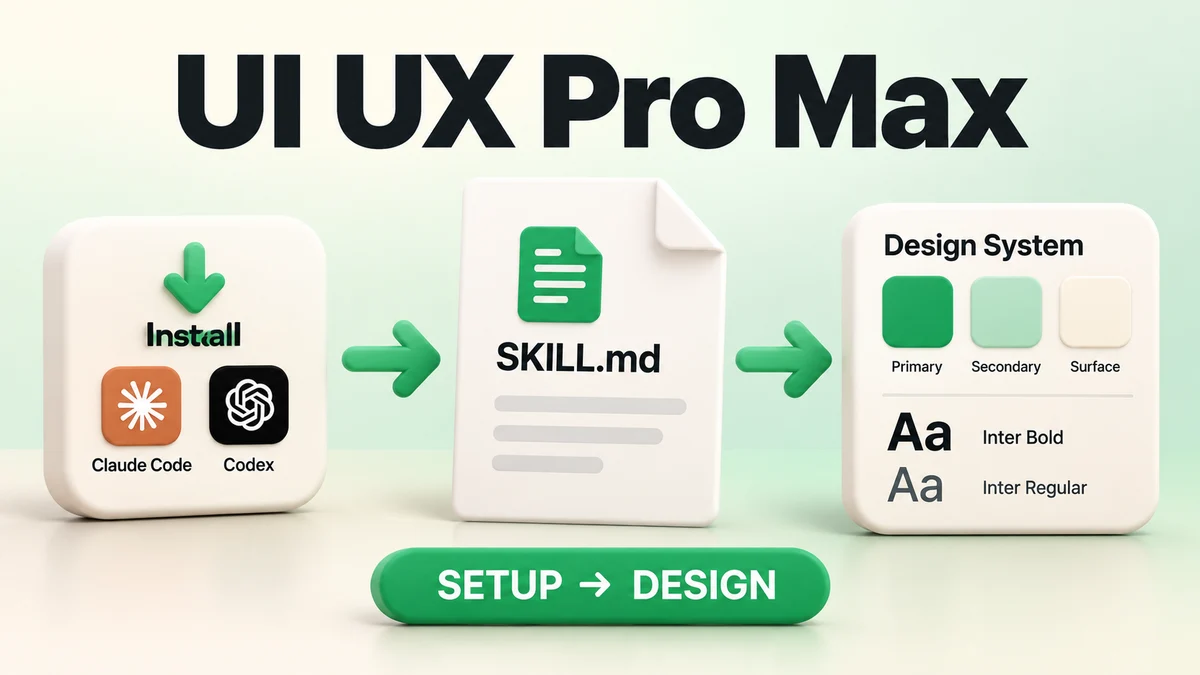
UI UX Pro Max is an external skill project containing interface guidance and searchable design data. It is not a new AI model or a visual page editor. Use it to give a coding assistant a more explicit basis for typography, colour, spacing and interaction states.
Our example is a small reading queue that stores titles and URLs. Installing the skill does not change its page. Invoking the skill, choosing applicable recommendations and editing the actual HTML/CSS are separate steps. The next two articles turn these decisions into working interfaces.
1. Start in a new exercise folder
You need Node.js/npm and an available Claude Code or Codex environment. Python 3 is also needed to run the local recommendation search. Check versions first. On Windows, use py if that is your installed Python launcher; on macOS/Linux the command is commonly python3. Replace python in subsequent commands accordingly.
Create an empty reading-desk folder in your file manager and open its terminal. This keeps the first install distinct from existing project skills and settings. Our instructions assume a fresh exercise folder.
node --version
npm --version
python --version
2. Install for the assistant you actually use
The command below installs for Claude Code. We pin the tested 2.15.0 version. npx retrieves and runs its installer; this is not an npm -g global install. --offline uses the assets bundled with the installer. It does not eliminate internet access needed to retrieve the package initially.
Check for .claude/skills/ui-ux-pro-max/SKILL.md. Enable hidden-file display in your file manager if necessary. A success message in one folder does not install the skill into a different project.
npx --yes ui-ux-pro-max-cli@2.15.0 init --ai claude --offline- Check your current project folder.
Run the command inside reading-desk; this is a project-local setup.
- Open the generated SKILL.md.
Follow .claude → skills → ui-ux-pro-max → SKILL.md and check name: ui-ux-pro-max.
- Start a fresh Claude Code session in that folder.
Restart an already-open session after installation. This is different from pasting terminal commands into an ordinary Claude web chat.
For Codex, check the .agents folder instead
The alternative below generates Codex files. Use another empty folder if comparing both setups. The tested package created .agents/skills/ui-ux-pro-max/SKILL.md, matching the project-skill location in the Codex documentation. A .claude folder alone does not confirm a Codex setup.
We verified Codex file generation, not a Codex model invocation. The design and implementation examples that follow were run with Claude Code. This is not an output comparison between both assistants.
npx --yes ui-ux-pro-max-cli@2.15.0 init --ai codex --offline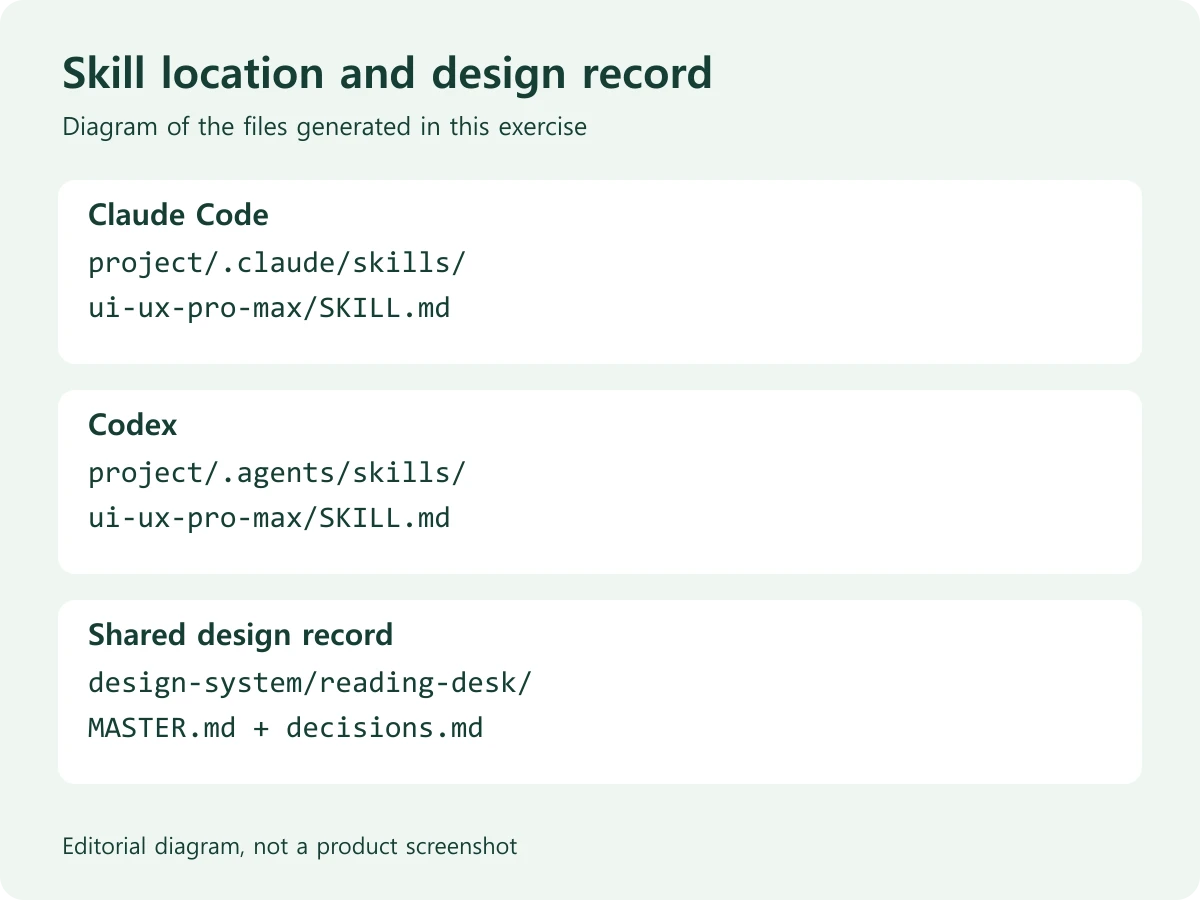
3. Read recommendations before adopting them
Run the command in the Claude Code project terminal to inspect a design recommendation. Review its colour, typography and style choices before deciding which parts fit. Installing SKILL.md does not automatically generate a search result.
Our query returned a simple flat style and productivity-oriented typography, but also a video-led landing-page pattern. A narrower retry still returned that pattern. We excluded it from the small app. A recommendation is not evidence that every suggested section belongs in your product.
python .claude/skills/ui-ux-pro-max/scripts/search.py "productivity task management web app minimal" --design-system -p "Reading Desk" -f markdown4. Give the assistant the exact saved document path
After reviewing the output, --persist with --output-dir . saves a record inside the current project. Our file was design-system/reading-desk/MASTER.md. Shortening that to design-system/MASTER.md caused an initial read failure; providing the exact path resolved it.
We kept the generated recommendation and wrote decisions.md separately: no marketing/video sections, cream #F7F5EF and forest #153E35, system fonts instead of remote fonts. This preserves the distinction between the recommendation and the choices we actually made. Both records are included in the ZIP.
python .claude/skills/ui-ux-pro-max/scripts/search.py "productivity task management web app minimal" --design-system -p "Reading Desk" -f markdown --persist --output-dir ./ui-ux-pro-max
Read brief.md, decisions.md and design-system/reading-desk/MASTER.md.
Prioritize the project decisions. Propose colours, type, spacing, empty states and keyboard focus for this reading queue.
Exclude the suggested video/marketing pattern. Do not edit code yet.
Report the exact path of any file you cannot read.Diagnose the failed step before reinstalling
The tested npm release 2.15.0 rejected init --dry-run even though that option appeared in the current README. It returned an unknown-option error and did not change files. Our install commands therefore omit it. Check your version’s help output rather than assuming every README flag is available.
If the skill is missing, check the current folder, generated path and a fresh session. A missing Python command is a runtime issue. A missing MASTER.md usually needs the actual project slug, not another installation. Do not make --force overwriting your first troubleshooting step in a folder you have already edited.
| Symptom | Check first |
|---|---|
| Page looks unchanged | Did you separately request actual code changes? |
| Cannot read MASTER.md | The exact design-system/reading-desk/MASTER.md path |
| Skill not found | Current project, .claude/.agents and a fresh session |
| Unknown --dry-run option | init --help for the installed version |
npx --yes ui-ux-pro-max-cli@2.15.0 init --helpCarry three records into the next task
Use brief.md for scope, MASTER.md for the generated recommendation and decisions.md for your selected rules. Then request specific file changes instead of repeatedly asking for a prettier page.
The next article applies these records to the existing reading queue. We preserve its storage/filter logic, change only HTML/CSS and check the result with both screenshots and working interactions.
Sources & verification
Checked on 20 October 2026: Windows, Node.js 24.20.0, Python 3.12.14 and ui-ux-pro-max-cli 2.15.0. Claude Code 2.1.301 recorded model claude-sonnet-5-5 explicitly invoked the skill. The editor ran installer/search commands; the model had read-only document tools. Isolated folders, no global install or additional payment. No Codex model execution, other-OS test, full compatibility survey or controlled design-quality comparison.
- UI UX Pro Max · official README at the reviewed commit
- UI UX Pro Max CLI · npm release metadata
- Claude Code · skills
- Codex · build skills
Sources checked: 2026.10.20