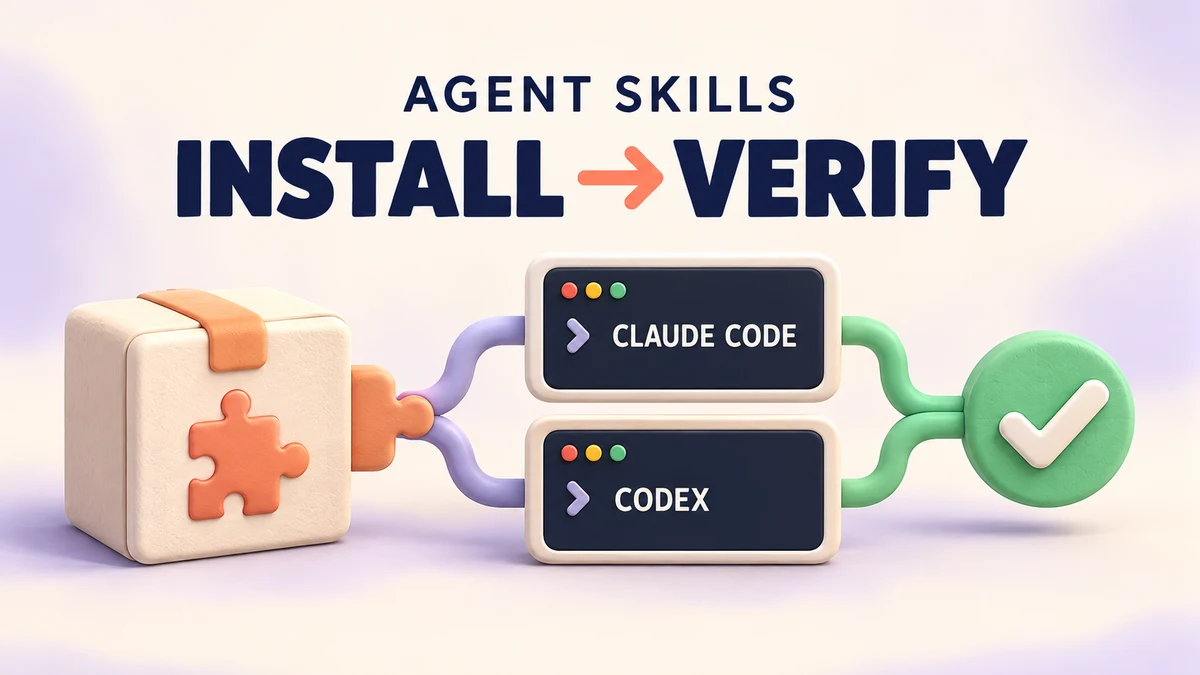
- Keep the complete repository for the first trial so shared references remain available.
- Use the invocation format for your host rather than copying every slash command.
- Prove one known result before adding the pack to an important project.
We loaded release 0.6.13 in Claude Code and Codex, then obtained a source-backed review of the same four-line defect in both. An older Codex client failed before the separate updated-client check succeeded.
Files for this exercise
AIHotple example files and prompts. Try the exercise before substituting real work data.
Start with one result you can recognize
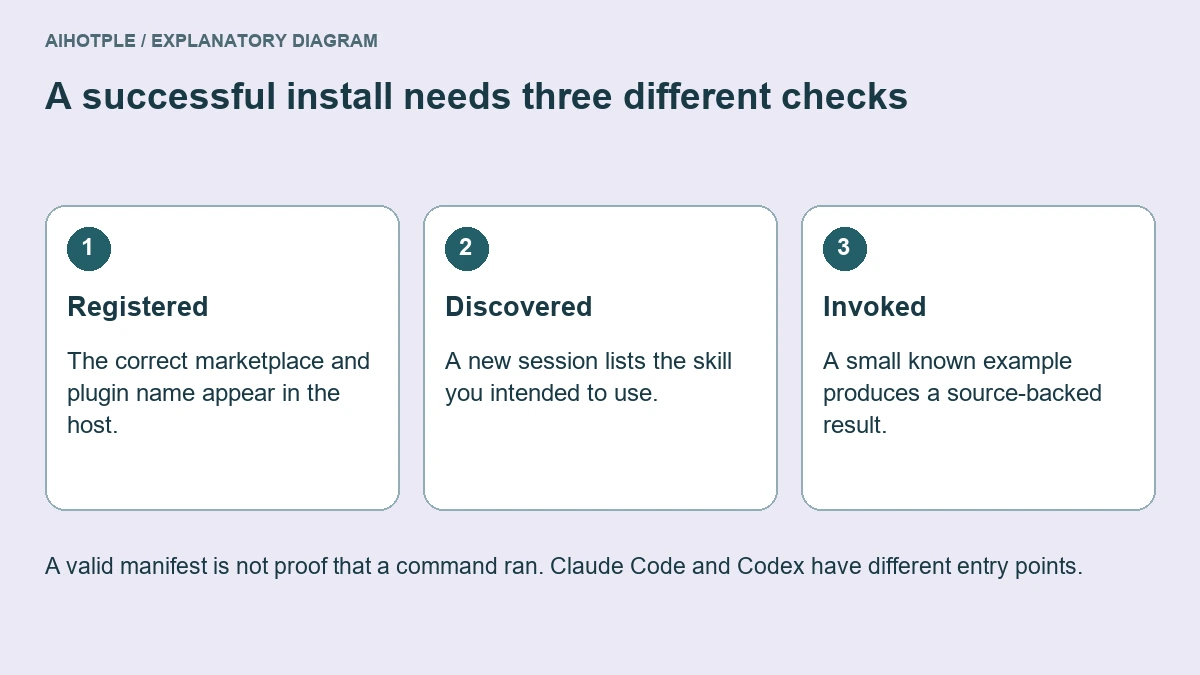
If a plugin says Installed but your assistant keeps working as before, check three different things: the host registered the package, a new session discovered the intended skill, and a task actually used it. A valid manifest proves only the first part. Our first task is deliberately small enough to inspect without trusting the assistant.
Addy Osmani’s agent-skills is a collection of engineering workflows, including requirements, tests, review, security and shipping. It is a separate project from Anthropic’s general Agent Skills format and from Superpowers. Installing its Markdown instructions does not add a model subscription or automatically connect a browser.
Our download contains review-target.mjs. Its comment requires positive integer quantities, but totalCents simply multiplies the arguments. The useful result is a review that points to the missing validation and explains a bad input. A long list of engineering principles would not prove that this particular file was read.
1. Prepare the practice folder and inspect the package
Download and extract the installation practice ZIP. Open a terminal inside its extracted folder, where review-target.mjs and README.md are visible. Check that Git and the coding assistant you intend to use already start and that you can sign in through that product’s supported flow. This exercise does not require both assistants.
Run the clone command below from that practice folder. It creates an agent-skills subfolder alongside the review target. We pin the release we inspected rather than silently following a moving main branch. A different release may change its manifests or command names; compare that release’s README before adapting these steps.
Inspect .claude-plugin/plugin.json, .codex-plugin/plugin.json, skills/ and references/ in the clone. In this release, the two hosts use the same underlying skill files. The Claude plugin declares command directories as well; the Codex plugin exposes its skill directory. Keep the clone intact during this first trial.
This is also why our first route uses the complete repository. The project notes that installing a single skill through the generic skills CLI can omit shared references outside that skill folder. A missing supplementary checklist is a packaging question, not evidence that a model ignored a correctly loaded instruction.
Inspect the exact Agent Skills revision used here ↗
git --version
claude --version
# Or, if you are testing Codex:
codex --version

git clone --depth 1 --branch 0.6.13 https://github.com/addyosmani/agent-skills.git agent-skills
2. Load the local plugin in Claude Code
Stay in the practice folder, not inside the cloned repository. Start Claude Code with the local plugin directory shown below. The path is the directory containing .claude-plugin, skills and references. Passing just the .claude-plugin directory points at the manifest container rather than the plugin root.
This --plugin-dir route loads the clone for that Claude Code session. It is useful for a bounded trial without first adding a persistent marketplace installation. Follow any applicable project trust and product permission prompts yourself after inspecting what is being loaded. Our read-only test allowed file reading and did not allow editing or terminal execution.
In the prompt box, type the namespaced review request. Use /agent-skills:code-review-and-quality rather than assuming that an unqualified /review belongs to this plugin. The release README specifically recommends a namespace when a built-in command has the same name.
Our session reported agent-skills 0.6.13 and exposed its 25 skill names. The invoked review read review-target.mjs and identified that zero, negative, fractional and string quantities were accepted despite the stated input contract. Those examples were reasoned from the source; this installation test did not execute the function or repair it.
claude --plugin-dir ./agent-skills/agent-skills:code-review-and-quality Review only review-target.mjs. Identify one concrete correctness issue with file and line evidence. Do not edit, run commands or delegate. Distinguish source inspection from runtime tests.3. Register the native plugin in Codex
For Codex, the tested clone contains .agents/plugins/marketplace.json. From the same practice folder, register that local marketplace, then install the plugin using the two commands below. These commands configure the current user’s Codex installation; the local marketplace depends on the clone remaining at the registered path.
Check the returned identity rather than guessing the marketplace suffix from Claude instructions. Our Codex result was agent-skills@agent-skills, version 0.6.13. The Claude marketplace in this release is named addy-agent-skills. Those names are intentionally different.
Start a fresh Codex session after installation. The repository’s Codex setup describes invoking an underlying skill in chat, for example @code-review-and-quality, or explicitly asking Codex to use that named skill. Its Claude-specific wrapper commands are not a promise that /agent-skills:review or /webperf exists in every host.
Ask for the same review target and require the skill source and file evidence. Treat an installed/enabled listing as registration evidence until you have a real response. Our original 0.153.4 CLI registered the plugin but rejected the configured model before reviewing the file. A separate 0.164.0 CLI then read the installed code-review-and-quality/SKILL.md and review-target.mjs and returned the negative-quantity defect with line evidence. We did not update the global client. Model availability, plugin discovery and file permissions are separate checks.
Read the repository’s Codex-specific setup ↗
Check model availability for your Codex client and sign-in ↗
codex plugin marketplace add ./agent-skills
codex plugin add agent-skills@agent-skills
codex plugin list --json
codexUse the installed Agent Skills code-review-and-quality skill to review only review-target.mjs. State which skill you used and identify one concrete defect with file and line evidence. Do not edit or execute the example.4. Read the result as evidence, not a success badge
A useful review names the function, cites the multiplication line, and connects it to the comment’s positive-integer requirement. For example, a negative quantity produces a negative total. The review should also state whether the example was run. This gives you something to compare with the file even when you are new to the plugin.
Keep installation proof and application proof separate. The two successful reviews here do not show that all 25 skills work in every project. Likewise, a model response alone does not prove that the model loaded this repository’s skill. Our Codex trace included a successful read of the installed review skill and the target; Claude’s session reported the plugin’s available skills and processed the namespaced request.
When you later permit a repair, define the accepted input range and rounding rules first. A cents calculation has decisions beyond “reject negative values”: whether zero price is allowed, how large a quantity can be and what happens to an invalid request. This smoke test intentionally stops before those product decisions.
| Check | Evidence to look for | What it does not prove |
|---|---|---|
| Registered | Plugin name, marketplace and version | That the skill was used |
| Discovered | Intended skill available in a new session | That its workflow completed |
| Invoked | Source-backed answer for the known target | That a fix was saved or tested |
If it does not load, narrow the problem before reinstalling
If the terminal cannot find claude or codex, check the product installation and terminal path first. If the clone is missing references, check what was copied. If an expected command is absent, confirm the host, namespace and plugin-root path, then start a new session. Repeating a command from the wrong assistant will not fix its name.
If the client rejects a model, select a model actually available in that client and account or update the client through the official route. Do not change your global Git configuration or weaken project permissions to address a model-availability error. Keep a working older setup intact while testing a separate updated installation.
If a skill claims it needs browser data but has no browser tool, stop at source inspection and say so. The next exercise demonstrates that boundary: the skill produced a source-based test plan, while we separately replayed the browser cases. An instruction file cannot manufacture an unavailable tool connection.
To end the Claude local trial, exit that session and restart without --plugin-dir. For a Codex native install you no longer want, use codex plugin remove agent-skills@agent-skills, then review whether the local marketplace source should also be removed. Remove a registered source before moving its clone; never delete your project folder as a plugin-cleanup shortcut.
Test saved data and invalid input in the browser →
Sources & verification
Checked 25 October 2026 on Windows. Agent Skills 0.6.13, commit aeac41d4d005999432bb7312f7ff06383a91d59d. Claude Code 2.1.310 loaded the complete local plugin and returned a source-backed review through the namespaced skill. Codex CLI 0.153.4 registered the native plugin but rejected the configured GPT-6.1 Sol model. A separate 0.164.0 CLI installation then read the installed review skill and the target and returned the correct finding. Both reviews were static, read-only tests. No global client update or Git rewrite, real project repair, paid purchase or deployment by the tested agents was performed.
- Agent Skills · tested release 0.6.13
- Agent Skills · getting started
- Agent Skills · Codex setup
- Claude Code · plugins
- Claude Code · skills and invocation
- OpenAI · Codex plugins
- OpenAI · model availability in Codex CLI
Sources checked: 2026.10.25