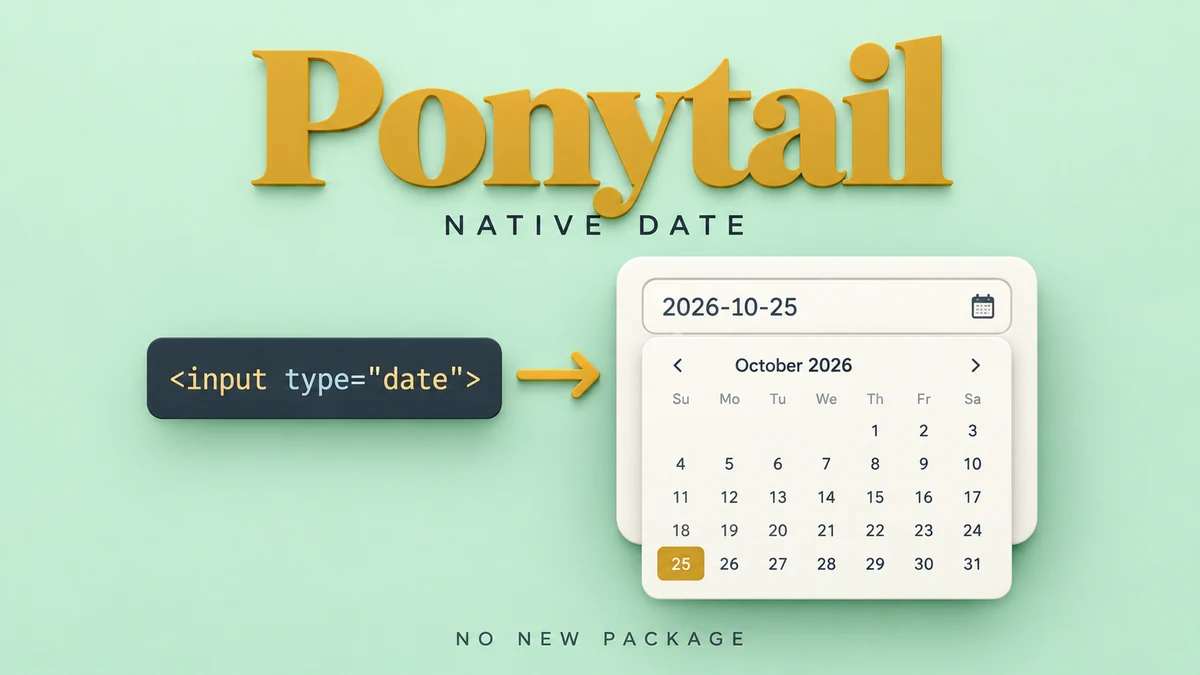
- Check for an existing project component before choosing a native date field.
- Only the HTML input type changed;the original validation and error handling stayed.
- Distinguish fixed exercise dates from live availability,and inspect the current field alongside feedback.
Claude-edited files and independent editorial browser/validation checks are separated. This is a fixed fictional date exercise,not a booking service or a hardware-phone test.
Files for this exercise
AIHotple example files and prompts. Try the exercise before substituting real work data.
The task is one date field
A visit form needs a date selector. Rather than building month navigation or adding a package,you may be able to use the browser’s native input. Smallness matters only if the requested interaction and existing safeguards both remain.
Our fictional page only displays a selected date. It makes no booking,payment,network request or server write. Claude changed type=text to type=date in index.html and left the five other files unchanged. That narrow scope makes the result inspectable.
| Item | Observed |
|---|---|
| Edited file | index.html |
| Change | type="text" → type="date" |
| Preserved | app.mjs,validation.mjs,styles.css,check.mjs,CLAUDE.md |
| Added packages/files | None |
| Independent checks | 7 validation cases and browser submission/layout |
1. Open the before and after examples
Extract the ZIP into a new folder. With Node.js installed,run the command below from that extracted folder;there is no npm installation. Open http://127.0.0.1:5599/before/ and /after/. If the port is already occupied,stop a server you started or adjust the port in your copied preview.mjs.
The before version is a text field. The after version exposes the browser’s date control. The allowed interval is intentionally fixed to20–31October2026 for repeatability;it does not represent current booking availability.
node preview.mjs
- Extract the practice ZIP into a new folder.
Work in the extracted folder, not inside the archive. Confirm before, after and preview.mjs are present.
- Start the local server from that folder.
Run node preview.mjs in a terminal and leave it running. Node.js is required; there is no npm install step.
- Enter the before address in the browser address bar.
Open http://127.0.0.1: 5599/before/ and compare the plain text input with the actual capture.
2. Read the current flow first
index.html owns the label,input and date bounds. app.mjs reads submission and displays feedback. validation.mjs checks formatting,calendar validity and the allowed interval. styles.css handles appearance and check.mjs contains the validation checks.
Start Claude Code in the before folder and confirm the Ponytail skill is available. If a real project already has a date component,inspect that component first. This exercise does not justify replacing an established project pattern everywhere.
- Leave the server terminal running and open another terminal.
Start Claude Code inside before. Confirm the working folder so that another project is not the edit target.
- Confirm Ponytail, then send the edit request.
Invoke /ponytail: ponytail full in the conversation and send the scoped request below. Read the reported changed-file list.
3. State the feature and the constraints together
A vague request to make it simple does not identify the safeguards to preserve. Name the files to read,the intended interaction,the existing constraints and the edit boundary. The compact prompt below is an editorial adaptation;the ZIP contains the actual request and reply.
The observed session read five files and edited only index.html. It retained required,min,max,label,aria-describedby,the submission flow and validation function. We did not give that session command or browser tools,so the later test results belong to the editor.
/ponytail:ponytail full
Read index.html,styles.css,app.mjs,validation.mjs and check.mjs. Let the user select a visit date with the browser’s native date input. Preserve date bounds,required input,label,error handling and visible copy. Add no packages or files. Make only the necessary change and identify what remains unchecked.
4. Inspect the actual HTML change
A date input supplies a normalized YYYY-MM-DD value even when the visual field uses a different local date format. Its popup appearance depends on the browser and operating system.
The HTML min/max values must agree with validation.mjs. For another exercise period,update both places and the expected checks rather than changing only the visible form.
<input id="visit-date" name="visitDate" type="date"
  required min="2026-10-20" max="2026-10-31"
  aria-describedby="date-note">
5. Check rejection as well as acceptance
We submitted an empty field,a valid25October value,an out-of-range19October value and the upper bound using Enter. We also checked390px layout. The screenshot is the actual fictional practice page,not a generated product interface.
There is a useful limitation:after accepting25October,changing to19October blocks submission but leaves the old success output visible. Read the current value and validity rather than treating that stale output as approval. A production form should clear previous feedback when input changes. That additional interaction was outside this one-attribute edit.
For this visual update, we also opened the native picker, moved from 25 October to 26 October with the keyboard and confirmed the displayed result. The capture shows that new 26 October interaction. The 25/19/31 October rows above are earlier separate checks.
| Interaction | Observed |
|---|---|
| Empty submit | Blocked by required |
| 2026-10-25 | Accepted and displayed |
| 2026-10-19 | Blocked;prior success output stays |
| 2026-10-31 and Enter | Accepted and displayed |
| 390px | No horizontal overflow |
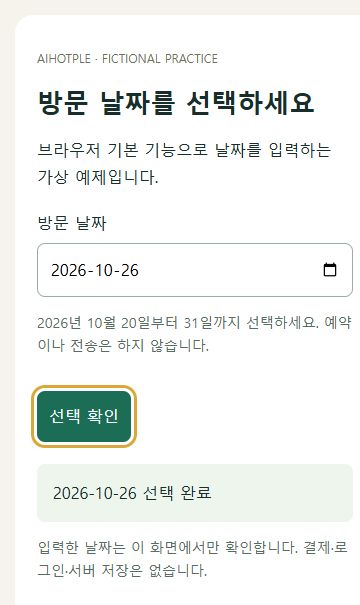
- Open the after version in the address bar.
Go to http://127.0.0.1: 5599/after/ and locate the calendar icon on the right of the date field.
- Open the picker and choose an allowed date.
Use the calendar icon, or Alt+Down in the input. In our environment, Right then Enter moved the selected 25 October value to 26 October. Appearance and keys can differ by browser and OS.
- Activate 선택 확인 and compare the field with the result.
Click the confirm button or focus it and press Enter. Both should show 2026-10-26 in this example. Remember that changing the date can leave an earlier success message visible.
6. Run the checks yourself
Run the following from after. It checks two valid dates and five rejected values. Inspect the inputs in check.mjs and the implementation in validation.mjs instead of relying on a copied success line.
Browser constraints do not replace server validation. A real booking service must also verify incoming requests,permissions and live availability on its server. This sample has no server and did not test those requirements.
node check.mjs
# Expected: PASS: 2 valid dates and 5 rejected values
Know when the native control is insufficient
Strict visual requirements,date ranges,complex holiday rules or timezone-sensitive scheduling may call for an existing component or a suitable library. Ponytail’s useful question is whether the smallest complete solution fits this task,not whether every calendar can become one line.
One successful edit does not establish a general productivity gain. Continue to the review exercise for a case where the important work is preserving and strengthening validation.
Sources & verification
On19October2026 we loaded official Ponytail5.3.2 commit09c434ab73ca43761c5d8b0c5d341926c2fba710 using --plugin-dir on Windows,Node.js24.20.0 and Claude Code2.1.301; the recorded model was claude-sonnet-5-5. We explicitly called the Skill tool with disableAllHooks=true and automatic memory disabled. We did not test permanent installation,automatic hooks,persisted modes,band,board,webhooks,Codex,another OS or comparative cost/performance. No additional payment or global configuration change was made. A separate date session used Skill1,Read5 and Edit1 to change only index.html type=text to type=date;five other files stayed byte-identical. We independently ran seven validation cases and checked empty,valid,out-of-range and Enter submission plus390px layout in IAB Chromium. We did not click dates inside the native calendar popup,test another browser or phone hardware,or implement server checks/storage. An earlier success output remains when the field changes. In this update we opened the same example’s native picker with Alt+Down, observed its calendar table in accessibility state, selected 26 October from 25 October using Right/Enter, and confirmed the result with Enter on the button. The popup was not captured; the screenshots show the field and confirmed result. No new Claude session or code change occurred.
- Ponytail · pinned working principles
- MDN · date input
- MDN · constraint validation
- Claude Code · plugin loading
Sources checked: 2026.10.19