- Extract a few visible design rules instead of asking for a pixel copy.
- Give each portfolio project a brief, role, design decision and honest limitation.
- Test filters, case-study disclosures and the enquiry draft at phone widths.
A screenshot can suggest a look, but it does not supply your story, project evidence or mobile behaviour. Start with two visual references, write down what to borrow, then build a portfolio around three clearly labelled concept projects. Download the complete local example and its design decisions.
Files for this exercise
AIHotple example files and prompts. Try the exercise before substituting real work data.
What you will make
The result is a small portfolio for Maya Reed, a fictional product and identity designer. It contains three self-initiated concept projects: Common Ground, a reading-space identity; Field Notes, a reading-app concept; and Sunday Market, a market identity. A visitor can filter the work, open the explanation behind each project and prepare a local enquiry draft.
This exercise starts with a blank implementation and two references. It differs from our existing-page redesign example, which protected an already working calculator and form. Here the central problem is turning visual preferences into repeatable decisions before generating the page.
You can inspect the finished example without an AI account. Download and unzip the kit. In a code editor choose File → Open Folder and select the extracted folder, then Terminal → New Terminal. Run node serve.mjs and open the localhost address it prints. Node is required for this small preview server; the portfolio uses plain HTML, CSS and JavaScript with no package installation.
1. Choose references that answer different questions
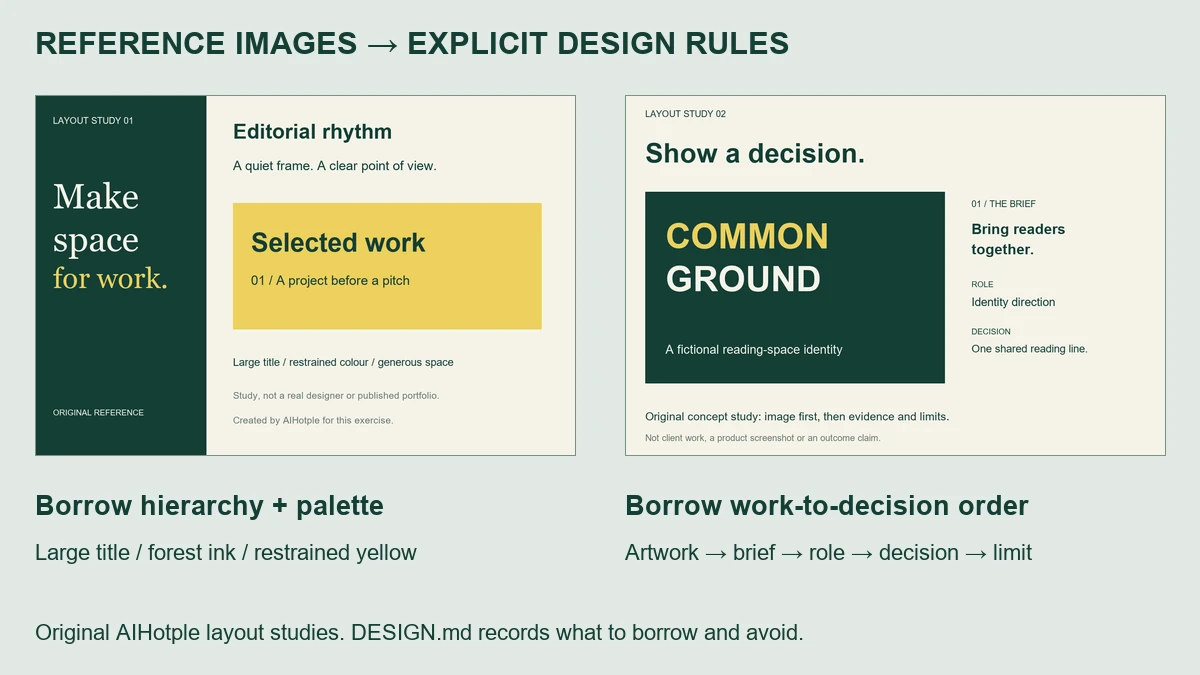
Open references/editorial.png and references/work.png in the kit. The first study explores a large editorial title, a dark green field and generous spacing. The second explores a large work image next to a short account of the brief, role and decision. Both were drawn by AIHotple for this tutorial. Neither is a real client portfolio or a testimonial about this method.
Assign one job to each reference. Use the first for type hierarchy and colour roles, and the second for the order in which a visitor encounters work and explanation. This is more precise than asking the agent to combine two entire websites. A third unrelated style often adds disagreement rather than useful information.
With your own references, use images you own or have permission to share. Identify the particular feature you want to learn from. A reference does not grant permission to reuse its photographs, logo, written case study or client claims. Keep your own identity and project content separate from the borrowed design principle.
2. Write your real project facts before asking for design
Create a short brief with your name, discipline, intended visitor and main action. Add the work you can actually show, including its status. For a concept project, say that it is a concept. For team work, specify your contribution. Leave out results you cannot support.
Our brief fixes three project names, their categories and their fictional status. It supplies four original concept-art images. It does not supply a client list, an employment history, an award or a percentage improvement. Those omissions are constraints for the agent, not gaps to fill with persuasive fiction.
For each project write four short notes: the problem, your role, one decision and what remains untested. For example, Field Notes explores how to distinguish unread, current and finished books. Its interface illustration does not prove that readers find books faster; that would need separate user research.
| Input | Useful instruction | Avoid |
|---|---|---|
| Reference A | Use its large title and limited palette | Copy this whole site |
| Reference B | Show work first, then a concise decision | Invent a client success story |
| Project facts | Label all three as concept projects | Add awards to make it credible |
| Primary action | Read a case study, then prepare a draft | Create an unconfigured live contact form |
3. Load Taste Skill in the intended project
Taste Skill is a set of instructions and scripts for a coding agent. The official README lists Node 22 or newer and Chrome, Edge or Chromium for its scripts. The agent’s account and usage limits are separate. We reused existing access and made no additional purchase.
The official installer command is npx skills add https://github.com/Leonxlnx/taste-skill --skill "design-taste-frontend". Review the destination project and selected agent. In this run we instead reused a project-local copy of the pinned official skill under .claude/skills/design-taste-frontend/; the installer itself was not tested.
Open Claude Code in the portfolio folder. Type / and choose design-taste-frontend if it is listed, or ask Claude to invoke that skill explicitly. Give it the brief and the two exact reference paths. Our execution record includes a native Skill call followed by reads of both image files; a skill folder merely existing on disk would not establish that.
4. Approve a design criteria file before the page
Ask for DESIGN.md before HTML. Its reference-to-rule table should state what is visible, what rule follows from it and what to avoid. “Generous spacing” becomes useful when it defines section gaps and a smaller phone gap. “Green” becomes useful when it distinguishes background, text and accent roles.
Our criteria use forest green #143e35, paper #f5f3e9 and yellow #ecd05c, with local system fonts. They also specify the content order, project disclosures, filtering and the enquiry boundary. This is an editorial project file; it is not an official universal Taste Skill format or an accessibility certificate.
Read that file before accepting the implementation. If it describes a different profession, introduces unsupported metrics or requires media you do not have, correct the criteria now. A short stable brief gives later revision requests something concrete to preserve.
First load design-taste-frontend. Read brief.txt and both references/editorial.png and references/work.png as images. Before writing HTML, create DESIGN.md with a reference-to-rule table, colour/type/spacing roles, section content, phone layout and interaction checks. Borrow the editorial hierarchy and work-to-decision rhythm, not a pixel copy. Preserve the fictional notices and Concept project labels; invent no clients, awards, CV or outcomes. Use only the supplied original artwork and local fonts. Build plain HTML/CSS/JavaScript with project filters, native case-study disclosures and a local enquiry draft. No external requests, mailing, hosting, animation or media. Run the official direction draw and browser inspector; report genuine problems and conflicting style quotas honestly. Show every final screenshot before declaring the work ready.5. Build around work and a decision
After the criteria and copy deck are ready, let the agent implement the page. Our run chose the page-is-the-object direction and used a catalogue-card and project-folder idea. The editor subsequently shortened the title and clarified its supporting sentence. This is a reviewed example, not a claim that the first output needed no changes. The design task is to make the work and its explanation carry the portfolio.
Open a project’s disclosure. Look for the brief, role, decision and limit rather than an image followed by vague praise. The example uses native details/summary controls, so the explanation can remain available without a JavaScript framework. The MDN source below explains that browser disclosure mechanism.
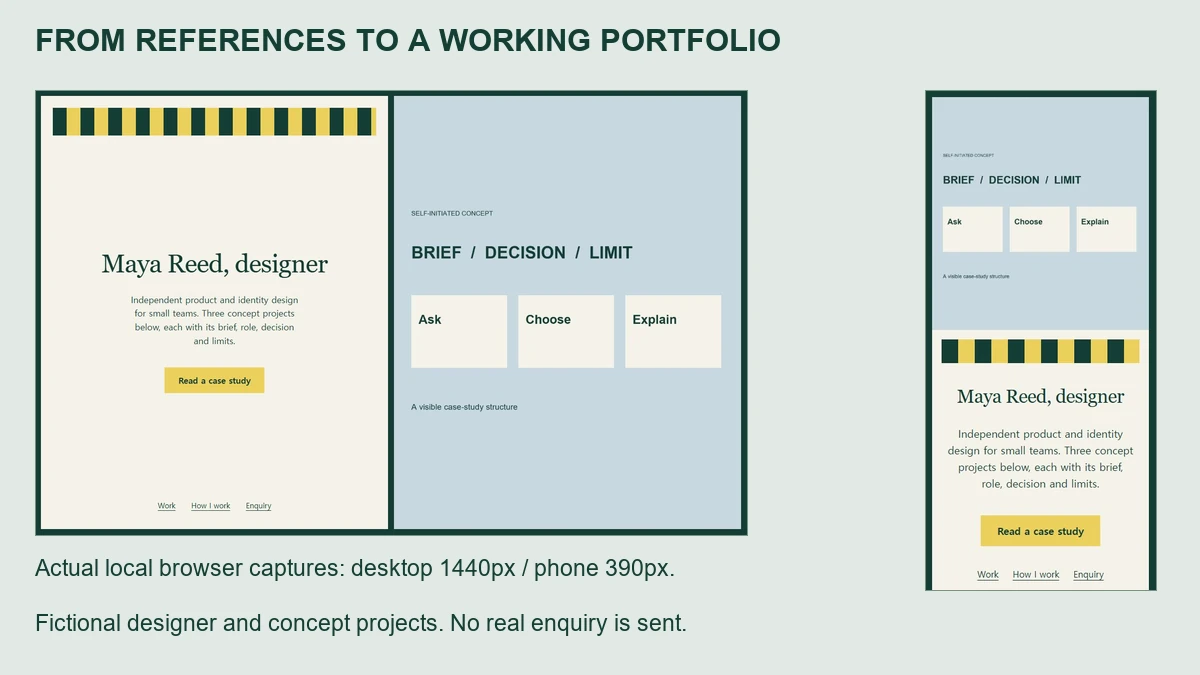
Check what happens on a phone instead of asking for the same desktop composition to shrink. A narrow page needs a sensible reading order, readable form labels and image text that is not essential to understanding the project. The adjacent figure shows actual browser captures of the completed local example.
6. Click through the useful interactions
In Concept projects, choose Product: only Field Notes should remain. Choose Brand: Common Ground and Sunday Market should remain. Return to All to see all three. Confirm the visible count and selected-button state change together. Use Tab and Enter as well as pointer clicks.
Open and close the three case studies. Then reach the enquiry area and try an empty draft. It should identify the first invalid field and move focus there. For a valid example, use Demo Reader, reader@example.test, one of the project choices and a fictional note of at least 20 characters. The result should be a readable draft and an explicit statement that no message was sent.
Change a field after a valid draft: the old result must be marked stale or cleared. Try markup-shaped text such as <strong>Demo request</strong> in a sufficiently long message and confirm it remains text. These are narrow checks of the local example, not a complete security or accessibility audit.
Run node check.mjs from the kit to repeat the independent logic and file checks. Browser clicks remain a separate step: a validation function passing in Node cannot show that a button is wired up or that an error receives focus. The downloadable README states the exact checks and local-only limits.
How to judge the result without chasing a style score
The official inspector applies Taste Skill’s opinionated design rules. Our brief deliberately keeps this example static, local and free of external media. Its remaining findings include a still-page FAIL and warnings about the chosen paper colour and absence of video. These are recorded in the kit; the run does not establish that every default gate passed. A demand for motion is not automatically a reason to animate a portfolio.
Judge the result against the criteria you agreed: can a visitor identify the designer, understand a project decision, read the phone layout and use the next action? Repair overflow, missing text or a broken button. Treat a stylistic disagreement separately from an actual failure to complete the task.
The reference files make a later revision easier to constrain. Ask to adjust one rule—for example, reduce the title size or bring the first project higher—while preserving the content and interaction contract. A different colour scheme should not silently remove case-study evidence or introduce a live form destination.
Replace the example honestly before publishing your portfolio
Use your own name, work, contribution and permitted images. Replace every concept label only where the work’s real status warrants it. Keep a clear account of what you actually did, especially on team projects, and remove the fictional Maya Reed material.
The supplied enquiry feature prepares text locally; it does not contact anyone, save a lead or deliver email. Before using a real contact service, configure its destination, privacy notice and failure handling, then test delivery separately. No backend or portfolio hosting account is included in this exercise.
You now have more than a prompt: two visible references, an explicit set of design choices, an editable portfolio and tasks to repeat after changes. That is the reusable part of the workflow. It does not guarantee job enquiries, client preference, search traffic or a particular design score.
Sources & verification
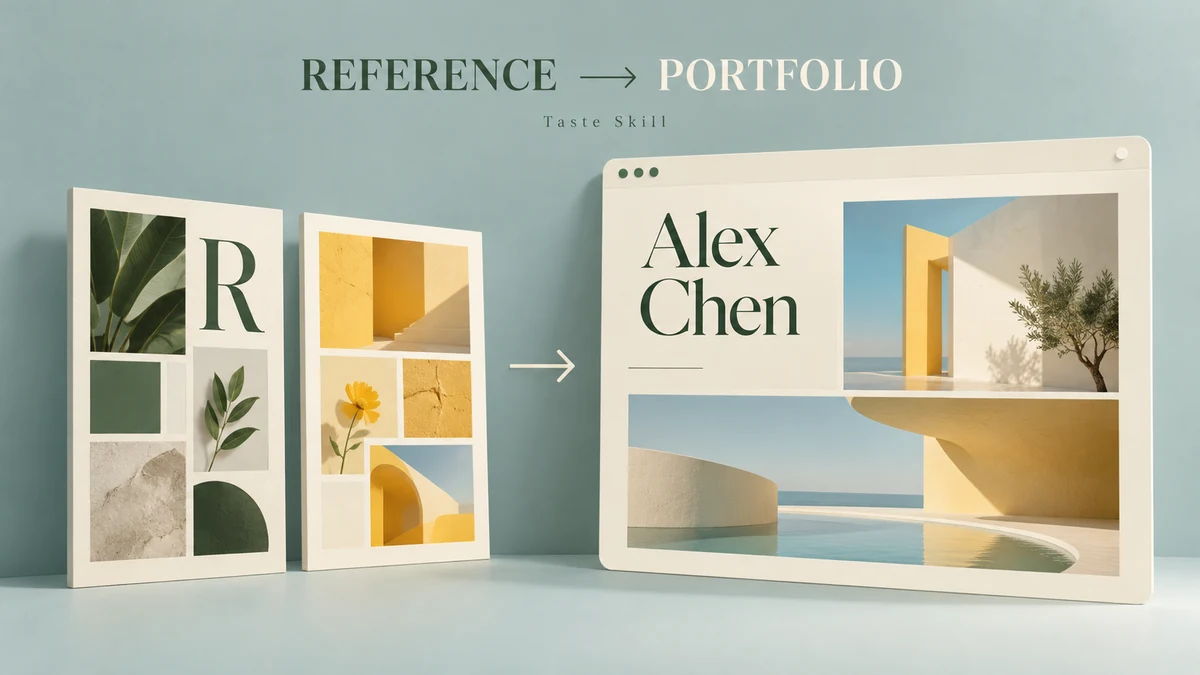
AIHotple used Taste Skill 2.1.5 at the pinned commit linked below through an explicit native Skill call in Claude Code 2.1.310 on 27 October 2026. The run read two original AIHotple reference images and built a fictional designer portfolio. The reference studies and project artwork are original code-drawn examples, not third-party portfolio screenshots or client work. The finished page and local interactions were checked separately. No real designer, customer, enquiry delivery, hosting service, purchase, conversion experiment or independent design panel was involved. The cover is a conceptual generated illustration, not a capture of the practice result.
- Taste Skill · official README at the tested commit
- Taste Skill · exact skill instructions used
- Claude Code · extend Claude with skills
- MDN · details disclosure element
Sources checked: 2026.10.27