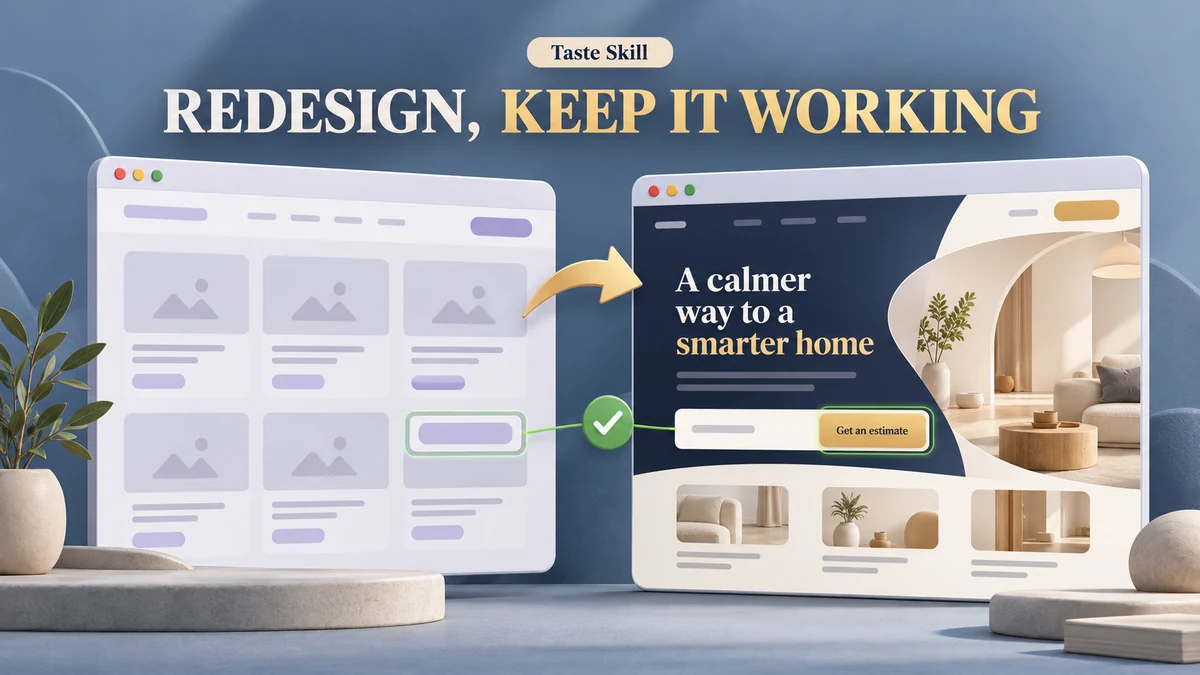
- Protect routes, field IDs, validation and prices before changing the layout.
- Give the skill real content and a specific visual problem, not just “make it premium.”
- Review its style findings separately from functional checks and your own constraints.
Record what works before asking for a new look. Then let Taste Skill change the presentation inside a small boundary, and repeat the same tasks on the result. Our fictional repair page keeps its calculator and local request preview; the download includes both versions.
Files for this exercise
AIHotple example files and prompts. Try the exercise before substituting real work data.
What changed—and what had to survive
A working AI-built website can still feel anonymous: a vague headline, a gradient, a badge and three interchangeable cards. Asking for “premium design” again gives the agent room to replace useful structure as well as decoration. A safer redesign starts by naming the visual problem and the behaviour that must remain.
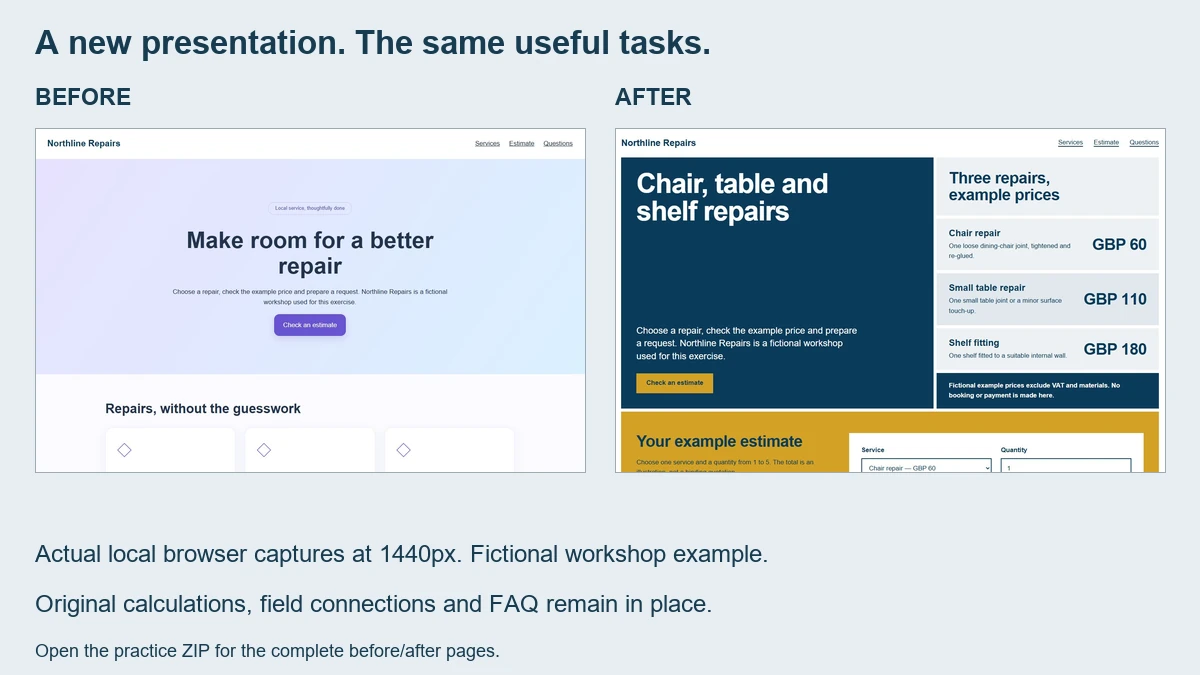
We made Northline Repairs, a fictional workshop page with three repair prices, an estimate calculator, two FAQ answers and a local request preview. The starting page was written for this exercise, not obtained from a real client or presented as the output of an earlier AI model. The exercise is a controlled before-and-after example, not a benchmark against a competing tool.
The redesign brings the actual repair types and prices into the first desktop screen, uses the workshop’s navy/gold direction and gives the estimate a clearer visual home. Its JavaScript calculation and form-handling files remain byte-for-byte identical. The business is still explicitly fictional, and the preview still sends nothing.
1. Open a working copy and record the useful actions
Download and unzip the practice kit. In a code editor choose File → Open Folder and select the extracted folder. Open Terminal → New Terminal there and run node serve.mjs. With Node installed, the small server prints the two localhost addresses. Open /before/ first and /after/ second; do not open the HTML directly because its module script is served over HTTP.
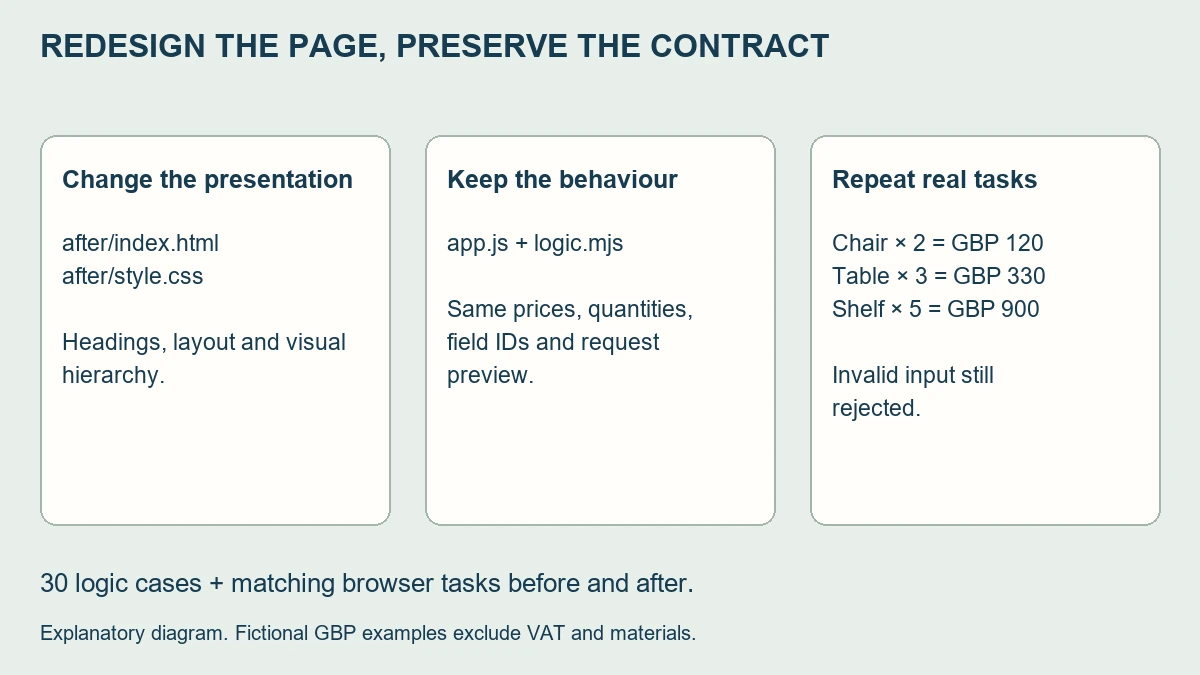
Click Check an estimate, choose Chair repair, enter 2 and click Calculate estimate. The expected result is GBP 120.00 excluding VAT and materials. Try Small table repair with 3 for GBP 330.00, then Shelf fitting with 5 for GBP 900.00. Enter 0 and calculate again: it must reject the quantity rather than showing a plausible total.
Scroll to Prepare a local request. Click Preview request with empty fields and confirm the name error. Use Demo Reader, reader@example.test and a fictional repair note to preview a valid request. Edit the note afterwards: the old preview must be invalidated. Open each FAQ and follow the navigation links. These ordinary actions form your baseline; a screenshot alone cannot prove they still work.
| Protect | In this example | Why it matters |
|---|---|---|
| Behaviour | Calculation, validation, changed-input notices and FAQ | A new layout must preserve the task |
| Content | GBP 60 / 110 / 180, quantity 1–5, VAT/material exclusions | Design changes must not rewrite an offer |
| Connections | Section anchors, input IDs, labels and status regions | Scripts and keyboard access depend on them |
| Boundary | Only after/index.html and after/style.css may change | Keep application logic out of the visual edit |
2. Add Taste Skill to the project you mean to edit
Taste Skill supplies instructions and supporting scripts for a coding agent; it is not a standalone website builder. Its current README lists Node 22 or newer and Chrome, Edge or Chromium for its own scripts. The skill is open source, but the coding agent’s subscription or usage limits are separate. We used existing access and made no additional purchase.
The official install route is npx skills add https://github.com/Leonxlnx/taste-skill --skill "design-taste-frontend". Review the selected project and agent in the installer rather than applying it globally by habit. For this test we used a project-local copy of the official skill at the exact commit linked below, under .claude/skills/design-taste-frontend/. We did not test the installer or modify a global plugin configuration.
Start Claude Code in the practice project, type / and select the listed design-taste-frontend skill, or invoke /design-taste-frontend with your request. If it is missing, check that SKILL.md is inside that skill folder and start a fresh session. Ask the agent which skill it loaded; do not count a folder existing on disk as proof that the skill was invoked.
Older tutorials describe several sibling skills in one repository. The current README says the existing-page redesign workflow is part of design-taste-frontend; some older image-generation and style variants moved elsewhere. Follow the current official source rather than installing extra variants for this single exercise.
3. Ask for a diagnosis before a visual rewrite
Give the agent the existing page, stylesheet and behaviour files, plus a short brief. Identify the audience, the useful next action, the real content, brand constraints and what it may edit. In our example the evidence is modest: three named services and their prices. There are no customer photos, testimonials or performance figures to invent.
The official existing-page workflow starts with a browser inspection before changing code. In our run the initial inspector captured desktop, tablet and phone views. The skill then used its direction draw with the brand palette and body type preserved. The useful design idea came from the workshop estimate slip and the concrete repair jobs, rather than a new decorative theme.
Ask for the three most visible problems and the intended fixes. “The first screen does not name the repair types” is actionable. “It needs more wow” is not. A price row, a clearer heading and a stronger estimate section can express the service without adding a framework, a stock photograph or an invented client logo.
Use design-taste-frontend to audit this existing page before editing. First list what must survive: routes, section anchors, form/input IDs, labels, validation, calculation rules, prices and factual copy. Identify the three most visible design problems from desktop and phone captures. Then change only after/index.html and after/style.css. Do not edit app.js or logic.mjs, install dependencies, invent proof or add a backend. Keep the fictional/local-only notices and all service facts. Preserve the navy/gold brand direction. No new network resources, images, media or animation in this exercise. Show the direction and explain any skill rules that conflict with these constraints. Report checks actually run, not assumed success.4. Review the first screen and the rest of the page
Look at the page in the browser before reading the agent’s praise of its own work. Can you identify the service, see the example prices and find the estimate action? On a phone, check the order of information and whether labels, long prices and button text still fit. A desktop split layout may need a different arrangement at a narrow width.
Continue below the hero. Check the full service descriptions, the price exclusions, both FAQ answers and every request field. A dramatic first screen does not compensate for removing information further down. Our result is still a small service page, using the original stack and local fonts; its design is an editorial judgement, not proof that visitors prefer it.
Treat file changes as another review surface. If a styling task unexpectedly changes a calculation, a form action, a dependency file or a route, stop and inspect that change before accepting the result. A visually unchanged button can have a different destination; a renamed input can silently disconnect its event handler.
5. Repeat the baseline, including the awkward cases
Run exactly the same estimate inputs on /after/. Check the results against 120, 330 and 900 yourself. Submit 0 again and confirm the quantity error and focus. Change an estimate input after calculating: the result should ask you to calculate again, not keep presenting a stale total.
Repeat the empty request, the valid local preview and a changed note. We also entered markup-shaped repair text and checked that it stayed literal text rather than becoming an HTML element. That is a narrow rendering check, not a comprehensive security audit.
The practice kit includes check.mjs, which checks the unchanged JavaScript files, required IDs and selected facts, plus 30 calculation/request cases across the two versions. Run node check.mjs from the kit folder. The editor separately recorded 11 browser checks per version, including the three navigation destinations as one grouped check. These checks complement the browser clicks; they do not replace them or establish that a real server received a request.
What the inspector can—and cannot—decide
The official inspector applies the project’s strongly opinionated design rules. It is useful for discovering repeated styling patterns and checking rendered layout. It is not a conversion-rate meter, a complete accessibility audit or a substitute for testing the form.
Our brief explicitly kept this example static and image-free. The unmodified final inspector therefore retains two FAIL findings, few-pictures and still-page, plus a no-footage WARN. It reports no horizontal overflow at 1440, 768 or 390 pixels; our separate browser check also covered 320 pixels. We left the style findings visible rather than adding decorative media or weakening the rules to obtain a clean score. This is a bounded adaptation of the skill, not a claim that the full default workflow passed every gate.
When a genuine layout or contrast issue appears, repair and inspect again. When a style rule conflicts with a deliberate project constraint, document the conflict and the reason. If motion is appropriate for another project, provide a reduced-motion alternative and keep the task usable without it. Do not turn an optional visual preference into a universal usability rule.
What to take into your own project
Keep the original working version, the short brief and the list of actions you repeated. Apply a small visual scope first, then review the diff and the page at desktop, tablet and phone widths. Keep the final version only when its content is intact and its useful actions still work.
For a real enquiry form, separately test the actual submission, success/error responses and data destination in an appropriate test environment. Northline’s preview has no backend, persistence, booking or payment. Its unchanged scripts and local test results prove only the behaviour covered here.
A more distinctive page is useful when it communicates the service better. You do not need to ban every familiar card or gradient on every project. Give the agent a concrete goal, preserve what already serves the visitor, and judge the result with both your eyes and a repeatable task list.
Sources & verification
AIHotple used the project-scoped design-taste-frontend skill from Taste Skill 2.1.5 in Claude Code 2.1.310 with Claude Opus 5.5 on 27 October 2026, using an original fictional plain-HTML/CSS/JavaScript page. Generation used the slash invocation; a separate read-only session explicitly called the native Skill tool to review the result. The official inspector and independent browser/logic checks are distinguished below. No live customer site, business enquiry, booking, payment, analytics experiment, conversion-rate test or independent design panel was involved. Codex was not separately tested. The static, image-free constraint intentionally differs from the skill’s full gallery-style workflow.
- Taste Skill · official README at the tested commit
- Taste Skill · exact skill instructions used
- Claude Code · extend Claude with skills
- MDN · prefers-reduced-motion
Sources checked: 2026.10.27