- Ask for specific venues and source links when a broad trip request returns only general advice.
- Keep English descriptions, Korean place names and map links together; the complete interface may remain Korean.
- Check dated notices, menu update dates and actual booking controls before treating an itinerary as ready.
Use Naver AI Tab to find local candidates, then open the place profiles and official notices yourself. Our English requests produced useful links after a narrower follow-up, but the answer still mixed English and Korean and did not establish a bookable table.
Files for this exercise
AIHotple example files and prompts. Try the exercise before substituting real work data.
Naver AI Tab in brief—and what this exercise covers
Naver AI Tab is a conversational search service connected to Naver’s local information ecosystem. For a visitor to Korea, its practical appeal is the route from a question to a place profile, map and merchant information. The official promotion also highlights shopping and reservation connections; those claims are broader than what this exercise tested.
Its main documented starting points are local place discovery, shopping candidates and information research. It can connect with Naver services such as maps and reservations, but finding a place card is separate from confirming a booking. If you are new to the service, read the linked introduction for the entry buttons, account conditions and English-language limits before starting this travel exercise.
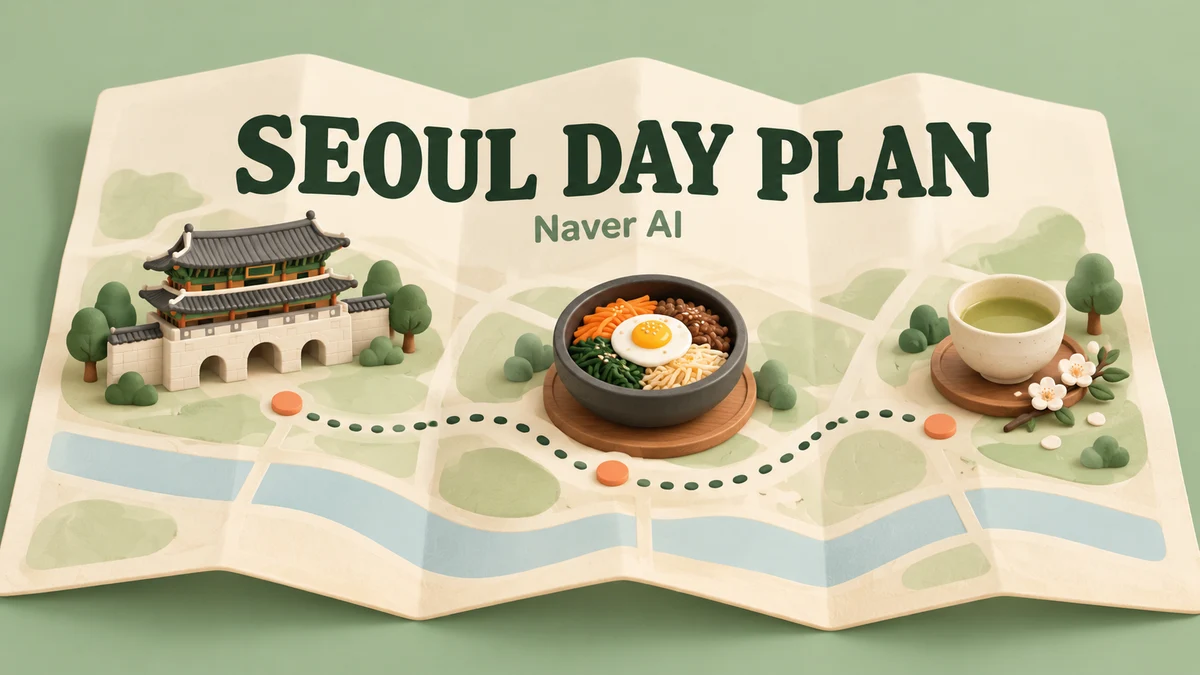
We used one compact central-Seoul scenario: start at Gyeongbokgung Station, visit the palace, eat lunch nearby, stop for tea in Insadong and finish at Anguk Station. The example date is Wednesday, 4 November 2026, with a budget for two people excluding transport and shopping. Replace the date and conditions before reusing the prompt.
This is a workflow test with a usable editorial handoff. It is not a recommendation based on visiting the venues, a ranking of restaurants or proof that English-speaking visitors can complete every downstream reservation. A source link and a confirmed reservation are different outcomes.
Open Naver’s official AI Tab starting page ↗
Open the official AI Tab question screen directly ↗
Start here: what Naver AI Tab is, its features and how to open it →
1. Open AI Tab and enter a complete English request
On the official starting page, select AI탭 시작하기 (“Start AI Tab”). In our browser the link did not navigate on the first click, so we opened its official destination directly. The initial introduction offered 건너뛰기 (“Skip”). After that, the message box read 무엇이든 물어보세요 (“Ask anything”).
Paste the request below and press 전송 (“Send”). It specifies date, people, start/end points, spending limit and the desired evidence. Keep the Korean names beside English names so you can match a result to a sign or a map entry. It also explicitly stops before booking, payment or contact.
Naver’s current help says AI Tab itself is available regardless of login and supports current Chrome, Edge, Whale and Safari on PC/mobile. Our browser was already signed in; we did not repeat the exercise as a new foreign user or from another country. Do not infer merchant-booking eligibility from the AI Tab entry rule.
- Find the official entry
Use AI탭 시작하기 on the Naver page, or the AI tab in supported Naver search interfaces.
- Check the question box
Dismiss the optional introduction, then enter the English request in 무엇이든 물어보세요.
- Inspect the first result before expanding it
Look for named places, source controls and actual links—not only a plausible description of the district.
Plan a fictional one-day visit to central Seoul for two English-speaking adults on Wednesday, 4 November 2026, from 09:30 to 17:00. Start at Gyeongbokgung Station and finish at Anguk Station. Include Gyeongbokgung Palace, a Korean lunch and an Insadong tea or cafe stop; avoid travelling across the city. Total budget: KRW 80,000 for both people, excluding transport and shopping. Answer in English and retain Korean place names beside their English names. Give an ordered itinerary with times, estimated costs in KRW, Naver Map links and official visit pages where available. Check the palace opening day/hours for this date; label anything you cannot verify. Distinguish published opening hours from actual availability, and estimated walking time from live routing. If a place offers reservations, provide the relevant link but do not book, pay or contact anyone. Do not use my location or private account information.2. Narrow the request if the first answer has no usable links
The first answer did respond in English, but said it could not confirm the palace’s date-specific hours or suitable restaurants and tea houses. It suggested a broad route and spending allocations. It did not supply a concrete restaurant, tea-house profile or official visit link.
We kept that response rather than presenting the general route as a complete trip. The next request asked for exactly one restaurant and one tea house, required Naver Map/Place links and supplied the relevant official palace-notice URL. This smaller request produced local place cards and a source panel.
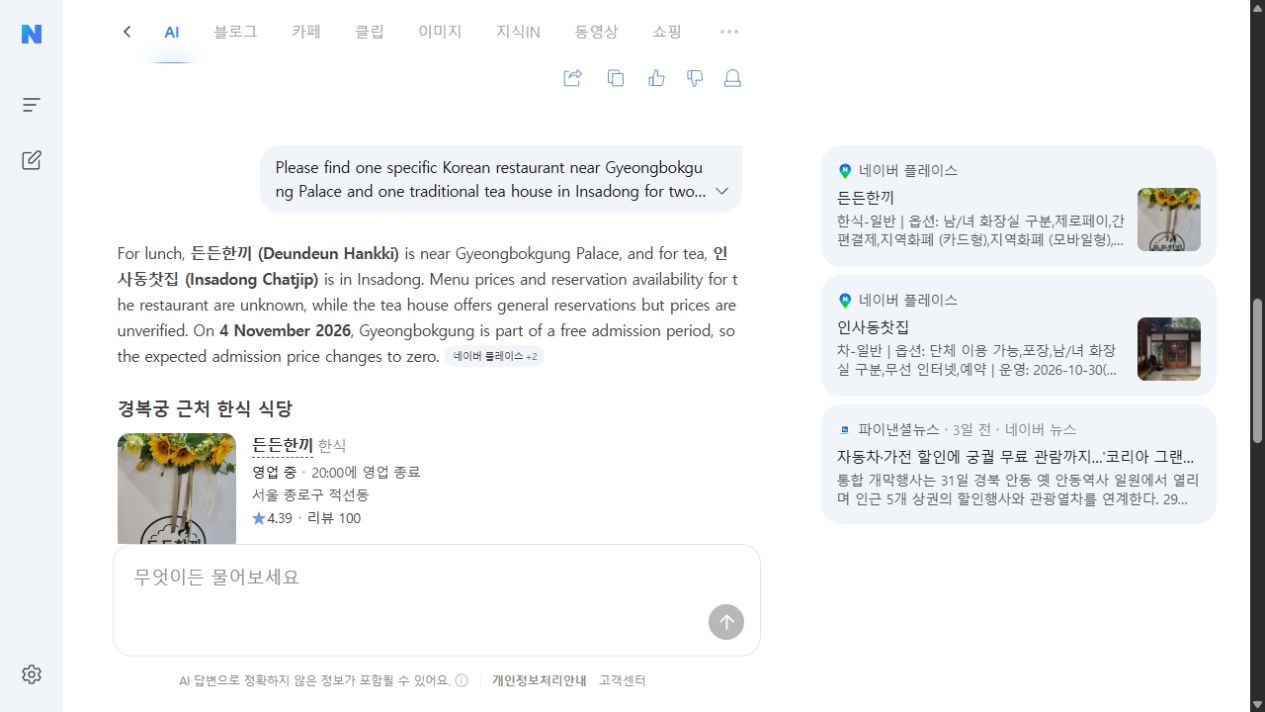
The follow-up named 든든한끼 (rendered by the AI as Deundeun Hankki) and 인사동찻집 (Insadong Chatjip). It also identified the example date’s free-admission period. Its citation panel listed the two Naver Place profiles and a Naver News article; it did not cite the supplied official notice directly. We therefore read that notice independently instead of assuming the model had verified it.
Please find one specific Korean restaurant near Gyeongbokgung Palace and one traditional tea house in Insadong for two adults. Give the Korean and English names and clickable Naver Map or Naver Place links. Answer in English. State whether menu prices and reservation availability are verified or unknown. Separately check this official palace notice for our 4 November 2026 date: https://royal.khs.go.kr/ROYAL/contents/R403000000.do?id=20260930144202825885&schM=view . Does it change the expected admission price? Do not book, pay or contact anyone.3. Open the source panel and match the place identity
The follow-up’s first paragraph was English, but the place cards, detailed explanations and closing question were Korean. “Answer in English” did not make the complete experience English-only. The screenshot below is the actual result, including that mixture.
Select the source control 네이버 플레이스 (“Naver Place”), or the source card beside the answer, and open the matching map profile. Verify the Korean name and address before using a similarly named result. Our restaurant profile was at 130 Sajik-ro, in the Jeokseon Hyundai Building’s basement; the tea-house profile was at 33-1 Insadong-gil.
Use browser translation if you need help reading the Korean panels, while keeping the original proper names available. Translation can help navigation; it does not establish that the merchant accepts an overseas account, a foreign telephone number or your preferred payment method.
Open the returned 든든한끼 restaurant profile ↗
Open the returned 인사동찻집 tea-house profile ↗
4. Check the date before copying the admission price
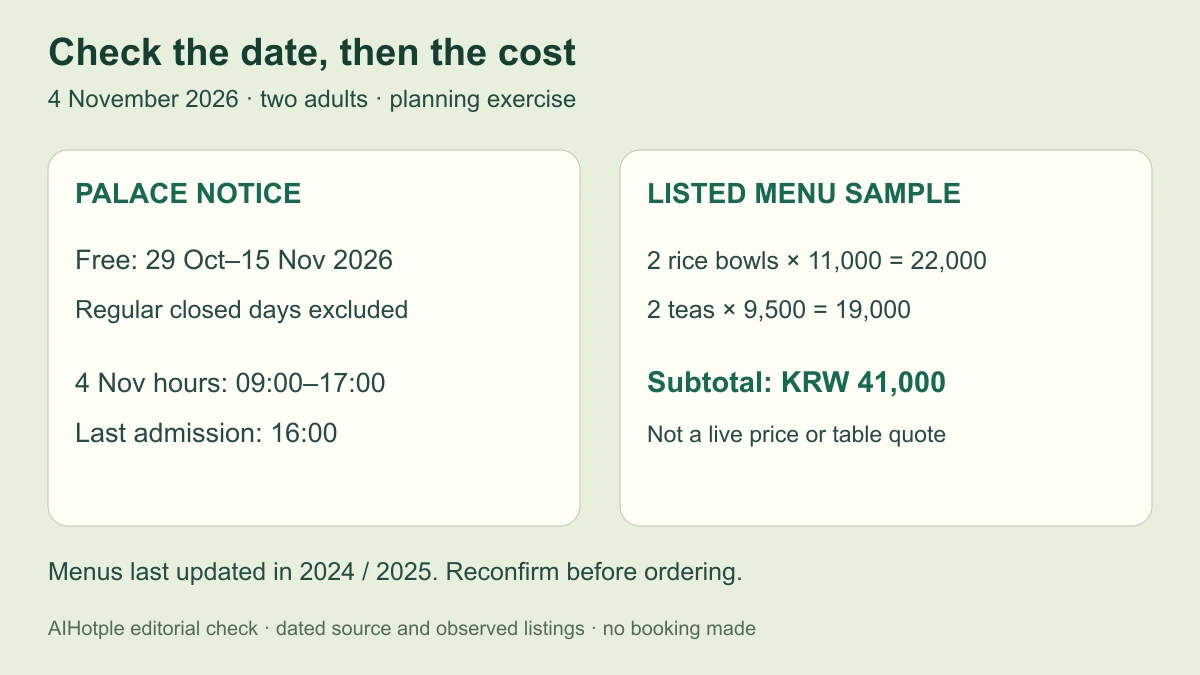
The palace notice published on 30 September lists free admission from 29 October through 15 November 2026, excluding regular closed days. It also lists November hours of 09:00–17:00, with last admission at 16:00, and Tuesday as the regular closure. Our Wednesday example falls within that published free-admission window.
This matters because a general fee page or an old trip budget can miss a dated exception. Use the exact visit date and the relevant notice, and check for later changes before travelling. The example does not imply that Gyeongbokgung is always free or that a future visit is guaranteed.
Treat the displayed “open now” status on a restaurant card the same way: it describes the time of the search, not a table or operating guarantee for your future date. A normal hours listing, an event notice and live reservation availability answer different questions.
Read the official dated palace notice used for this example ↗
5. Open Menu and distinguish a listed price from a current quote
In each place profile, select 메뉴 (“Menu”). We opened the profiles in Naver Map and then their public place pages. The restaurant listed a soy-seasoned pork rice bowl at KRW 11,000 and a kimchi-stew set at KRW 13,000. The tea house listed jujube tea at KRW 9,500.
Those are observed listing values, not verified counter prices. The restaurant menu displayed an update of 24.06.04 and the tea-house menu 25.12.01. Both pages warned that items and prices can differ from the listing. Reconfirm the menu, portion choice and break time before ordering.
For an inspectable sample, two listed rice bowls plus two listed teas give KRW 22,000 + KRW 19,000 = KRW 41,000. Combined with the date-specific ordinary-admission assumption, that leaves KRW 39,000 unallocated under the KRW 80,000 cap. It is a planning calculation, not a promised bill; transport, shopping and additional orders remain outside this sample.
| Sample component for two adults | Calculation | Evidence status |
|---|---|---|
| Ordinary palace admission on the example date | 2 × 0 = KRW 0 | Dated official notice; recheck later changes |
| Listed soy-seasoned pork rice bowls | 2 × 11,000 = KRW 22,000 | Menu displayed update 24.06.04 |
| Listed jujube teas | 2 × 9,500 = KRW 19,000 | Menu displayed update 25.12.01 |
| Sample subtotal / unallocated budget | KRW 41,000 / KRW 39,000 | Editorial arithmetic; not a live quote |
6. Build a realistic timetable and keep reservation claims separate
The table below is our editorial planning draft, not an actual timetable returned by Naver AI. We retained the model’s local candidates, used the checked notice and listed-menu arithmetic, and left generous transfer/rest time. Walking durations were not measured in a live route service.
The tea-house profile listed 예약 (“reservation”) among its amenities. We did not observe an online booking slot or complete a booking flow, and the restaurant’s reservation status was unknown in the AI source panel. An amenity label can indicate that reservations are handled somehow; it is not proof of a bookable Naver time slot.
If a place exposes a booking control, open it and check the date, people, time, sign-in conditions and cancellation terms yourself before confirming. If no suitable online path is shown, choose another place or verify the merchant’s permitted contact route. This exercise stopped at public information; nothing was booked, sent or paid.
| Proposed time | Candidate activity | Before relying on it |
|---|---|---|
| 09:30–09:45 | Gyeongbokgung Station → palace entrance | Check the entrance and pedestrian route |
| 09:45–11:45 | Gyeongbokgung Palace | Reopen the date-specific operating notice |
| 11:45–13:00 | Transfer and lunch at 든든한끼 | Reconfirm menu, hours and break time |
| 13:00–15:00 | Transfer and explore Insadong | Transfer buffer is not a measured walking time; shopping excluded |
| 15:00–16:00 | Tea at 인사동찻집 | Reconfirm the menu and seating; no slot held |
| 16:00–17:00 | Buffer and finish at Anguk Station | Check pedestrian directions and allow rest |
7. Reuse the method, rather than copying the old trip unchanged
The kit keeps the two exact prompts, both actual response bodies, the observed source links and the independent place observations. The English editorial itinerary and budget JSON are separate from the raw AI results. Korean response text remains in the evidence as displayed; it is not silently replaced with a polished English result.
For another day, change the date, group size, start/end points and budget. Reopen the palace notice and the candidate menus. Ask for a narrower result if the first answer has no specific venues or usable links, and keep unknown prices and availability explicitly unresolved.
This is where Naver AI was useful in our run: the targeted follow-up led to actual local place profiles that could be checked. Its limits were equally practical: the initial general answer, mixed-language details, old menu information and unverified reservations. Use it as the start of a source-checking workflow, then complete the real-world checks before travel.
Compare this with finding Naver information through ChatGPT →
Organize multiple place candidates into a source-backed comparison →
Continue this workflow
New to Naver AI Tab? Start with its features, access routes and English-language limits →
Sources & verification
Tested on 30 October 2026 in an existing signed-in Naver browser session with a Korean interface. We sent two English requests for a fictional 4 November Seoul visit by two adults with a KRW 80,000 cap. The first returned a general route and unverified allocations without concrete venue links. The follow-up returned two real Naver Place candidates and one Naver News citation, with English introductory prose but Korean cards/details. We opened both map profiles and menu tabs, observed listed values and their old update dates, and independently read the official dated palace notice. The downloadable timetable and KRW 41,000 sample subtotal are AIHotple editorial work, not the model’s actual timetable or a live price quote. We did not verify an overseas network, a newly registered foreign account, a signed-out session, a measured walking route, an available booking slot, payment or an actual visit. No location permission, personal itinerary, customer message or purchase was used. Current official help describes AI Tab access without login; downstream merchant services can have separate conditions.
- Naver · official AI Tab introduction
- Naver Help · ways to access AI Tab
- Naver Help · AI Tab eligibility and supported browsers
- Royal Palaces and Tombs Center · dated October–November 2026 Gyeongbokgung notice
- Naver Place · Deundeun Hankki restaurant profile and listed menu
- Naver Place · Insadong Chatjip profile and listed menu
Sources checked: 2026.10.30