- Estimate workflow starts and model calls separately.
- Compare a monthly cash budget with a second total that values hosting time.
- Check required features and recovery responsibilities before comparing price.
Cloud can reduce hosting work; self-hosting can reduce the subscription line. Change the workload, provider charges and maintenance assumptions before deciding which fits your situation.
Files for this exercise
AIHotple example files and prompts. Try the exercise before substituting real work data.
n8n Cloud or self-hosted: a quick decision before the calculator
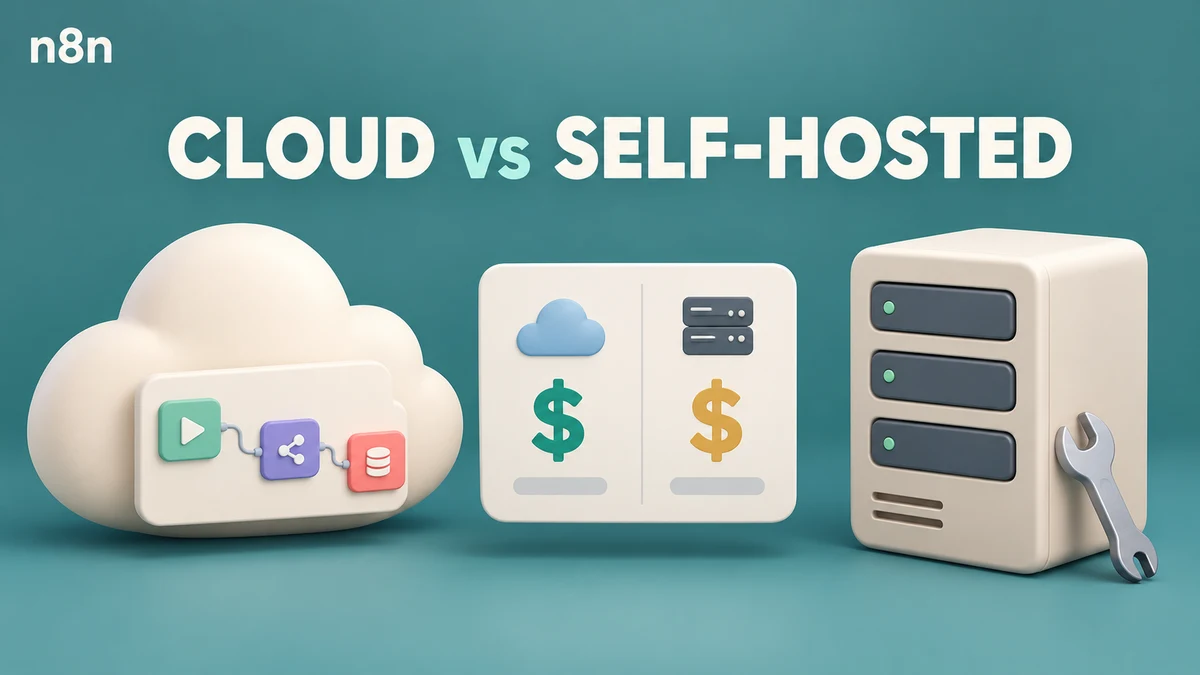
Choose Cloud for an initial evaluation when you want n8n to manage the hosting and you do not already operate a suitable server. Evaluate Community self-hosting when its features fit and someone can own updates, backups and recovery. Compare the recurring cash bill and the value of that maintenance time separately; there is no universal cheaper option.
Use the downloadable calculator for your own workload. Our default example reverses the apparent result: self-hosting has the lower cash budget, while Cloud is lower after the assumed hosting-admin time. Those are illustrative inputs, not a vendor quote or a benchmark.
Make the feature check before the cost comparison. If the work needs team sharing, managed identities, particular nodes or an isolated service, a cheap plan that cannot meet the requirement is not an equivalent alternative. Use the worksheet to compare configurations that can actually do the job.
| Your situation | Start by evaluating | Check before deciding |
|---|---|---|
| First workflow; no server operator | Cloud | Execution allowance, required nodes, payment period and model charges |
| Existing operations skills; need runtime control | Self-hosted Community | Feature gaps, infrastructure capacity, updates and a tested recovery plan |
| Required team or enterprise controls | The actual paid plan that provides them | Hosting option, licensing, feature entitlement and your quote |
1. Compare the same payment period and edition
On 24 October 2026, the public EUR pricing controls showed Starter at EUR 20 per month with annual billing or EUR 24 with monthly billing, with 2,500 workflow executions. Pro showed EUR 50 annually billed or EUR 60 monthly billed, with the selected 10,000-execution tier. An annual monthly equivalent is not a month-to-month payment: the Starter base is EUR 240 for a year before excluded charges.
Community is the free self-hosted edition. The current public pricing page lists Business as self-hosted and Enterprise as available hosted by n8n or self-hosted; verify the actual quote. Do not assume the free edition includes every paid feature. The edition documentation describes the variants, while the pricing table is the current feature reference.
Open Pricing, select Monthly or Annually, and check the selected execution tier before recording a price. Use the currency actually offered to you. Taxes, foreign-exchange charges, negotiated terms and future changes are outside our example; no USD conversion or regional checkout total has been inferred.
Open the live n8n plan comparison ↗
Check Community versus paid editions ↗
| Checked base tier | Annual-billing monthly equivalent | Monthly billing | Selected monthly executions |
|---|---|---|---|
| Cloud Starter | EUR 20 | EUR 24 | 2,500 |
| Cloud Pro | EUR 50 | EUR 60 | 10,000 |
| Self-hosted Community | No n8n subscription | Infrastructure billed separately | Capacity and operations remain your responsibility |
2. Count planned workflow starts before multiplying AI calls
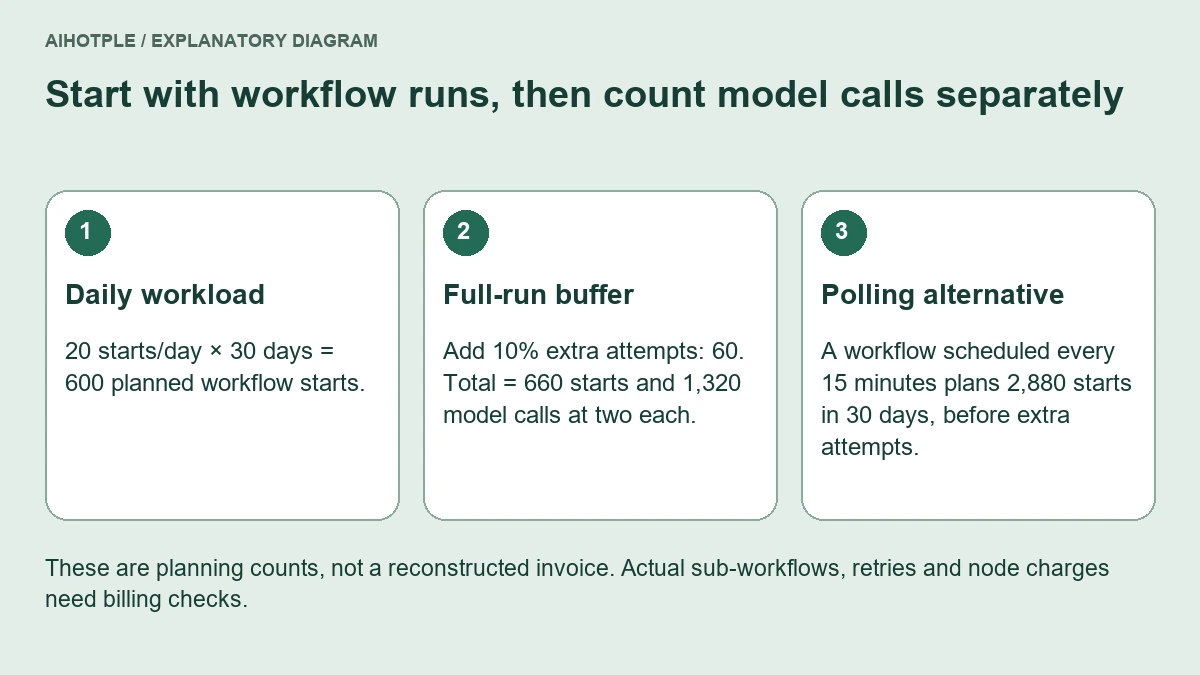
Write the trigger down in plain English. Our fictional support workflow expects 20 starts per day for a 30-day planning month: 600 starts. We reserve another 10 percent for extra full-run attempts, giving 660. At two model calls per planned start, that is 1,320 calls. These are two different quantities.
n8n describes an execution as one run of the entire workflow, rather than a separate charge for each node. A node retry, a full workflow retry, a child workflow and an external API request are not interchangeable labels. The 10 percent buffer is our planning assumption, not a claim that all retry types are billed identically. Check your design against current usage rules and the account meter.
A scheduled poll can produce a very different budget from an event-driven design. A workflow scheduled every 15 minutes plans 96 starts per day, or 2,880 in a 30-day month before extra attempts. That is already above a 2,500 allowance if those scheduled runs are counted. An empty result is not evidence that no scheduled workflow ran.
Do not size a plan from the number of visible nodes. Also check the longest run, simultaneous starts, data size and retained execution history. Our calculator checks only the allowance you enter; it does not verify memory, concurrency, runtime limits or entitlement to a paid feature.
3. Keep the model bill separate from the hosting bill
For this comparison, both deployments use the same fictional external-model allowance: EUR 0.002 per call. Multiplying 1,320 calls gives EUR 2.64. That is a convenient scenario input, not a quoted model price. A real estimate should use the model’s input and output rates, expected prompt size, tools, retrieval and repeated calls.
n8n now distinguishes Gateway credits for model and service requests inside workflows from Assistant credits for help building workflows. Supported Cloud plans can use Gateway credits without a separate provider credential. A displayed Assistant allowance therefore does not mean all running-workflow AI calls are free.
If your intended calls are covered by included or prepaid Gateway usage, enter the corresponding incremental charge instead of adding the same calls to a provider bill again. If you bring your own provider credential, keep that bill in the budget. Recheck the current service rates before choosing a model.
A local model changes the cost shape rather than eliminating cost. CPU, memory, power, storage and operations still matter. Our prior document-bot exercise used a small local CPU model and made visible mistakes. It was not a test of a production server’s capacity or a benchmark showing that a low-cost virtual machine can handle your traffic.
4. Compare cash first, then add hosting time
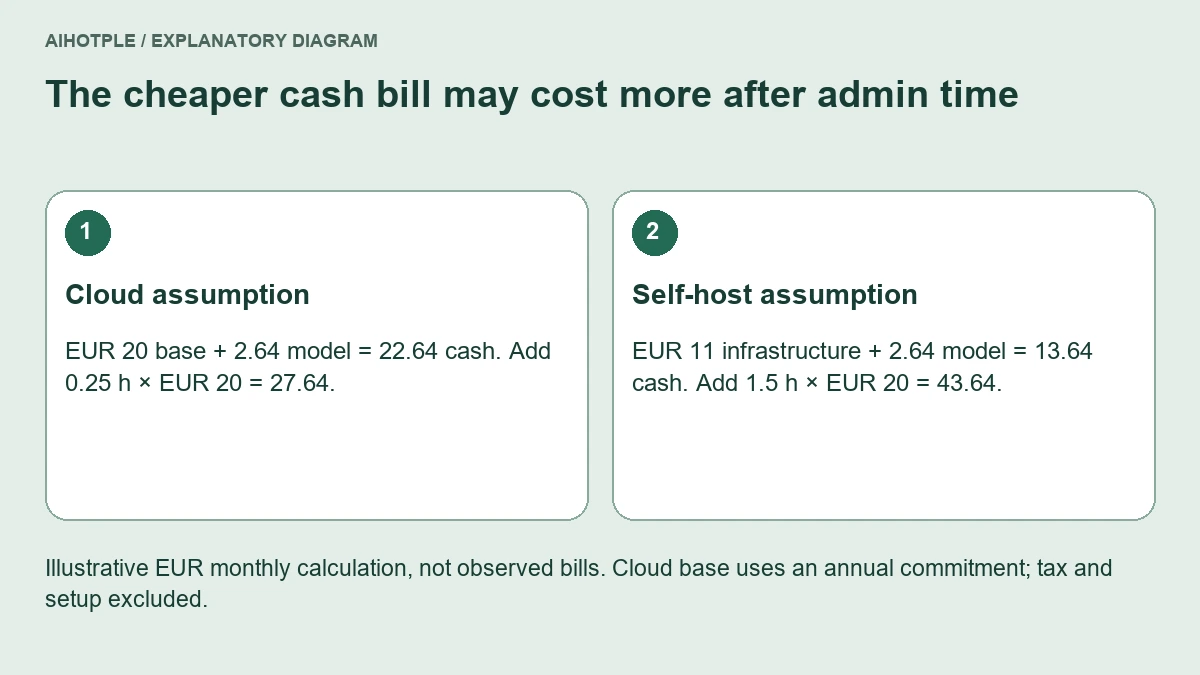
The self-hosted infrastructure line below is an invented EUR 11 budget: server 8, backup 2 and additional storage 1. It is not a provider offer, a minimum specification or a claim that those amounts buy a suitable production server. The Cloud line uses the checked Starter annual monthly equivalent.
We assume 0.25 hours per month of Cloud hosting administration and 1.5 hours of self-hosting administration, valued at EUR 20 per hour. These are editable opportunity-cost inputs. They exclude workflow design, prompt tuning and result review because those jobs exist on both sides.
The smaller cash bill is self-hosted in this example. After the assumed administration time, Cloud is lower. Change the hours or server quote and the conclusion can change. Do not turn one illustrative table into a universal saving claim.
At these inputs, self-hosting reaches equal modeled cost at 0.70 hours of hosting administration per month: the Cloud 0.25 hours plus the EUR 9 base-cost gap divided by EUR 20/hour. That is a sensitivity calculation, not a forecast that anyone will finish server maintenance in 42 minutes.
| Illustrative EUR per month | Cloud | Self-hosted Community |
|---|---|---|
| Base hosting / infrastructure | 20.00 | 11.00 |
| Same assumed model usage | 2.64 | 2.64 |
| Monthly cash budget | 22.64 | 13.64 |
| Value of hosting-admin time | 5.00 | 30.00 |
| Total including that time | 27.64 | 43.64 |
5. Add the recovery work you would actually have to perform
For self-hosting, assign someone to updates, access controls, database health, disk growth, backups and recovery. A workflow JSON export is useful, but it is not a full instance backup. n8n’s backup instructions explain the need for the user folder, credential encryption key, database and any separate storage used by the deployment.
Test a restore into an isolated environment before calling the backup complete. Keep secrets out of public workflow exports and tutorial ZIPs. Our downloadable cost worksheet contains no credential or deployment command and does not perform a restore.
Budget a test window for updates and read breaking changes before applying them. Cloud reduces infrastructure work, but you still need to check your workflow after changes, monitor failures and keep the intended application permissions correct. The hosting choice does not remove the review stage from a customer response or a task-creation workflow.
For an important automation, name the person who will notice a failure and the manual fallback. “I will check when somebody complains” is an operating decision with a cost, even when a spreadsheet assigns it zero euros.
6. Open the worksheet and change the assumptions
Download and extract the cost-planner ZIP, keeping its files together. Open cost-planner.html in a browser. It runs locally without an account, payment, analytics or saved personal data. All amounts are EUR, and the checked date is displayed beside the official price link.
Start with Workflow starts per day, Extra full-run attempts and Model calls per planned start. Set Cloud payment basis to match the offer you are evaluating. Then replace the self-hosting infrastructure and administration hours with your own quote and available time. Click Calculate comparison.
Look at both Monthly cash and Including hosting time. If the workflow-start allowance is exceeded, the warning is a reason to revisit the plan or trigger design; the cash total does not automatically add an upgrade or overage price. Select Custom quote / another plan and enter the correct base and allowance when comparing a different tier.
The worksheet rejects non-finite or negative values in its calculation core and invalid counts such as fractional model calls. We checked the default scenario, polling case, monthly payment, zero traffic and zero hourly value. Browser checks also exercised changed inputs and Reset example. None of those checks measures a live subscription bill.
Keep first-month setup separate from recurring operations. The calculator models a planning month, not a one-off installation, migration or outage. If you must pay for setup or spend a day learning server recovery, add that initial cash and time to a separate first-month budget before deciding.
Choose a small pilot with an exit path
Choose Cloud when reducing hosting work matters more than fine control of the runtime. Evaluate Community self-hosting when you can operate it and its feature set fits. If team access or enterprise controls are mandatory, compare the actual paid options before assuming a free deployment is equivalent.
One migration trap in our local tutorials deserves attention: an HTTP Request to 127.0.0.1 reaches the machine or container running that node. Moving a workflow to Cloud does not make it reach the helper on your laptop. The local model bridge needs a separately secured, reachable design; do not expose an unauthenticated teaching server to solve that problem.
Pilot one useful workflow with fictional data. Record its real execution count, model spend, failure handling and administration effort for a few weeks, then revise the budget. Keep a workflow export and a written fallback so the first hosting choice does not become a decision you cannot reconsider.
Inspect the local support-bot example and its deployment boundary →
Common n8n cost questions
The calculator is a decision worksheet, not a live plan selector. It does not automatically buy a larger tier, value a security feature or price an outage. Keep those decisions visible when a small monthly difference looks decisive.
| Question | Answer for this comparison |
|---|---|
| Is self-hosted n8n free? | Community has no n8n subscription. Hosting, storage, backups, model use and the work to operate it can still cost money. |
| Does every node count as a separate execution? | The plan comparison is based on workflow executions, not the number of nodes. Check retry, child-workflow and account usage rules for your actual design. |
| Does the n8n plan include every AI call? | Separate Assistant help, Gateway credits and any external provider bill. Account for the same model calls only once. |
| What if the entered allowance is exceeded? | The worksheet warns; it does not invent an overage charge or upgrade price. Enter the appropriate current tier or custom quote. |
| Can my Cloud workflow call the helper on my laptop at 127.0.0.1? | That address refers to the environment running the node. Moving to Cloud needs a separately secured, reachable integration design. |
| Does the total include setup and migration? | No. Enter one-off setup, learning, migration and recovery work separately from the recurring month. |
Inspect an original invoice workflow before estimating its workload →
Continue this workflow
Compare a real Zapier classification with the same-response n8n validation replay →
For agent tasks: record actual Manus credit usage separately from subscription prices →
Sources & verification
Official n8n pages and the visible monthly/annual pricing controls were checked on 24 October 2026. The original calculator was verified with five scenarios, seven invalid-input cases and browser checks of workload changes, payment period and reset. All server, model-rate and maintenance-hour examples are stated assumptions, not observed invoices or performance measurements. Existing local n8n tutorial runs establish only those bounded examples. No paid Cloud plan, production server, uptime test, migration or full-instance recovery was purchased or executed for this comparison. Official edition and pricing references were rechecked on 25 October 2026; the original 24 October calculator and product-test scope remains unchanged.
- n8n · Current pricing and payment periods
- n8n · Use n8n Cloud
- n8n · Host n8n
- n8n · Compare self-hosted editions
- n8n · Gateway credits and model usage
- n8n · Back up and restore
- n8n · Update a self-hosted instance
Sources checked: 2026.10.25