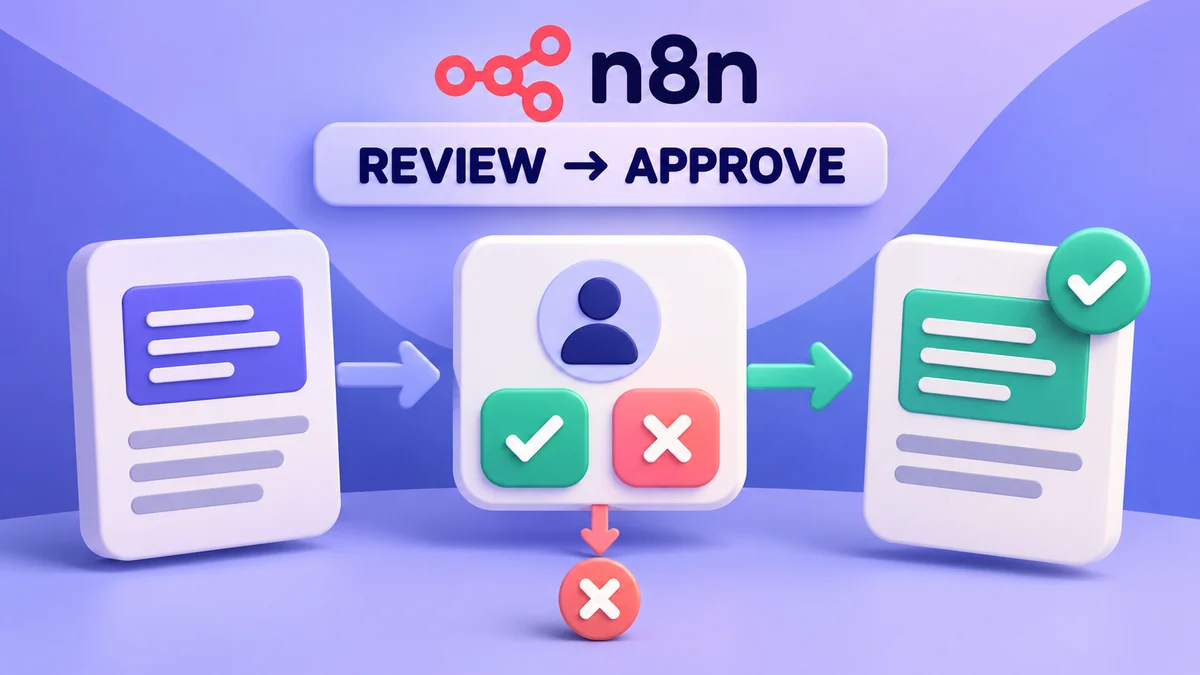
- Show the exact recipient, draft and action before asking for approval.
- Only the explicit Approve value reaches the action node; a pending or denied request must stop.
- Approval and duplicate-action protection solve different problems.
The action is a fictional local draft file. This walkthrough tests a native Wait form and IF branch, not the AI Agent tool-review feature or an email send.
Files for this exercise
AIHotple example files and prompts. Try the exercise before substituting real work data.
An assistant can prepare work without immediately acting on it
A useful assistant might draft a response while leaving the decision to you. The important boundary is the connection between the draft and the action. A sentence in a prompt saying “ask me first” is less inspectable than a workflow that really pauses and has a separate approved branch.
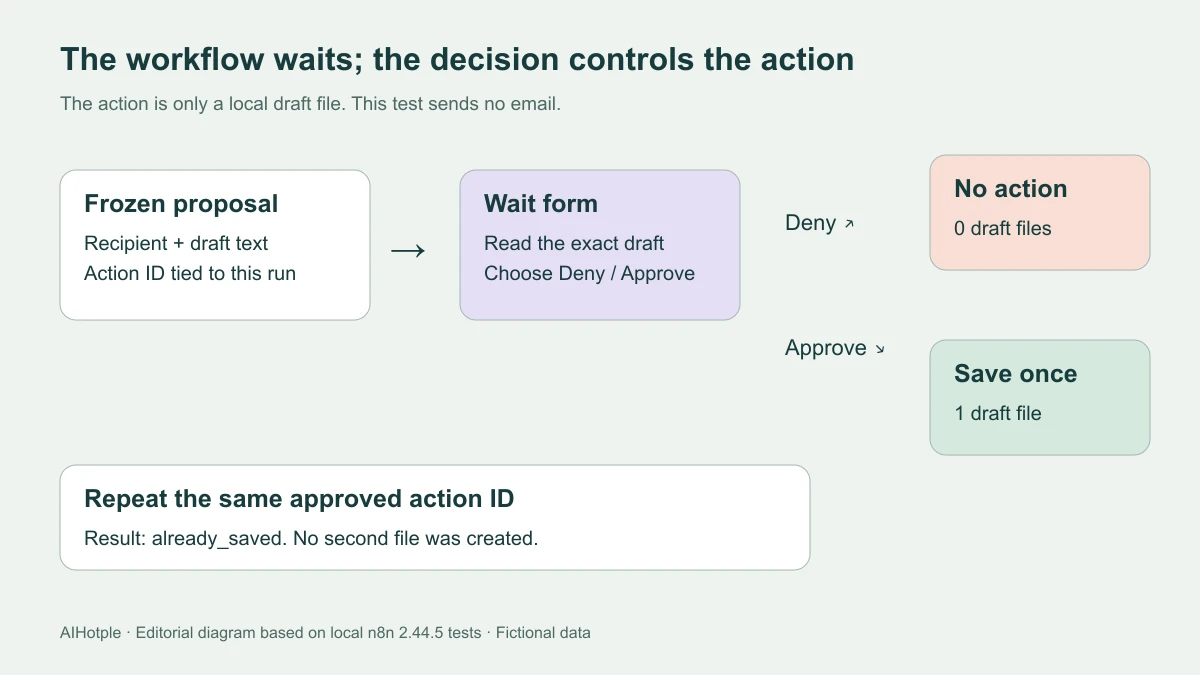
This exercise makes that boundary visible with a deliberately small action: save a fictional reply as a local JSON file. The model cannot send email or choose an arbitrary recipient. We tested one Deny and one Approve through the actual n8n form. The denied run created no draft action file; the approved run created one. Audit logs exist for both decisions.
Prepare the local lab before importing a workflow
This walkthrough suits someone who already uses n8n or is comfortable installing a local tool. It uses a real, small language model on your CPU instead of a paid model API. The first start downloads packages and model weights; allow time, storage and memory. The ZIP contains the source files, not a preinstalled runtime or a model-weight bundle.
Install Node.js 24.x, extract the shared lab ZIP into its own folder, and open a terminal there. Run the two commands below, then leave that terminal open until the bridge prints Ready. Open subsequent terminals in the same extracted folder. The helper listens only on 127.0.0.1:5683.
Our checked environment was Windows, Node 24.20.0, n8n 2.44.5, Transformers.js 4.3.1 and Qwen2.5-0.5B-Instruct q4 on CPU. The current n8n documentation deprecates npm installs from 3.0, so this pinned learning lab is not an ongoing production-hosting recommendation. In n8n Cloud or Docker, 127.0.0.1 does not automatically refer to this host computer; the JSON needs a different reachable AI endpoint before it can work there.
Official Node.js installation site ↗
Check n8n installation and version conditions ↗
npm install
npm start
1. Import the JSON and keep the form server running
Import human-approval.json. As in the other exercises, the checked import path is the Server CLI. The official editor path is the canvas header’s three-dot menu → Import from File. Review the nodes before execution: there is no Gmail node, payment tool or delete operation.
The local AI bridge must stay open in terminal A. Run the n8n server in terminal B using the second command below and leave it open too. In terminal C, execute the imported workflow. Keeping the server alive matters because the Wait form needs an HTTP endpoint after the CLI execution has reached waiting.
These are isolated lab settings with the editor/form server on 127.0.0.1:5682. If your own setup already uses the configured server or task-broker ports, follow the README’s configuration rather than launching conflicting instances. Owner-account editor setup is your own step; our product interaction here was the public local Wait form, not an authenticated editor import.
node run-n8n.mjs import:workflow --input=human-approval.json

# Terminal B — leave this running
node run-n8n.mjs start

# Terminal C
node run-n8n.mjs execute --id=aihApproval --rawOutput
2. Freeze and display the exact proposed action
Propose reply draft calls the local model with a fictional setup-instructions request. The bridge supplies a fixed demo-customer@example.com recipient, save_local_draft action and an action ID tied to this execution. The model supplies only the draft text. Freeze proposed action checks those expected values and preserves them before the wait.
Record pending review writes a local audit row containing review_url. Find the newest pending_review row in results/workflow-results.jsonl and open that URL in your browser. It is generated at runtime, so a saved screenshot’s old URL is not the one to use for a new run. Keep the signed link private.
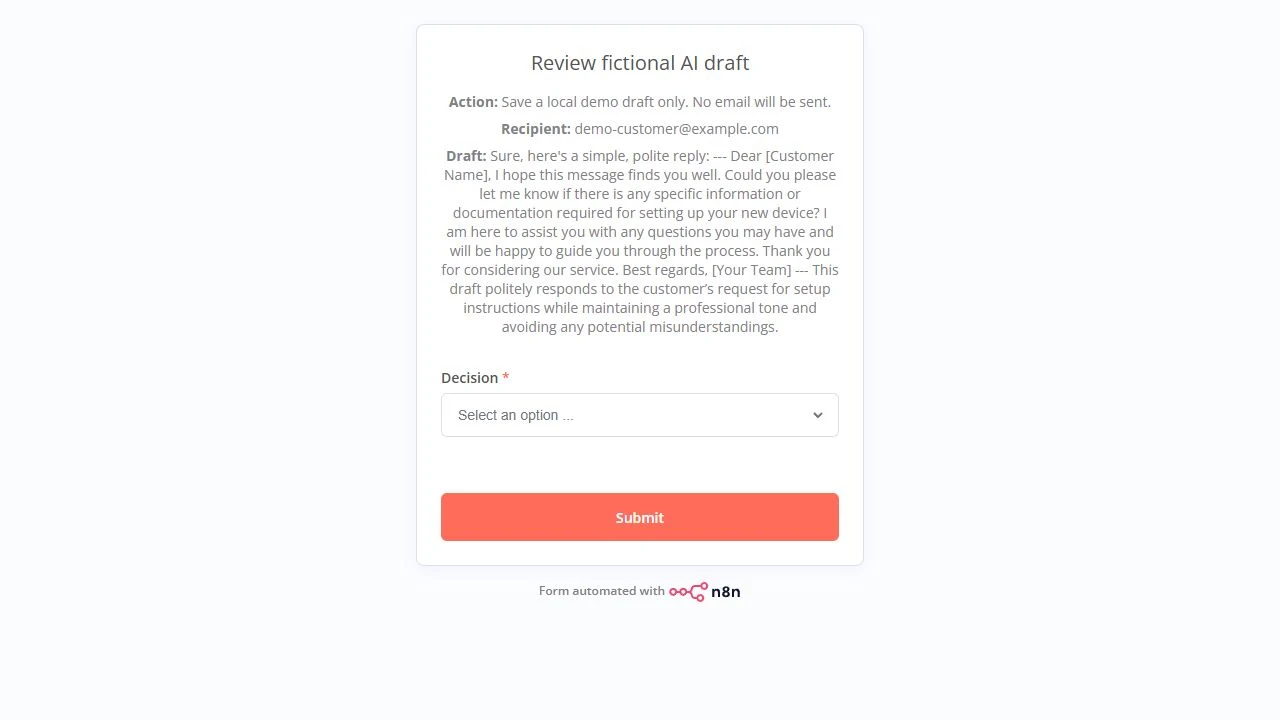
The form shows the actual action, fictional recipient and exact draft. Read the text rather than approving only because a form appeared. Our small model’s response contained placeholders and did not properly answer the setup-instructions question. Denying that draft is a useful result; the approval mechanism does not make the writing good.
3. Choose Deny first and prove the action node did not run
Open the Decision dropdown, choose Deny, then click Submit. A form-submitted message confirms receipt of the response, but the workflow result is what tells you whether the action stopped.
Require explicit approval reads the response and sets approved only when Decision equals the exact string Approve. Approved only is the IF node. Its false output reaches Denied - no action; its true output reaches Save local draft. Do not connect an action before the IF node or merge both branches into it afterward.
In our denied execution, the runtime record contained Denied - no action and no Save local draft node run. There was no corresponding draft-N.json action file. The audit entry still existed, which is desirable: recording a denial is different from carrying out the denied action.
const approved = response.Decision === 'Approve';
// Only the IF node's true output connects to Save local draft.
4. Run it again, approve, then check duplicate-action handling
Start a new execution and open its new review_url. After reading that draft, choose Approve and Submit. In this lab that allows a local save only. Check results for the new draft-N.json file and compare its recipient and draft with the reviewed proposal.
Our approved execution created one file. The save endpoint uses an exclusive file create: the same action ID cannot overwrite or create a second draft file. We submitted the approved action to that endpoint again and received already_saved with executed false. That replay check concerns the same ID, not a second real-world customer request.
A fresh workflow execution generates a fresh ID and may create another draft if you approve it. If two intake events represent the same underlying request, you need a stable business key and a persistent action ledger. We did not build that broader duplicate-request system here.
| Test | Observed action result | What it establishes |
|---|---|---|
| Deny | 0 draft action files | Denied branch did not save |
| Approve in a new run | 1 local draft file | Explicit approval reached the save node |
| Repeat the same approved action ID | already_saved; no new file | That local action ID was not executed twice |
5. Know what this lab does not authorize
The Wait form has no reviewer identity check in this local example. A signed URL identifies a waiting execution; it does not establish that the person opening it is an authorized teammate. The lab is bound to loopback and must not be turned into a public approval service as it stands.
Before connecting a real sending, deletion or other consequential destination, use authenticated reviewers, protected credentials and approval bound to the exact destination and content. Decide what happens when nobody responds, when the draft changes, and when execution fails after approval. The supplied form has no approval-expiry policy and a pending execution simply remains waiting.
n8n separately documents Human-in-the-loop for AI tool calls, which can pause a tool request for human review. That is a different feature from this native Wait + IF implementation. We did not invoke an AI Agent tool or test its channel integrations. Choose the gate that matches the workflow you actually have, then test both refusal and approval before giving it a real action.
Read n8n’s separate AI tool-review documentation ↗
Sources & verification
Checked on 22 October 2026 with n8n 2.44.5 and actual English Qwen2.5-0.5B-Instruct q4 responses. Two executions paused at a native Wait form. We submitted Deny in one browser form and Approve in another: zero draft action files versus one. Repeating the approved action ID returned already_saved. No external message, payment, deletion, authenticated reviewer system or AI Agent tool invocation was performed.
- n8n · Wait
- n8n · Human review for AI tool calls
- n8n · Import and export workflows
- n8n · Server command line
- n8n · npm installation and version conditions
- ONNX Community · Qwen2.5-0.5B-Instruct model and Transformers.js usage
Sources checked: 2026.10.22