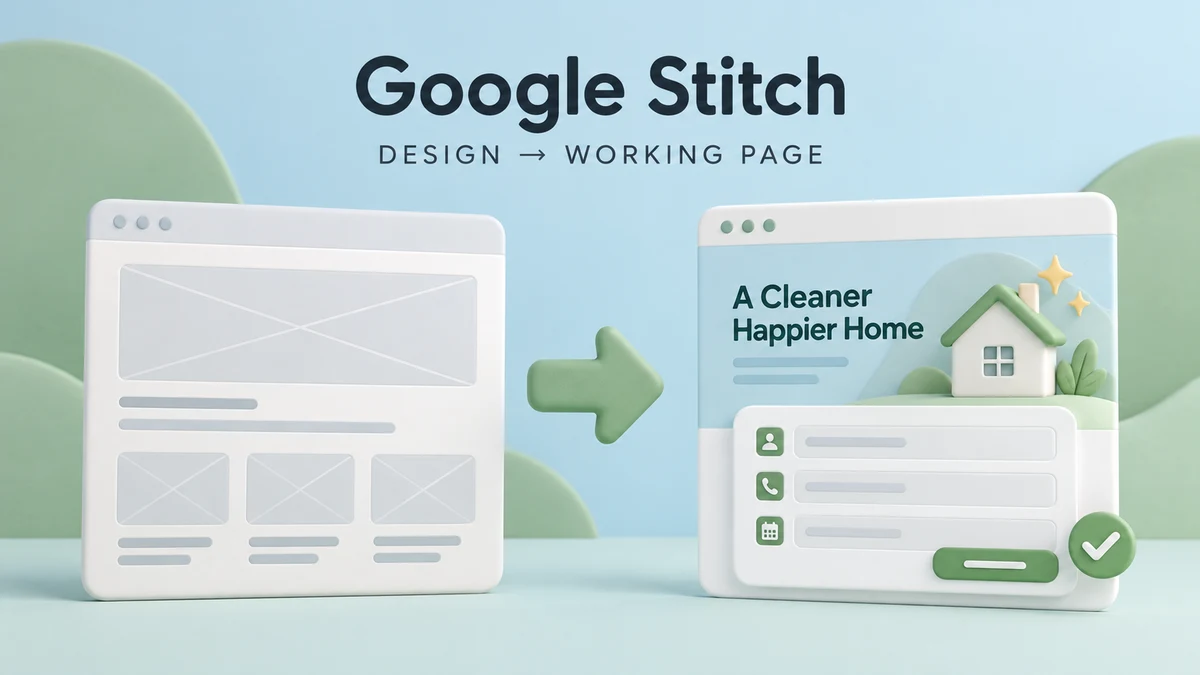
- Specify button behavior and validation alongside the design brief.
- Keep the design tool, authenticated MCP connection and agent skills separate.
- Test the inquiry outcome; a visible form is not evidence of sending or booking.
Define what each action should do before handing a design to a coding agent. Try the supplied fictional service page: choose a service, reject an invalid inquiry and review a valid local preview without sending it.
Files for this exercise
AIHotple example files and prompts. Try the exercise before substituting real work data.
Start with a useful, bounded outcome
A service landing page should help a visitor choose the right job and take a clear next step. Our fictional Cedar Clean page offers Home refresh, Deep clean and Move-out clean. Its main action leads to an inquiry form; it does not pretend to calculate an instant quote or reserve a cleaner.
The native Stitch portion of this exercise stopped at a new terms screen. The functioning download was built locally from our own brief so you can still test the important handoff decisions. Treat the Stitch creation and export instructions below as a documented route to follow in your own eligible account, not as a claim that we completed that route.
This differs from our UI UX Pro Max service-page exercise. Here the central question is how a design asset moves from Stitch into an implementation contract: which inputs exist, which action each control performs, and what the visitor is told after validation. We are not comparing the two tools’ visual quality or measuring conversion rates.
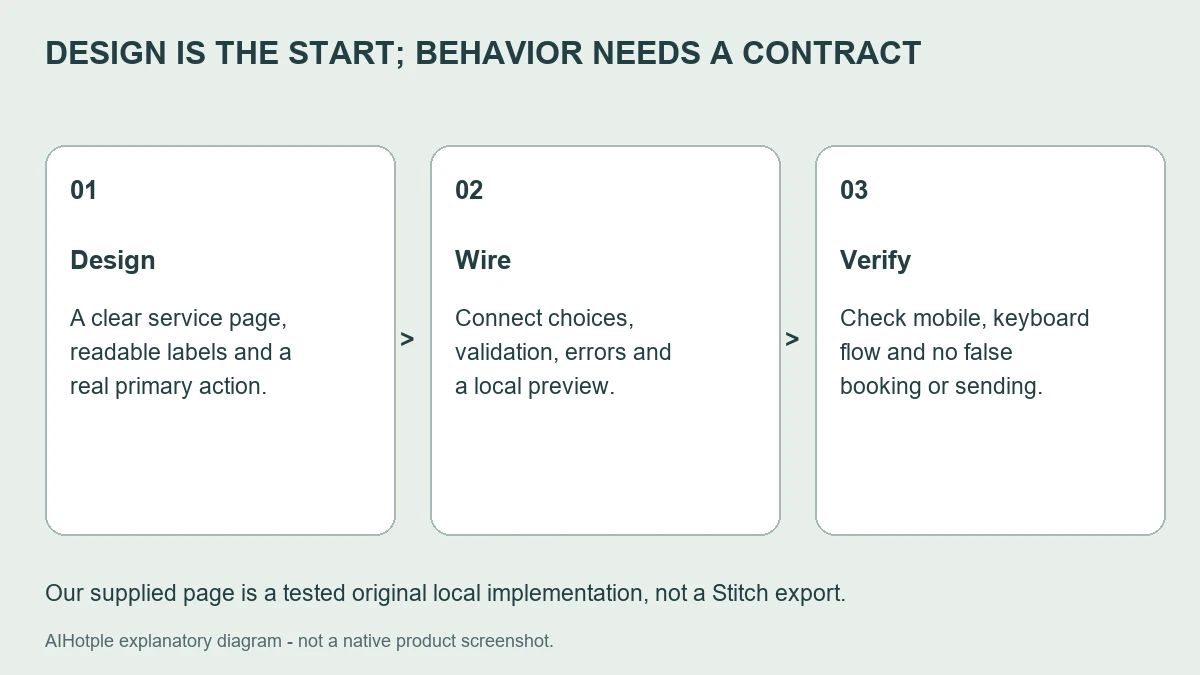
1. Write the behavior into the design brief
Start with a short page structure: one main headline, three service choices, an explanation of the process and one primary inquiry action. State the mobile requirement and the real fields the service needs. Do not let a design generator invent review stars, prices, a phone number or a claim that a slot is available.
For this practice, a valid inquiry requires a name, email, supported service, UK-style postcode and preferred date. Notes are optional. These fields are a learning contract rather than a recommendation to collect every detail about a real customer. Coverage and availability remain questions for a real operator.
In the Stitch interface we inspected, the starting canvas offered App and Web modes plus a design prompt. For a website choose Web, describe the screen, and review the result before requesting more variants. If an account or terms screen prevents access, resolve it yourself or use the local exercise; do not assume an SDK bypasses that requirement.
- Choose the web context
Use Web for the service page and state that the same content must work at mobile widths.
- Describe the intended outcome
Ask for an inquiry that needs review, not an instant confirmed booking.
- Review before handoff
Check labels, missing fields, service names, contrast and any invented business claims.
Design a fictional cleaning-service landing page called Cedar Clean for desktop and mobile. Use calm sage colors and readable dark text. Include Home refresh, Deep clean and Move-out clean; one Request an estimate action; and a form for name, email, service, UK-style postcode, preferred date and optional notes. Do not add testimonials, prices, guaranteed availability or a confirmed-booking message. Keep it a design and frontend practice: no backend, sending, payment, analytics or publication.2. Choose a handoff route deliberately
The current Stitch walkthrough says to select a screen, choose Generate → Prototype to inspect an interactive version, then select the screen or screens and choose Download for a ZIP of code and images. These are documented actions, not steps we executed past the account gate. Keep the original export beside your implementation so you can compare what changed.
Google also describes exporting into a development environment, including Antigravity. Exporting frontend code and publishing a service are separate actions. For this exercise keep any export local and review its assets before running it. We did not verify an export dialog or create a public deployment.
There are three different layers. Stitch is the design service. Its remote MCP endpoint lets an authorized agent work with projects and screens. A skill tells that agent how to approach a task; installing skill instructions does not authenticate the remote service. The official setup page describes API-key and OAuth routes. Keep credentials outside browser code and public repositories.
The Google Labs Code repository separates design, build and utility plugins. Its React-components skill expects retrieved screens, visual inspection, project-specific tokens and modular code. Do not claim that workflow completed if the screen retrieval never happened. We read its pinned source at commit 0337446dadde6f8c94210444e2aa9d546126480f; we did not invoke it against an authenticated Stitch project.
The SDK source we checked reports @google/stitch-sdk 0.4.0. Its getHtml() result is a download URL, not the HTML text itself. The SDK and skills repositories are published by Google Labs Code, but both carry an explicit notice that they are not officially supported Google products. That distinction matters when choosing a production dependency.
| Layer | What to confirm | What it does not establish |
|---|---|---|
| Design screen | The reviewed screen and original export exist | A working inquiry backend |
| Remote MCP | An authorized request retrieves the intended project/screen | A skill is installed or the implementation is correct |
| Agent skill | The intended skill is invoked and its steps are satisfied | Authentication, testing or successful publication |
| SDK | Authenticated calls and returned download URLs behave as expected | A free allowance or a production support commitment |
3. Turn visual controls into a small implementation contract
Open the downloaded lab and inspect index.html, styles.css, app.mjs and validation.mjs. The brief and handoff checklist sit beside them. There is no required package installation for this local example. A small read-only server serves only its own allowlisted practice files on your computer.
Run node serve.mjs 5715, then open http://127.0.0.1:5715/ in your browser. Select Request an estimate. It should reach the actual form rather than a placeholder link. Choose deep clean on its service card; the form should select Deep clean and move focus to that control.
The implementation separates rendering, input checks and page styling. It is intentionally plain HTML and JavaScript so a reader can inspect the whole behavior without setting up a framework. It is not presented as the output of the repository’s React conversion skill. If you use that skill with a real Stitch design, preserve its required retrieval and architecture steps instead of silently replacing them with this exercise.
node serve.mjs 5715
# Open http://127.0.0.1:5715/
# In another terminal in the same folder:
node check.mjs
4. Check the failure state before the success state
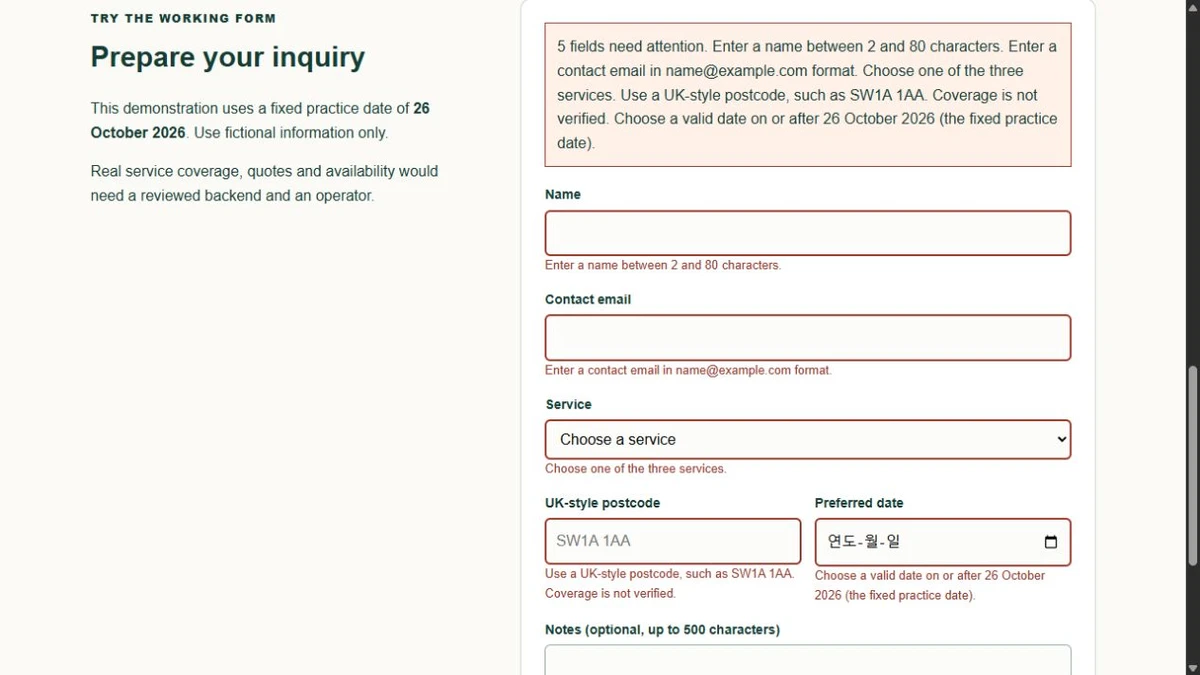
Press Preview inquiry locally with an empty form. The tested result is five field errors, a visible error summary and keyboard focus on that summary. A highlighted border alone would not tell a visitor what to fix. Each field also has an associated message.
Use fictional details: Sam Example, sam@example.invalid, Deep clean, SW1A 1AA and 2026-10-30. The valid result is a local preview explicitly saying that nothing was sent and this is not a booking. Editing a field removes the preview, so a visitor cannot mistake old displayed values for a fresh check. Clear form removes the values and errors.
Our checker accepted three valid/boundary inputs and rejected ten invalid cases, including unsupported service, missing contact details, a past practice date, an impossible date and overlong notes. In the browser, an HTML-like notes string appeared literally, with no inserted image element. The page uses text rendering for submitted values.
The clock is deliberately fixed at 26 October 2026 so the exercise remains reproducible. The postcode check recognizes a UK-style format; it does not verify an address or service area. Client-side checks are not a substitute for server validation, abuse controls or a real business’s scheduling rules.
5. Decide what would be needed before a real launch
The local page does not keep customer records, call a sending endpoint or create a reservation. A real launch would need an approved destination, server-side validation, privacy wording, accessible error handling and a checked response from the actual receiver. Only display a sent or booked outcome when that outcome is supported.
Our desktop and 320/390px checks found no document-wide horizontal overflow. That is a layout check for these fixtures, not a claim that every device, assistive technology or future content length has been tested. Stop the practice server with Ctrl+C when finished.
No credits or additional subscription were purchased. We did not establish the current account’s generation allowance, a per-screen cost or SDK entitlement, so we do not promise unlimited free generation. Check the current product and account limits before planning a large batch. Keep the successful local form exercise separate from the unexecuted native Stitch route.
Sources & verification
Checked on 26 October 2026. We reached Stitch’s signed-in interface, where a new Additional Terms agreement was required. We did not accept it on the user’s behalf, generate a native design, export code, create credentials or connect Stitch MCP. We read current official MCP documentation and the Google Labs Code skills/SDK sources. The downloadable Cedar Clean page is our original local implementation of the supplied brief, not a Stitch-generated result or a completed official skill run. Its browser interactions and local validation were tested. No public customer form, booking, payment, message delivery or new hosting was created.
- Google Labs · Stitch product and export overview
- Stitch · Design, prototype and download walkthrough
- Stitch · MCP setup and authentication
- Google Labs Code · Stitch Design Skills
- Stitch React components skill · pinned source
- Google Labs Code · Stitch SDK
Sources checked: 2026.10.26