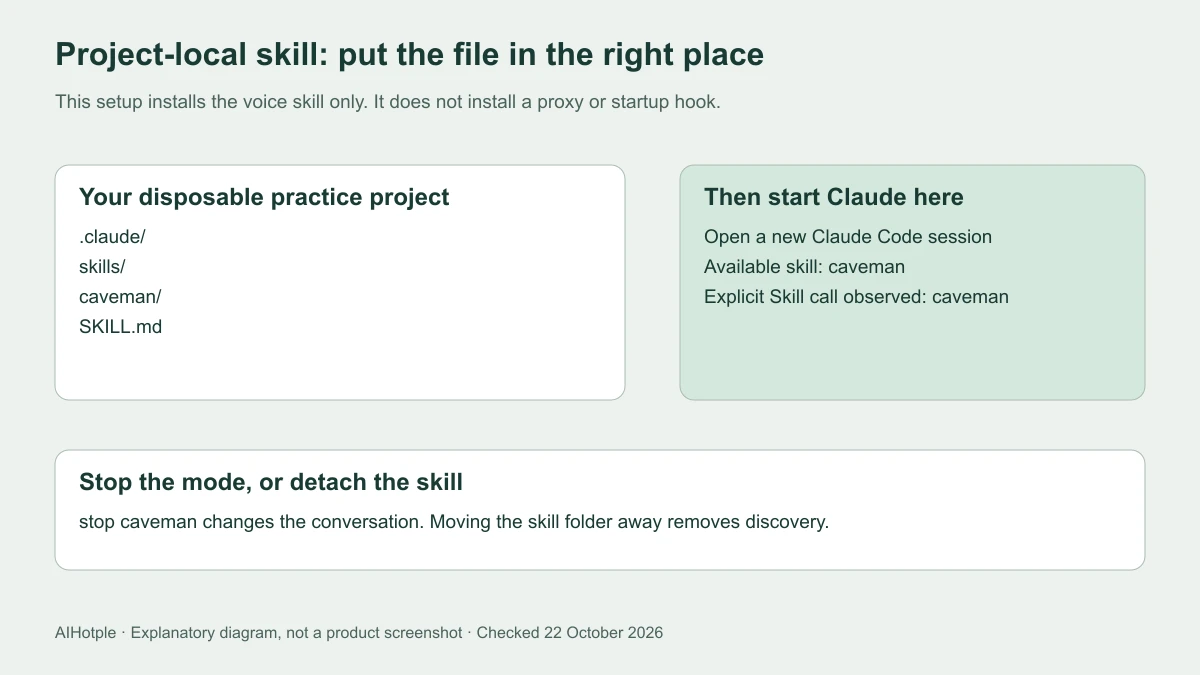
- The file belongs at your-project/.claude/skills/caveman/SKILL.md.
- An available skill and an invoked skill are different states; a short answer proves neither.
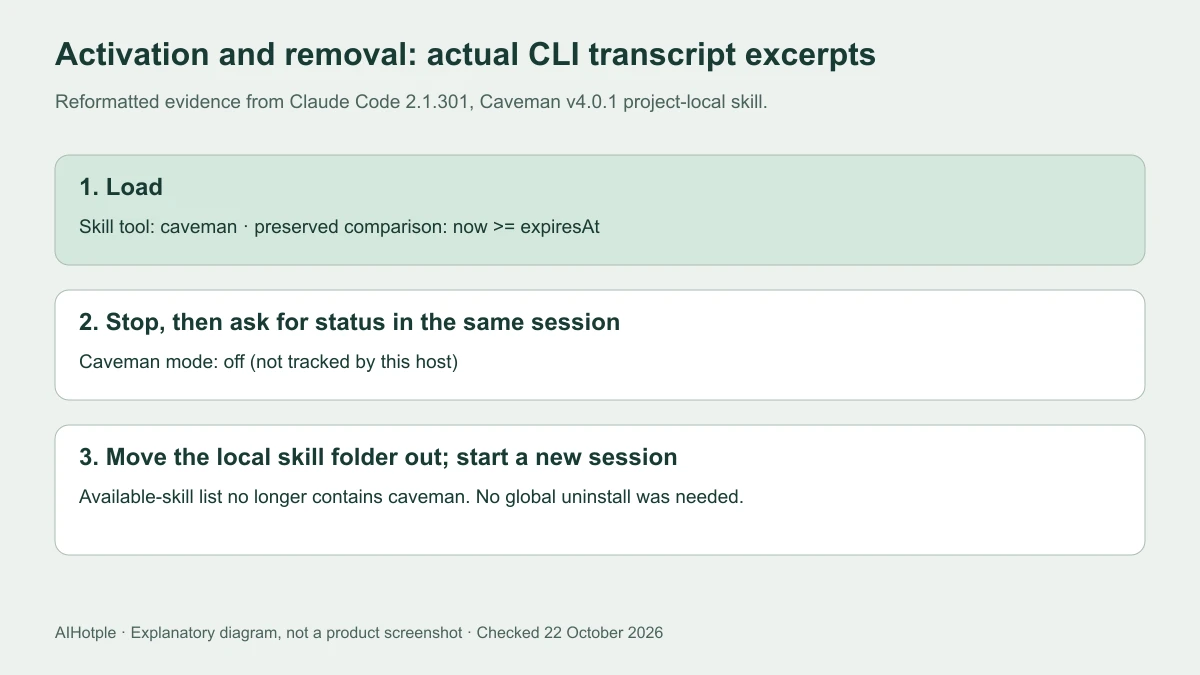
- Stopping the voice affects the conversation; moving the folder out and starting fresh removes this local installation’s discovery.
This is a project-local voice-skill setup. The Caveman proxy, automatic routing and global installer are separate choices.
Files for this exercise
AIHotple example files and prompts. Try the exercise before substituting real work data.
What you will have at the end
You will have a disposable project that can load Caveman’s original voice instructions, plus a simple way to stop that voice and detach the file. This suits readers who already have Claude Code installed and signed in. The skill itself is Markdown; Node.js and a separate API key are not required to copy it into a project.
The ZIP contains the unchanged v4.0.1 SKILL.md, original Apache-2.0 license and notice, setup instructions and sanitized actual trial excerpts. We pinned that release so you can see exactly which instructions were tested. A future release can behave differently; review the official file before substituting another version.
1. Put the file in a practice project
Extract project-skill-practice.zip into a new folder. Open practice-project inside it. Show hidden items if your file manager hides .claude: on Windows File Explorer use View → Show → Hidden items; on macOS Finder use Command–Shift–Period. Check that SKILL.md has not become SKILL.md.txt.
The path below is relative to practice-project, not to your home directory and not nested under a second practice-project folder. We copied exactly the upstream skill file into that location; no marketplace plugin, startup hook or shell installer was involved.
If you prefer the source, open the pinned official SKILL.md link, use GitHub’s raw-file view and save the file with that exact name and directory. The ZIP README includes its SHA-256, 415d43518f2b1a9498c15a445d4657117b129ee5e81b19454ce348439cc6672b, for a local integrity check.
Open the exact upstream skill file we tested ↗
practice-project/
└── .claude/
    └── skills/
        └── caveman/
            └── SKILL.md
2. Start here and ask for the skill explicitly
Open a terminal in practice-project and run claude using your existing installation. Start a new conversation after placing the file. In an interactive session, enter /caveman, then give it the concrete expiry request below. This is the standalone project-skill name; a marketplace plugin can use a namespaced command instead.
Our execution used the native print interface and an explicit instruction to call the Skill tool for caveman. The available-skills list included caveman, and the event stream recorded that call with skill: caveman. These two observations show discovery and loading; we did not infer activation solely from clipped prose.
The answer retained now >= expiresAt. That exact comparison matters more than sounding terse: now > expiresAt incorrectly leaves the equality boundary valid. The activation exercise asked for an explanation, not a repository edit or a test run, so the returned expression is not evidence of modified files.
Explain why an expiry check must treat now === expiresAt as expired. Preserve the exact comparison now >= expiresAt. Do not run commands or edit files.3. Stop the voice and check status in the same conversation
Send stop caveman in the conversation where you activated it. Our resumed CLI conversation answered: “Caveman mode is off. I'm back to normal prose.” Then ask /caveman status in an interactive session. The pinned skill defines status as a report, not a request to reactivate.
Our actual status check used Skill with args: status in that same resumed conversation. The answer began “Caveman mode: off (not tracked by this host)” and referred to the earlier stop message. We had not installed the project’s state-tracking hook. This was a conversation-based report, not an independent operating-system mode flag.
If you start an unrelated fresh session, do not expect its conversation history to remember your earlier stop. Conversely, if another installer added an activation hook, stopping this conversation’s voice may not remove that hook. Those are different setups from the single-file example here.
4. Detach the local skill and confirm the next session
Close the practice conversation. Move the entire caveman folder out of .claude/skills into a backup location outside any skill-discovery folder. Moving preserves the original file in case you want to restore it. Leave your other project skills alone.
Start a new Claude Code conversation from the practice project and check its available skills. In our fresh CLI session, caveman was absent from the initialization list; the model also reported it was unavailable. That is the removal result we verified. An existing session can retain loaded instructions, so its response immediately after a folder move is a poor removal test.
This only detaches the project-local copy. If you previously installed Caveman in a user-level directory, marketplace, another agent or a proxy, inventory that installation separately. The supplied ZIP did not create any of those, and a voice-off request is not a proxy uninstall command.
5. If it does not load, inspect the location before reinstalling
Check the working directory, the hidden .claude folder, the exact SKILL.md filename and a fresh session first. If the skill appears but was not invoked, request it explicitly. If the event shows a Skill call but the writing style barely changes, look at the task: intact code and error strings can dominate a technical answer.
Do not keep adding global installers to solve an unverified activation problem. The useful evidence is the original file in the correct scope and a recorded invocation. Once those work, decide whether the shorter voice improves your own reading and whether a matched usage test supports keeping it.
Our comparison found that shorter visible answers did not automatically reduce whole-session output. It includes an extra Skill call that the model made by mistake, plus the results of independent checks on every returned function. Read that before treating the installation as a guaranteed token-saving change.
Sources & verification
Actually checked on Windows with Claude Code 2.1.301, model claude-sonnet-5-5 and Caveman v4.0.1, commit d262ab3882952a59312ff3537cd86d894523c5ab. Print-mode runs invoked Skill explicitly, resumed the same conversation for off/status, then checked a fresh session after moving the folder away. Interactive slash-command entry is documented below, not presented as a recorded UI test.
- Claude Code · Extend Claude with skills
- Caveman · Original v4.0.1 SKILL.md
- Caveman · v4.0.1 release
- Caveman · Pinned v4.0.1 README
- Claude Code · Run programmatically
Sources checked: 2026.10.22