- Check the supplied target, files and source locations.
- Static relationships and runtime observations are different evidence.
- A missing graph match is not proof that a feature is absent.
On 16 October 2026 the editor ran REA 6.5.0 CLI on Windows/Node 24.20.0 against readable, editor-authored JavaScript. We tested application analysis, a no-match string trace and a storage-module trace. Browser behavior and four search assertions were separate editor tests. We did not test proprietary apps, native decompilation, automatic reconstruction, agent MCP calls or paid analysis providers.
Files for this exercise
AIHotple example files and prompts. Try the exercise before substituting real work data.
Where does a completed note survive a refresh?
A small question is easier to verify than an entire app clone. We built a notes app with title search and completion toggles, then asked where state is stored. REA connects CLI or MCP workflows to analysis tools; the agent may use findings for subsequent implementation. This exercise used the CLI directly and did not reconstruct an application.
1. Unpack the owned target
The ZIP includes five sample-app files: app.js, filter.js, storage.js, index.html and package.json. They are readable JavaScript written for this exercise, not decompiled proprietary code. Keep only the intended target in the analysis folder; do not add credentials, dependencies or unrelated projects.

2. Save a full analysis record
With Node and npm available, open PowerShell in the unpacked pack root. The command can download and run the pinned official npm package. We used an isolated 6.5.0 installation, without changing global agent configuration or registering MCP. The ZIP summary is a selected projection; generate your own full Evidence record for tracing.
Current installation and host requirements ↗
npx --yes rea-agents@6.5.0 analyze-javascript-application ./sample-app --json | Out-File -Encoding utf8 application-evidence.json3. Open the reported source locations
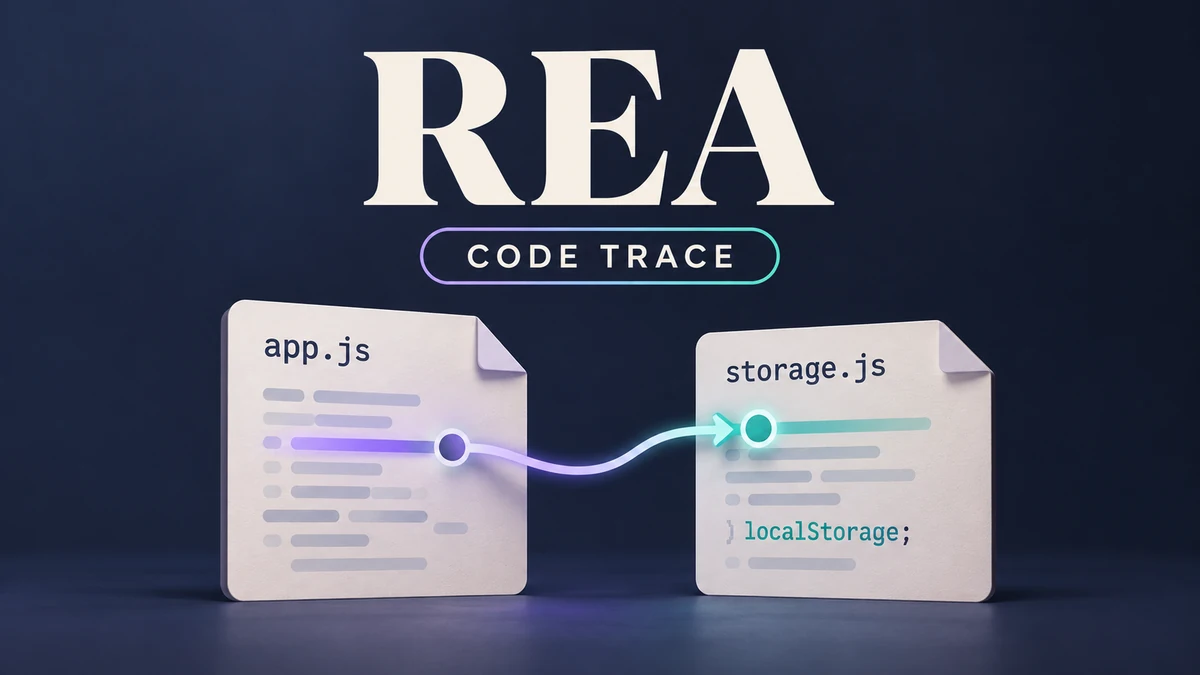
The actual output selected five relevant files, parsed three JavaScript files and reported zero parse failures. It observed localStorage.getItem at storage.js line 3 and setItem at line 11, plus the filterNotes export and source-module relationships. A syntax observation does not prove a click executes or state persists.
| Observation | Source | Limit |
|---|---|---|
| Storage read/write | storage.js lines 3/11 | Static calls, not runtime proof |
| Search export | filter.js/filterNotes | Static module relationship |
4. Keep the failed seed and try a module
The hotple.notes.v1 literal-string seed returned zero matches, despite that text being present in the source. We retained the no-match result. Using storage.js as a module seed on the same full analysis matched two seeds and traced 16 nodes, 22 edges and two terminal paths. These are graph counts, not app accuracy scores. The included helper was executed against the full record.
Official trace inputs and limitations ↗
node make-trace-input.mjs
npx --yes rea-agents@6.5.0 trace-application-feature ./trace-input.json --json | Out-File -Encoding utf8 trace-result.json
5. Test behavior separately
With Python available, start the local server below, keep that terminal open and visit http://127.0.0.1:5599/. Stop it with Ctrl+C. Python is optional preview tooling, not a REA analysis requirement. We observed three initial items, one match for whitespace-padded mixed-case cHaTgPt, and a completed REA note remaining completed after refresh. The separate node check.mjs passed four editor-written search assertions. REA did not perform those browser or assertion tests.
- Empty query: 3; padded mixed-case ChatGPT: 1; Korean title fragment: 1; absent term: 0.
- State is browser-local in this sample. Cross-device sharing and server sync were not tested.
- Clearing site data may remove the exercise state.
python -m http.server 5599 --bind 127.0.0.1 --directory sample-appAgent integration is a separate next step
Official setup registers an MCP server and workflow instructions after reviewing changes for selected agents. We did not execute that integration. A useful future request identifies one owned feature and asks for source locations, observations, inferences and unknowns before implementation. Analysis output does not establish rights to copy another product.
Take one checked behavior into your next project
Choose search, preferences or imports and define an input/output case you can observe. Evidence locations, a retained no-match and a separate runtime check are more useful implementation inputs than a claim that every application can be cloned.
Sources & verification
On 16 October 2026 the editor ran REA 6.5.0 CLI on Windows/Node 24.20.0 against readable, editor-authored JavaScript. We tested application analysis, a no-match string trace and a storage-module trace. Browser behavior and four search assertions were separate editor tests. We did not test proprietary apps, native decompilation, automatic reconstruction, agent MCP calls or paid analysis providers.
- REA · Official repository
- REA · Installation and setup
- REA · JavaScript application workflows
- REA · Project use guidance
Sources checked: 2026.10.16