- An AI task proposal is not approval to write to a workspace.
- Keep a durable meeting-and-action key even when a task’s wording changes.
- Find the existing page before updating, preserve its status and stop on ambiguous failures.
The n8n workflows and local model were run. Task creation and updates were checked against a local Notion API test double; a live Notion workspace was not connected.
Files for this exercise
AIHotple example files and prompts. Try the exercise before substituting real work data.
Solve the work after the summary
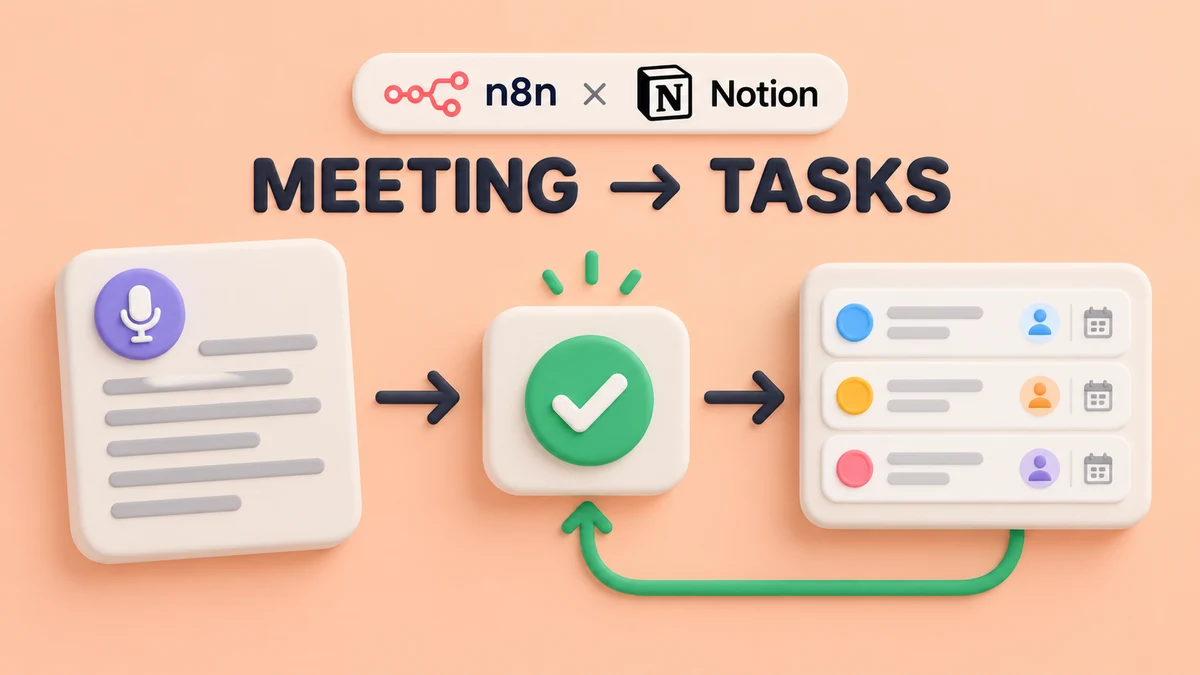
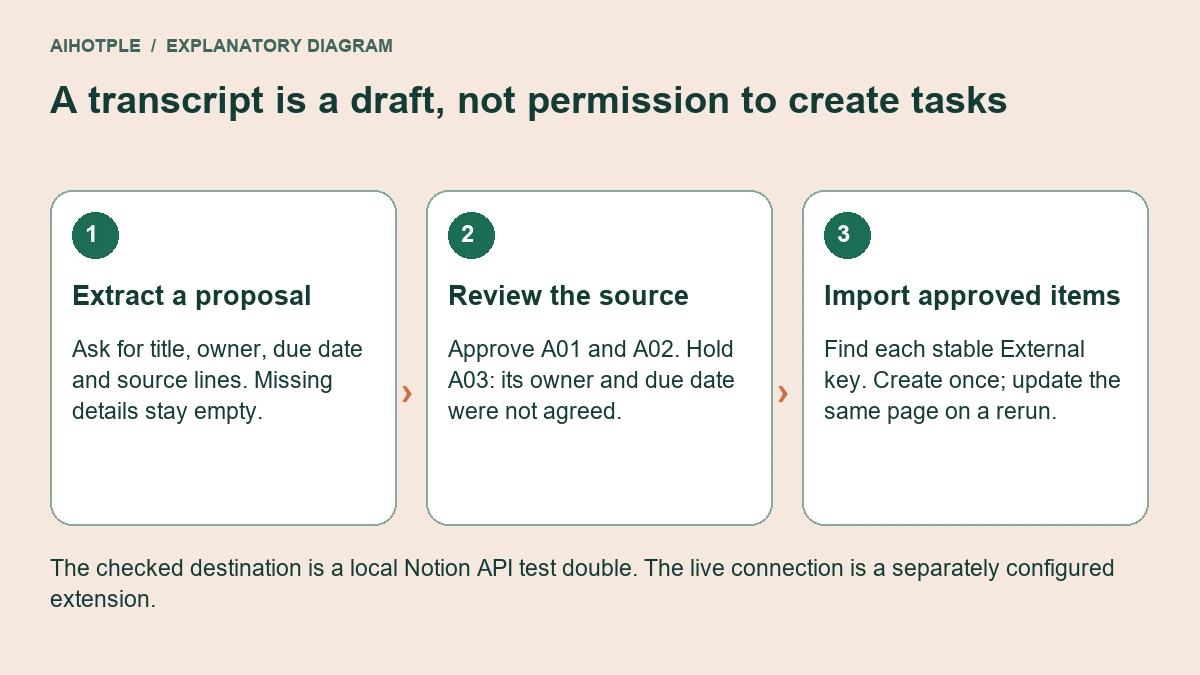
A meeting summary can be accurate and still leave the team copying tasks by hand. This workflow separates three jobs: extract a proposal, review the commitments, then create or update a task record. The separation matters because a fluent extraction can still invent an owner or split one commitment into two.
Our fictional meeting has two assigned tasks and a refund FAQ review with no agreed owner or due date. Maya also adds a receipt example to her existing checklist task. That last sentence should enrich the same task, not become another assignment.
The small local model did not produce a publishable task list. It returned titles such as L1 and L2, used “We” as an owner and represented a missing date as a sentence. We preserved that raw draft, then prepared a separate human-reviewed fixture. The successful import checks below concern that reviewed fixture; they are not evidence that the AI extracted everything correctly.
Prepare the local practice lab
This exercise is for readers comfortable opening a terminal and importing an n8n workflow. Download the shared lab, extract it into its own folder, and install Node.js 24.x. Run npm install, then npm start in that folder. Keep the first terminal running until it prints Ready. Open http://127.0.0.1:5693/health to check it. First startup downloads packages and model weights; the ZIP is not a preinstalled application.
The checked environment is Windows, Node 24.20.0, n8n 2.44.5, Transformers.js 4.3.1 and Qwen2.5-0.5B-Instruct q4 on CPU. This is a deliberately small model for a reproducible learning exercise, not a recommendation for unattended customer support. There was no paid model API call.
n8n now documents npm installation as deprecated from version 3.0. The pinned lab reproduces our checks; use the official deployment documentation when choosing an ongoing installation. In Docker or n8n Cloud, 127.0.0.1 refers to a different environment. These workflow URLs will not automatically reach the bridge on your computer.
Official Node.js installation site ↗
Read the n8n installation conditions ↗
npm install
npm start
1. Extract the draft without writing any tasks
Import meeting-draft.json. Its Fictional meeting node contains the date, a stable meeting_id and four numbered source lines. Run it and inspect Extract unapproved draft. The node returns raw_model_output and review_required true; it does not connect to Notion.
Use source line references so a reviewer can find the commitment quickly. Keep the meeting date and timezone explicit when people say “next Tuesday” or “tomorrow”. In this lab, due dates are already written as ISO calendar dates. Relative-date interpretation and audio transcription were not tested.
Open the transcript and the raw answer side by side. Merge Maya’s receipt-example addition into her checklist task, retain Ben’s checkout test, and leave the refund review unassigned. Do not turn “someone should do this” into an approval or a named person.
node run-n8n.mjs import:workflow --input=meeting-draft.json
node run-n8n.mjs execute --id=aihMeetingDraft --rawOutputExtract action items from this fictional meeting. Return JSON with tasks, each having title, owner, due, source_lines. Never invent owners or dates: use null when not agreed. Do not approve tasks. No markdown.2. Review owners, dates and evidence before approving
The supplied reviewed-tasks.json shows the editorial review. A01 is Maya’s onboarding checklist, including the receipt example, due 27 October 2026. A02 is Ben’s mobile checkout test, due 28 October. A03 is the refund FAQ review, with owner and due set to null and approved false.
The helper’s /meeting/reviewed endpoint reads that fixed, manually reviewed fixture. It is not an interactive approval form and it does not automatically turn the AI answer into approved tasks. To adapt the lab, edit the reviewed data in the helper after checking the transcript, then restart it. An operational workflow should provide an authenticated review screen and record who approved each revision.
The importer checks all input keys and supported fields before it starts writing. An invalid calendar date, an unknown demo owner or a nonexistent source-line reference stops the batch. An explicitly unapproved task, missing owner or missing due date is held for review. The included owner allowlist is Maya and Ben only; replace it deliberately when adapting the example.
| Action | Reviewed owner / date | Decision |
|---|---|---|
| A01 · Checklist with receipt example | Maya · 2026-10-27 · L1 and L4 | Approve as one task |
| A02 · Mobile checkout test | Ben · 2026-10-28 · L2 | Approve |
| A03 · Refund FAQ review | Owner and date not agreed · L3 | Hold; do not create a task |
3. Assign a stable key before the first import
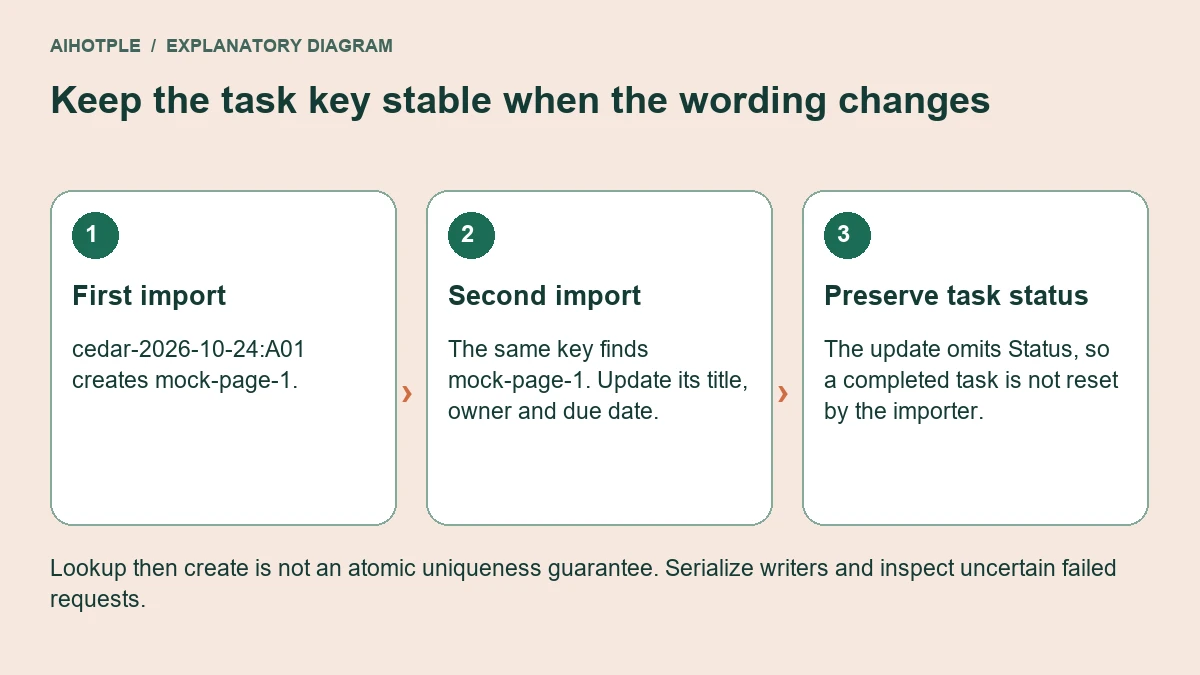
Use meeting_id plus a durable action_id, such as cedar-2026-10-24:A01. The reviewer assigns the action id once. Keep it with the action when you improve the title or rerun the extraction. Do not derive the key from a sentence hash or a changing list position.
The importer queries External key first. Zero matches means create a page. One match means update that page id. More than one match means stop and inspect existing duplicates; choosing the first result would hide a data problem.
Our update contains Name, External key, Owner, Due and Evidence. It deliberately omits Status. A task marked Done in the destination therefore stays Done when its source wording is updated. An additional check changed the title and confirmed both the same record id and completed status were preserved.
4. Run the import twice against the local destination
Import meeting-import.json and run it twice using the commands below. The default mode is a local mock destination stored in results/mock-notion.json. It requires no Notion account or token. This makes repeat-run behavior visible before you grant a connection access to a workspace.
First run: A01 and A02 created mock-page-1 and mock-page-2; A03 was held. Second run: the same two page ids were updated; A03 was still held. Two records remained. Those mock identifiers are local test records, not Notion page ids.
The service serializes import requests from this one process. It does not provide an atomic unique constraint across several workers or a transaction covering the whole batch. A network failure after a live create can leave an uncertain result. Query the stable key before retrying, and review partial completion instead of replaying the whole batch blindly.
| Stage | Created | Updated | Held | Records remaining |
|---|---|---|---|---|
| First checked import | 2 | 0 | 1 | 2 |
| Second checked import | 0 | 2 | 1 | 2 |
node run-n8n.mjs import:workflow --input=meeting-import.json
node run-n8n.mjs execute --id=aihMeetingImport --rawOutput
node run-n8n.mjs execute --id=aihMeetingImport --rawOutput
5. Prepare a separate Notion test database
For the live extension, create a new full-page database in Notion rather than connecting the example to your team’s real task list. Name its title property Name. Add External key, Owner and Evidence as Text properties, Due as Date, and Status as Select. Owner is intentionally plain text in this example; it does not assign a workspace person or send an invitation.
Create an internal connection through Notion’s integration settings with the read, insert and update capabilities needed for this test. In the test database’s menu, add that connection. Use only a database containing fictional data. Keep the token in local environment configuration, not a workflow export, screenshot, download or chat message.
The optional adapter in lab-core.mjs pins Notion-Version to 2025-09-03 and uses the data-source API. Retrieve the database metadata to find its data_source_id; do not blindly substitute a database id copied from a URL. Query goes to /v1/data_sources/{data_source_id}/query, create goes to /v1/pages, and update goes to /v1/pages/{page_id}. These live connection steps follow official documentation and have not been executed against our account.
Open Notion connection settings ↗
6. Enable live writes only after the mock result is understood
The optional live route requires NOTION_TOKEN, NOTION_DATA_SOURCE_ID and an explicit ALLOW_NOTION_WRITES value of 1 in the helper’s environment. Leave that last setting unset for the checked local exercise. The shipped workflow JSON does not contain a credential or enable live writes.
Before enabling it, compare the test database’s property names and types with taskProperties in lab-core.mjs. Query one existing key and verify which source is being read. Then test two approved fictional tasks, repeat the same import, and check record counts and page ids in Notion itself. We tested request construction using a fetch test double; that does not prove live authentication, permissions or current workspace compatibility.
Treat 401 and 403 as a connection or permission issue, 404 as a possible wrong identifier or unshared database, and 429 as a reason to slow down according to the service response. For an ambiguous timeout, inspect the stable key before retrying. Preserve a record of each successful page id, and keep notifications as a separate later action.
Start with the source-review approach to meeting action items →
Continue this workflow
Separate meetings from task deadlines before preparing a calendar draft →
Sources & verification
Checked on 24 October 2026 using native n8n 2.44.5 CLI runs and Qwen2.5-0.5B-Instruct q4 CPU. The model produced a flawed draft, which is preserved separately from the editorially reviewed fixture. First import created two local mock records and held one unassigned task. A second import updated the same two records. Separate tests checked stable identifiers, valid dates, source lines, duplicate keys and completed-status preservation. Notion request shapes were inspected with an injected fetch test double; no live Notion requests, emails, calendar invitations or meeting recording were performed.
- Notion API · Query a data source
- Notion API · Create a page
- Notion API · Update page
- Notion · Internal connections
- n8n · Import and export workflows
- n8n · Server command line
- n8n · npm installation and version conditions
- ONNX Community · Qwen2.5-0.5B-Instruct
Sources checked: 2026.10.24