- Use regular Chat for brief lookups or quick follow-ups.
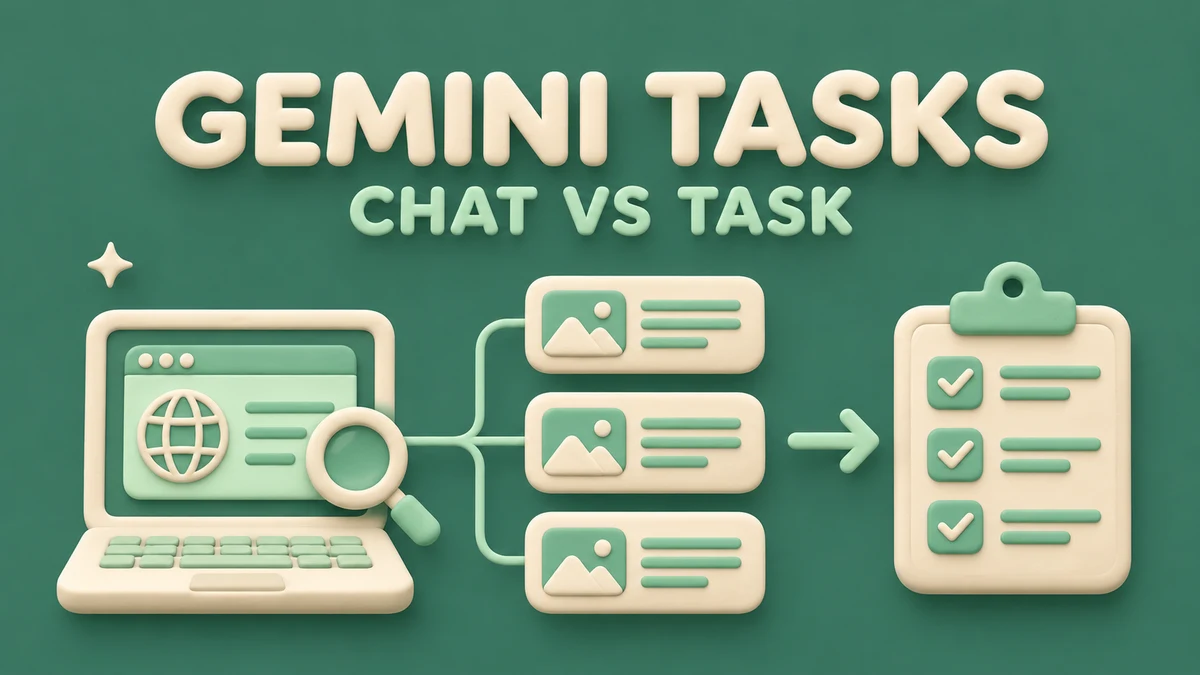
- Try Tasks for work you want Gemini to execute while displaying progress.
- Open the exact visitor pages before making travel plans.
Both modes got all nine visitor facts right in this test. Tasks returned direct visitor information links for all three museums. Regular Chat initially gave three homepages and answered a separate holiday follow-up with more specific links.
Files for this exercise
AIHotple example files and prompts. Try the exercise before substituting real work data.
Where Tasks is available and how to start
Google announced broader free access in the US, South Korea, Japan, Australia, Canada and India. Its announcement distinguishes that rollout from actions such as calls, checkout, email or texting, which have their own eligibility or rollout. The research example below needs only public websites.
In the Korean web session, the mode menu offered Tasks (태스크). After selection the composer displayed Hydrogen. First use opened additional privacy and data-processing disclosures. Read those screens and decide whether the scope fits before continuing. If the mode is unavailable or you prefer to skip onboarding, you can still reproduce the regular Chat half of the test.
- Get a baseline in regular Chat
Open Gemini in your browser and start a new conversation. Leave it in regular Chat and send the prompt below. Keep the first table so you can compare the links it chose.
- Switch to Tasks in a fresh conversation
Open the mode menu beside the message box and select Tasks. In our session, Hydrogen appeared by the composer. Read any first-use notice, send the same prompt and look for the activity panel. Compare the results after the task shows Complete.
- Check the rule for each visitor
Open the links under the comparison below. Verify ordinary Saturday hours, general admission and whether one adult needs a timed pass. Follow museum-specific links for holiday closures and special exhibitions.
Compare regular Saturday entry for one adult at three Washington, DC museums: Smithsonian National Museum of Natural History, Smithsonian National Museum of African American History and Culture, and National Gallery of Art. Use the institutions’ public official visitor pages only. For each, report admission cost, whether a timed pass is required for general entry, and normal Saturday opening and closing times. Provide the official links and label any unverified field. Do not use personal context, make a reservation, open a connected app, or contact anyone. Return a compact three-row table.Both answered correctly. Tasks made the facts easier to verify
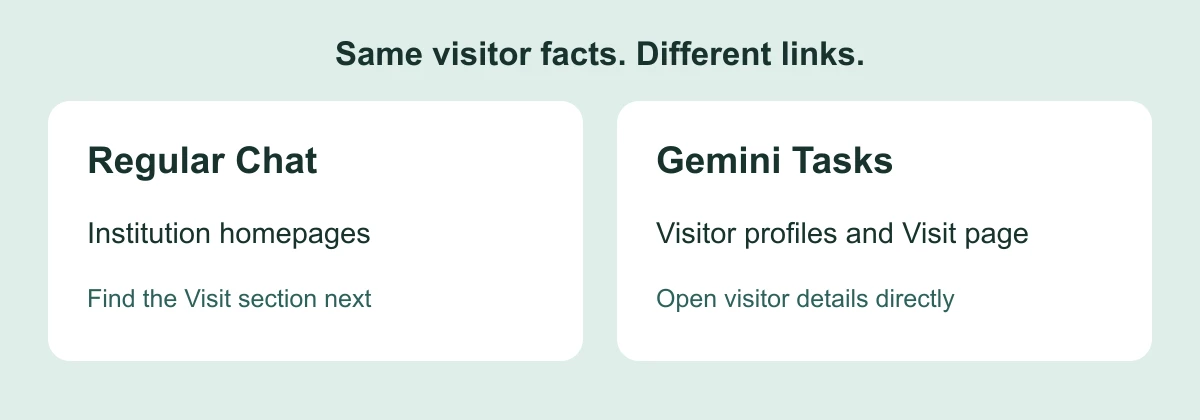
Both tables matched these nine facts on the official pages. Regular Chat initially linked the three institutions’ homepages. Tasks linked the two Smithsonian visitor profiles and the National Gallery’s Visit page, so the admission details took fewer clicks to locate.
Tasks displayed progress messages. One mentioned the Metropolitan Museum of Art, which was outside the request. The completed table contained the three requested museums. Use progress as a cue for when to check back, and judge the scope and sources from the final answer.
Verify the Natural History museum’s hours and walk-in policy ↗
Verify the African American History and Culture museum’s timed-pass policy ↗
Verify National Gallery of Art admission and hours ↗
| Museum | Regular Saturday hours | Adult general entry | Timed pass |
|---|---|---|---|
| Smithsonian National Museum of Natural History | 10 a.m. to 5:30 p.m. | Free | No |
| Smithsonian National Museum of African American History and Culture | 10 a.m. to 5:30 p.m. | Free | Yes. A free timed-entry pass is required. |
| National Gallery of Art | 10 a.m. to 5 p.m. | Free | No |
When a follow-up in Chat is enough
We asked regular Chat to add December 25 closures and cite the rule. It confirmed all three close on that date and supplied more specific citations. We matched the closures to the published visitor information. The Tasks check ended after its first answer.
For a quick lookup, ask for the exact visitor page and the date exception up front. If a response gives a homepage or the link opens a general description, use the follow-up below to ask for the page that actually states the rule. If you see a different venue name in the task’s progress, check that the final table contains exactly the venues you requested.
Add one field: is the museum closed on December 25? Keep the original fields and cite the venue source for that date. If you cannot confirm it, say unverified.Choose the mode based on what you need to do next
Use Chat when you want a quick comparison you can refine in place. Use Tasks for a larger public lookup you want to leave running and review later. In this test both first answers correctly distinguished free admission from a required free timed pass. That distinction was the one with a practical consequence for the visitor.
Sources & verification
We used signed-in Gemini on the web in Korea on November 18, 2026. We ran one public lookup in Tasks, the same initial prompt in regular Chat and a separate holiday follow-up in regular Chat. The prompts used public information only and we did not request or make reservations, contact anyone, or enable additional integrations. Plan and regional eligibility details come from Google.
- Google’s Tasks in Gemini rollout announcement
- Google’s rollout announcement for Korea
- Google’s Tasks in Gemini help
- Smithsonian Natural History visitor information
- Smithsonian African American History and Culture visitor FAQ
- National Gallery of Art visitor information
Sources checked: 2026.11.18