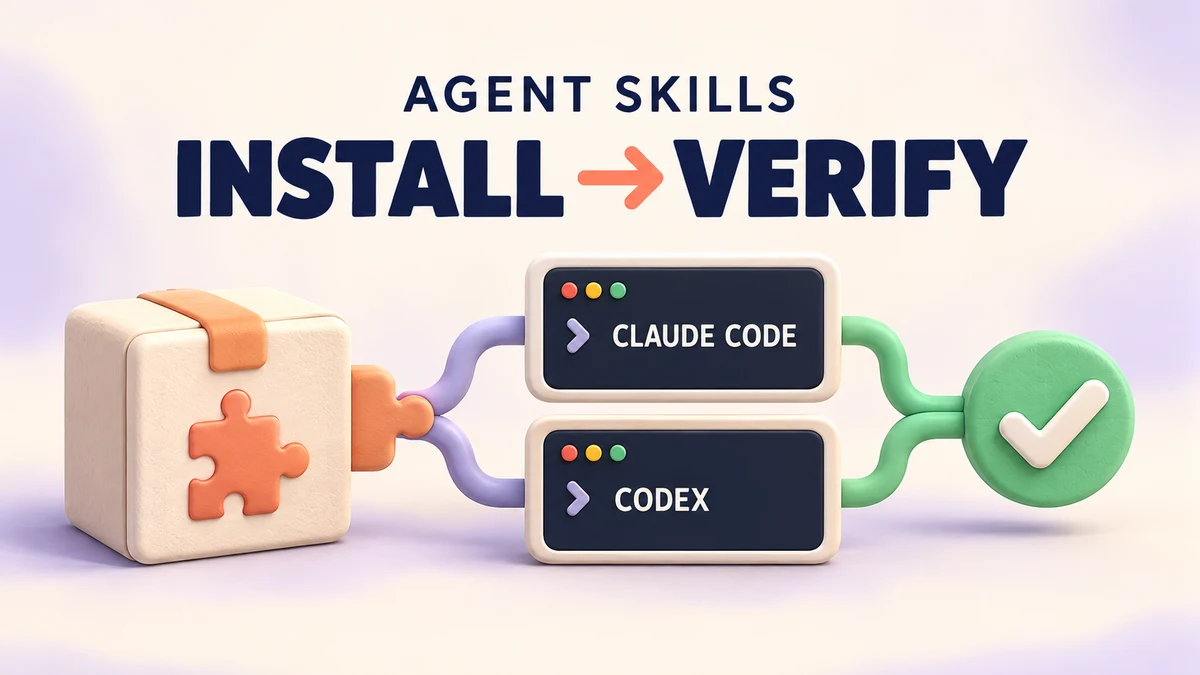
- Choose app, terminal or editor around your current workflow.
- Identify the folder, target behavior and permitted changes.
- Distinguish a response from saved edits, passing tests and a working screen.
Official app, CLI and IDE documentation checked on 16 October 2026. CLI 0.153.4 rejected GPT-6.1 Sol; an isolated 0.163.0 installation returned a response but file commands were blocked by policy. Codex did not complete the search edit. The four passing tests and browser results below belong to an editor-authored reference. App/IDE steps are documented procedures, not a three-surface execution comparison.
Files for this exercise
AIHotple example files and prompts. Try the exercise before substituting real work data.
Choose one starting point
You do not need all three installations to begin. The desktop app offers a conversation workspace for folders and outputs. CLI starts in your terminal. The IDE extension works beside open code. Availability of models, tools, permissions and connected accounts should be checked independently; the same login does not establish identical environments. We did not benchmark their intelligence or completion rates.
| Surface | Useful starting situation | First action |
|---|---|---|
| Desktop app | You want to inspect files and outputs around a conversation | Sign in and choose the practice folder/project |
| CLI | You already work in a terminal | Enter the practice directory and run codex |
| IDE extension | You already edit in VS Code, Cursor or Windsurf | Open the folder, then the Codex sidebar |
App: select the actual practice folder
The current official desktop page is titled ChatGPT desktop app and describes choosing ChatGPT or Codex. Labels can differ by installed version. Install from the official download, sign in, open the exercise folder or choose its project, then use New chat in Codex. A useful first request is: “Confirm the current folder and whether app.mjs and app.test.mjs are visible; do not edit anything.” Pasting code into a web conversation is different from connecting the local folder you intend to modify.
CLI: check the directory before sending a task
npm is one official installation route when Node.js/npm is available; Windows also has a documented standalone installer. If Codex already works, inspect its version instead of reinstalling automatically. Our test used an isolated npm installation without changing the global client. Enter the extracted codex-first-task folder and run codex; complete its supported sign-in flow. Choose models actually available to your account and client rather than copying an unavailable model identifier.
Official CLI installation and sign-in ↗
npm install -g @openai/codex

# In a new terminal
codex --version
node --version
cd "C:/aihotple-practice/codex-first-task"
Get-Location
Get-ChildItem
codex
IDE: open Codex beside the code
In VS Code, Cursor or Windsurf, install the official OpenAI extension and sign in. Open the exercise folder and choose the Codex icon. If absent, run Codex: Open Codex Sidebar from the Command Palette. Open app.mjs and make the same bounded request below. Verify the publisher through the official listing. These steps were checked against documentation; we did not install and test a new IDE integration in this batch.
A task small enough to check: find a product by SKU
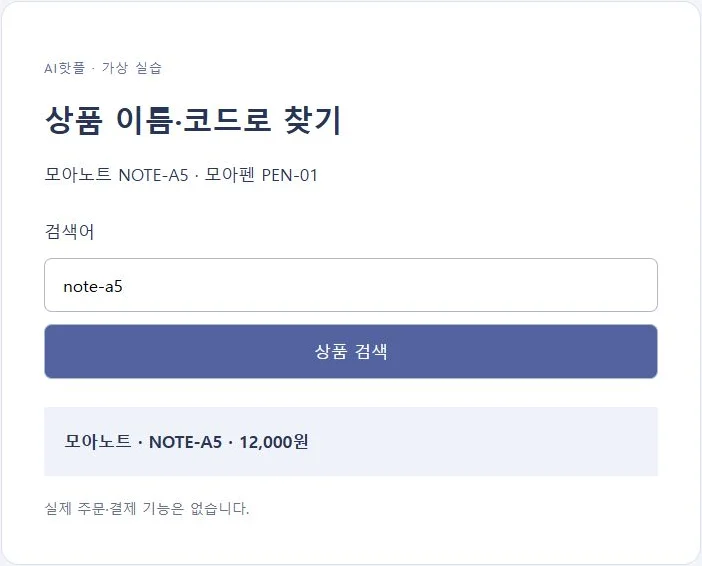
The ZIP contains two fictional products: 모아노트 / NOTE-A5 / KRW 12,000 and 모아펜 / PEN-01 / KRW 2,000. Run npm start and open http://127.0.0.1:5600/. Search for note-a5 with surrounding spaces: the broken starter finds nothing. It only compares product names literally. Run npm test separately in the same directory; the starter passes two of four cases.
The intended behavior is name or SKU matching, case-insensitivity, trimmed query whitespace and all products for blank input. No extra libraries, orders or payments are involved. If port 5600 is busy, use $env:PORT=5601 before npm start in PowerShell.
npm start

# In a separate terminal
npm test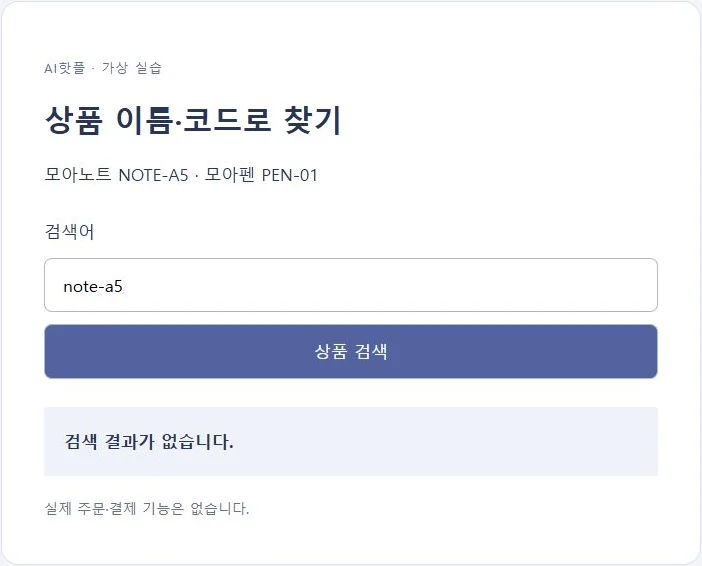
Request a focused edit with unchanged boundaries
Our real request was in Korean. This English adaptation expresses the same task but was not separately executed. It can be used with a folder opened in any of the three surfaces. After the response, inspect the changed file, actual command results and the refreshed screen. Do not make tests pass by weakening their expected values.
Fix product search in this fictional folder. Change only searchProducts in app.mjs so names and SKUs both match, ignoring case and surrounding query whitespace. Blank input should show every product. Keep product data, prices, tests, HTML and CSS unchanged. Run the relevant tests and report changed files and actual results. Do not search externally or access other folders.Separate our blocked Codex run from the checked reference
The installed 0.153.4 CLI rejected GPT-6.1 Sol. An isolated update to 0.163.0 produced a response, but file commands were policy-blocked. It did not complete the edit. A model response is therefore not evidence of a saved code change. Model availability and file-execution permissions are separate issues.
For comparison, the editor wrote reference/app-fixed.mjs. Preserve the starter, copy the reference over app.mjs, run npm test and refresh. This reference passed all four tests, and we checked the four browser queries below. These are checks of our reference implementation, not a successful Codex edit.
| Query | Actual reference result |
|---|---|
| note-a5 | 모아노트 · NOTE-A5 · 12,000원 |
| 모아노트 | 모아노트 · NOTE-A5 · 12,000원 |
| Whitespace only | Both fictional products |
| 없는상품 | No results |
Diagnose the specific layer that failed
An unavailable command points to installation or terminal setup; an unavailable model to client/account choices; blocked file commands to the selected folder, permissions and applicable policy. Do not treat a prompt asking to ignore a restriction as a remedy. Keep a small work scope, record only completed steps, then add persistent project instructions when the same constraints recur.
Sources & verification
Official app, CLI and IDE documentation checked on 16 October 2026. CLI 0.153.4 rejected GPT-6.1 Sol; an isolated 0.163.0 installation returned a response but file commands were blocked by policy. Codex did not complete the search edit. The four passing tests and browser results below belong to an editor-authored reference. App/IDE steps are documented procedures, not a three-surface execution comparison.
- OpenAI · Desktop app
- OpenAI · Codex CLI
- OpenAI · Codex IDE extension
- OpenAI · Developer settings
- OpenAI · Windows sandbox
Sources checked: 2026.10.16