- Specify participants, duration and host account.
- Read the number together with its applicable conditions.
- Provide the exact official URL when the first answer leaves a source unread.
Actual Korean Claude searches and source checks. We did not host or measure a real meeting.
Files for this exercise
AIHotple example files and prompts. Try the exercise before substituting real work data.
Start with a concrete decision
The example asks whether three people can meet continuously for 45 minutes on computers using a personal free account. It excludes organization contracts and one-to-one exceptions. This gives Claude a specific condition to investigate rather than a broad product ranking.
Use the same pattern for supported operating systems, upload limits or a free plan’s scope. The process matters more than the example’s current product choice.
| Computer meeting | Google Meet without subscription | Zoom Basic host |
|---|---|---|
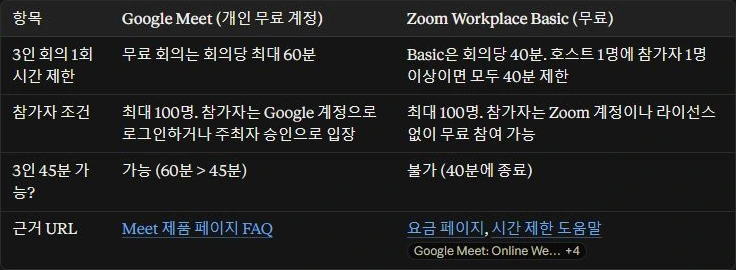
| Three-person duration | Up to 60 minutes | Normally up to 40 minutes |
| Continuous 45-minute requirement | Within the duration limit | Exceeds the basic limit |
| Official section | Meeting length limits | Free licenses (Basic) |
1. Request official sources in a new chat
Open a new Claude conversation. State the participants, duration, host plan and exclusions, then ask for web search, official page reads and source URLs. The tested account showed search activity and citations.
Some interfaces have + → Web search. Anthropic says the new Claude experience has no separate search toggle. If it is absent, explicitly request web search and inspect the actual activity rather than assuming the feature is missing.
Use web search to compare a continuous 45-minute computer meeting for three people on Google Meet with a personal free account and Zoom Workplace Basic. Read official documentation and return duration, host-plan conditions and source URLs. Exclude 1:1 exceptions and paid or education contracts. Leave unread or conflicting evidence unresolved instead of guessing.2. Read the unresolved section, not only the table
The first Korean answer compared 60 and 40 minutes but acknowledged that it had not read Google’s help article. It used a product FAQ instead. A citation alone does not establish that Claude read the exact evidence needed.
We supplied the help URL in a second request. The initial table is preserved here as an example of a result needing a source follow-up.
3. Supply the exact URL to resolve the gap
The follow-up read Google’s help page and distinguished computer meetings without a subscription: one-to-one up to 24 hours; three or more participants up to 60 minutes. We independently checked the same official text.
The product FAQ and help article use different wording about one-to-one calls. We do not invent a reason for that difference or extend a computer rule to every mobile-call case.
Read Google’s official conditions ↗
Read Zoom’s official Basic limits ↗
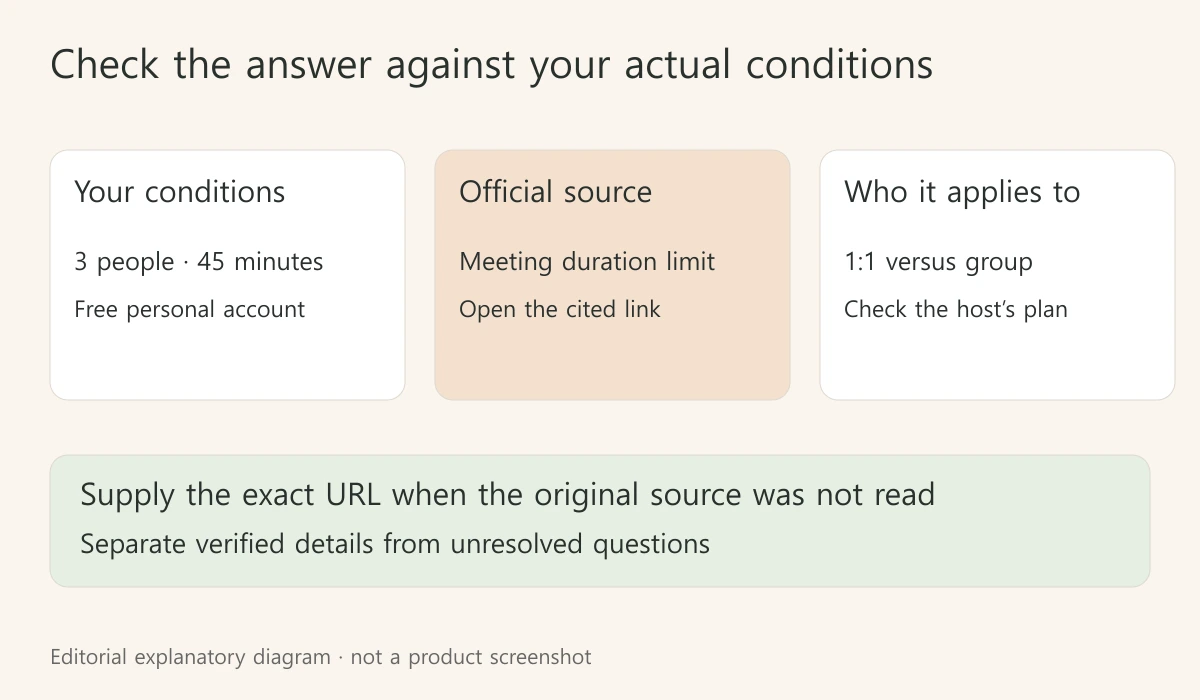
Read this exact official URL and check the meeting-length section for computer users without a subscription. Separate one-to-one from three or more participants, and resolve only the missing evidence from the earlier answer. State any access failure.
https://support.google.com/meet/answer/7317473?hl=en
4. Check who the limit applies to
Google’s help page combines device, subscription and participant conditions. Zoom’s limit depends on the host’s assigned license. Do not infer that one attendee’s paid account upgrades a Basic-hosted meeting.
For this three-person computer example, Meet’s 60-minute allowance fits 45 minutes; the normal Zoom Basic limit does not. Recheck the host’s account and current terms before scheduling. Audio quality, recording and connection reliability were not tested.
5. Keep a small source-check record
Save your condition, official URL, applicable wording, check date and unresolved details. That makes a later update easier to inspect.
Search and page reads use your plan allowance. Narrow the question before requesting many long pages. If a link cannot be opened, supply the relevant excerpt and label that evidence boundary.
Sources & verification
On 20 October 2026, two Korean requests ran in Claude web with Sonnet 5.5 and High displayed. We checked source links, the follow-up page read and official Google/Zoom wording. No mobile-call, organization-plan, real-meeting or separate English model test.
Sources checked: 2026.10.20