- Compare fields and meanings, not only paragraph positions.
- Require the old and new filename/page references for each change.
- An omitted statement is a question to confirm, not permission to invent its replacement.
Name the old and new files, define what counts as a change and require both source pages. Review omissions separately from new facts before sending a summary.
Files for this exercise
AIHotple example files and prompts. Try the exercise before substituting real work data.
Start with the decision the comparison must support
A revised workshop sheet arrives shortly before you prepare a participant notice. You need the changed date, price and practical instructions, with enough evidence to ask the organizer about gaps. A fluent summary is useful only if you can trace its details back to the right version.
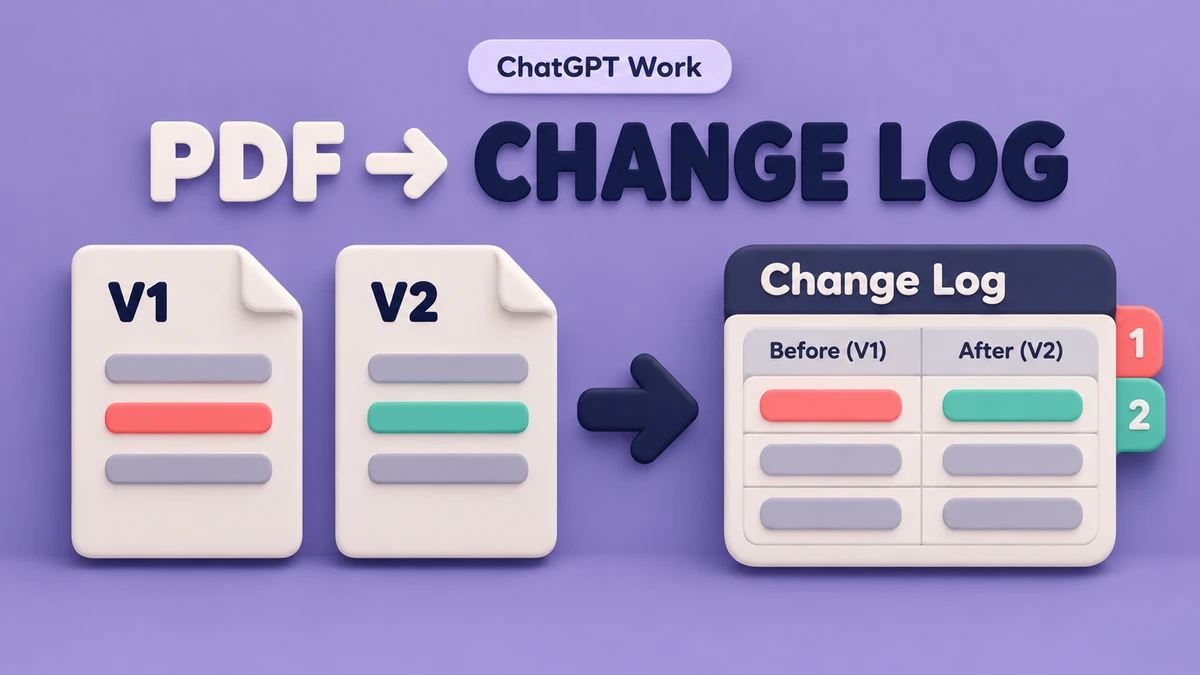
The practice kit contains workshop-v1.pdf and workshop-v2.pdf. Both are fictional. Each has two actual PDF pages, stable field IDs and readable text. Version 2 changes several values, moves the venue to page 2, adds an accessibility deadline and omits a parking statement. The start time stays the same.
Use a comparable pair you are allowed to share for your own work. Keep the versions distinct and identify which one is newer. If the relationship is uncertain, ask for a side-by-side inventory first rather than declaring every difference an approved change.
1. Attach the exact pair in a new Work task
Choose Work on the ChatGPT home screen. Use the attachment control → upload from computer and select the two PDFs. Wait for both filenames to appear before sending. Our test used Terra, but this article is about the comparison method rather than a requirement that only Terra can compare PDFs.
State the direction explicitly: v1 is old, v2 is new. Ask ChatGPT to say if it cannot read either file. Do not accept a reconstruction based on the filenames or a previous conversation when an attachment is inaccessible.
For a larger document, define the relevant sections or fields and the output you need. Start with a bounded review you can check. A document can contain tables, diagrams or scans that need different treatment; success on our short text PDFs does not establish those capabilities.
- Choose Work and attach both PDFs
Check that the old and new filenames are present and ready.
- Define the comparison direction
Name the authoritative newer version and the fields that matter.
- Require a downloadable change table
Ask for old/new text and both PDF page references, not just a prose summary.
2. Request semantic changes with both sources
A useful row has an ID, change type, old and new values, source filenames, page numbers and a review note. Keep an absent field distinguishable from an empty string or zero. Use actual PDF page numbers, especially when printed page labels or appendices differ.
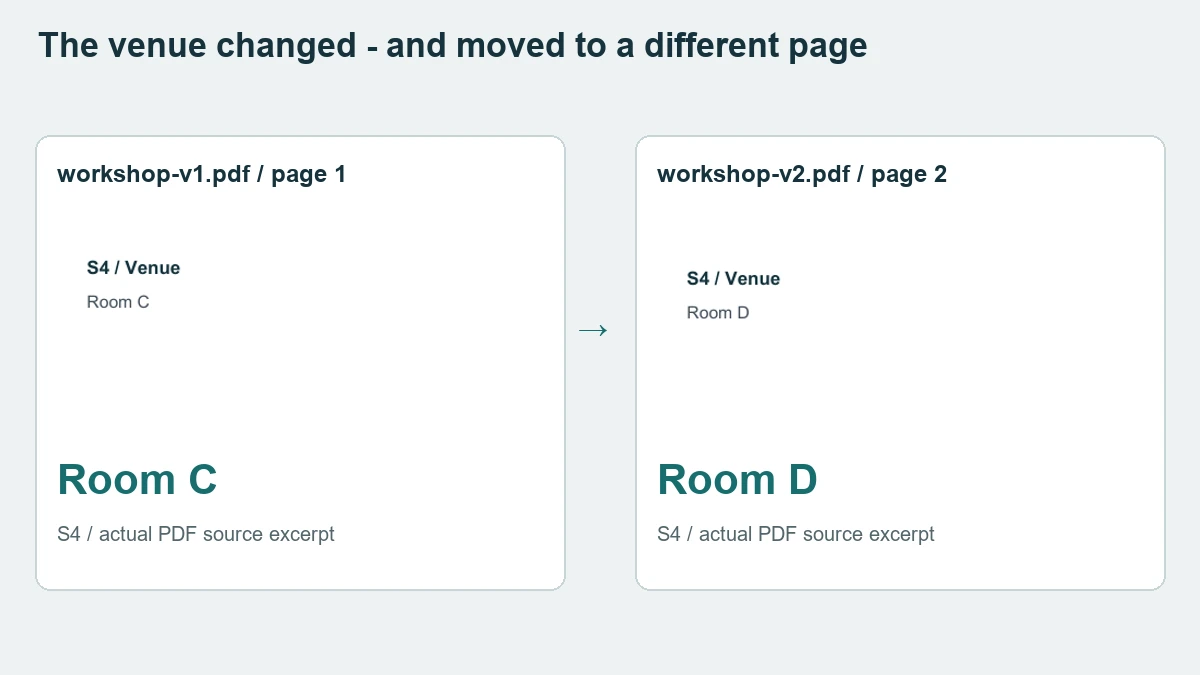
Tell the model not to count reordering as a semantic change. Moving an unchanged paragraph is different from changing its meaning. In our fixture the venue genuinely changes and moves; the row therefore needs different old and new page references.
Compare workshop-v1.pdf (old) with workshop-v2.pdf (new), using only these files. Create downloadable changes.csv and review.md. One row per semantic field change: id, change, old_value, new_value, old_source, old_page, new_source, new_page, review_note. Do not count reordering or a page move alone as a semantic change. An omitted parking statement means not stated in v2, not unavailable or paid. Exclude the unchanged start time from the change table. Include a clarification email draft clearly marked not sent. Do not access an inbox, send messages or schedule anything. State any unreadable file.3. Check the eight returned changes
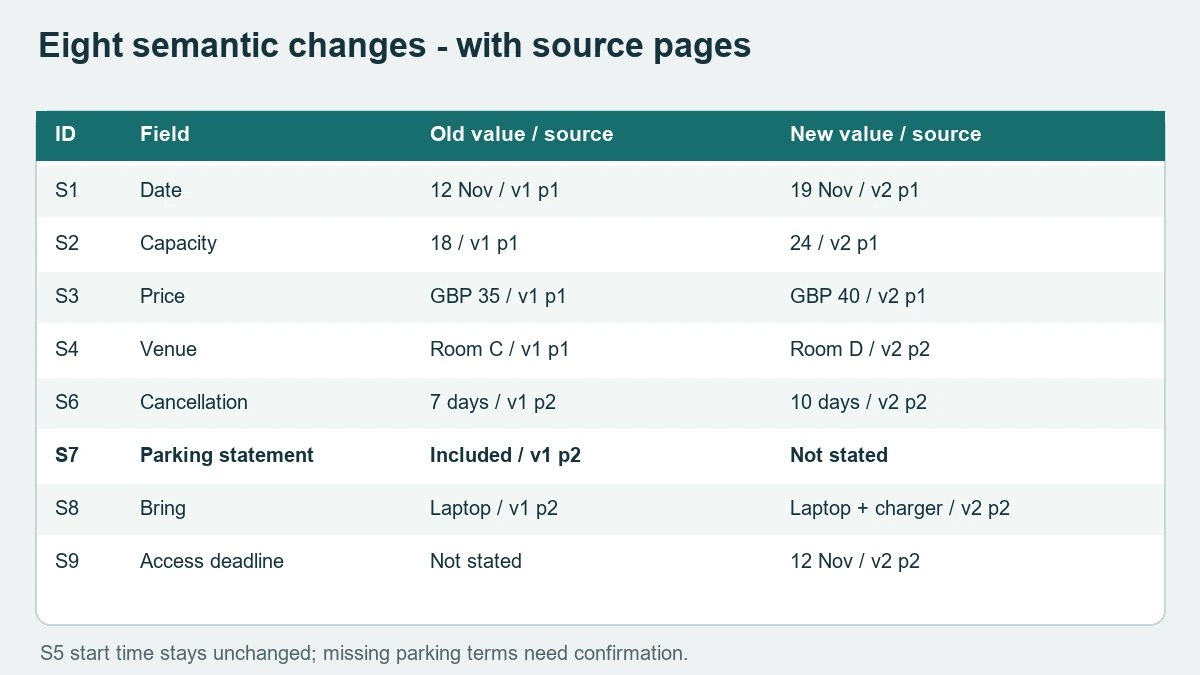
The downloaded CSV contains six changed fields, one removed statement and one added field. We checked all eight against the original documents. The start time—10:00 Europe/London—remains in the review note and does not become a ninth change.
S4 demonstrates why a reference column is useful. Room C appears in v1 on page 1, while Room D appears in v2 on page 2. If a reviewer checks only the first page of the new PDF, that correct row may look unsupported.
S7 is the more important interpretation check. Version 1 includes on-site parking; version 2 says nothing about parking. The returned note asks for confirmation rather than claiming parking was removed, unavailable or chargeable. The absence of a sentence supports an omission finding, not a new operational policy.
| Field | Old → new | Evidence |
|---|---|---|
| Date / capacity / price | 12 → 19 November; 18 → 24; GBP 35 → GBP 40 | Both PDFs, page 1 |
| Venue | Room C → Room D | v1 page 1 → v2 page 2 |
| Cancellation / items to bring | 7 → 10 days; laptop → laptop and charger | Both PDFs, page 2 |
| Parking statement | Included → not stated | v1 page 2; absent from v2 |
| Accessibility deadline | Not stated → contact by 12 November | Added in v2, page 2 |
4. Turn unresolved details into a clarification draft
Open review.md using its preview or download control. Our returned file contains the unchanged start time, the matters requiring confirmation and a client email draft labeled not sent. The accessibility deadline is present in v2, but the organizer’s actual contact details are not; the draft asks for them.
Review the draft against the change table before putting it into your own email application. A generated file and an unsent draft do not establish that anyone has approved the revised event details. In this exercise, no email tool was connected or used.
If a source/page reference is wrong, ask for a revision limited to that row and require it to preserve the other checked facts. Download the replacement, reopen the cited page and recheck the change. You do not need to ask for a completely new summary every time.
What this comparison does not establish
Our documents have selectable text and a deliberately small set of fields. We did not test scanned handwriting, complex multi-column tables, drawings or a long document set. Try an unfamiliar layout on a small known sample and verify the extracted content before trusting its differences.
The workflow prepares an evidence-linked review; it does not decide which version is binding or whether an operational change should be accepted. For ordinary notices, proposals and internal plans, the useful result is a short, checkable list of what changed and what remains unanswered.
Continue this workflow
Try a controlled proposal revision in Gemini, with an explicit native-export limit →
For cross-document extraction: compare the same quote PDFs across three AI workflows →
Sources & verification
On 29 October 2026, one English request in ChatGPT Work on the web used two original, text-based fictional PDFs of two pages each. GPT-6.1 Terra with Light effort was visibly selected. Actual changes.csv and review.md were downloaded. We independently compared eight semantic field changes, old/new values and every populated filename/page reference with the source PDFs. The unchanged start time was excluded and the parking omission was not treated as a new parking policy. The account UI was Korean; controls below are described in English equivalents. No scanned-document OCR, legal interpretation, real client information, connected mailbox or email send was tested.
- OpenAI · get started with ChatGPT Work
- OpenAI · attach files and choose Chat or Work
- OpenAI · review and download generated files
Sources checked: 2026.10.29