- Check figures, source locations and ambiguous terms independently.
- A downloadable file does not guarantee that citations remain usable outside the chat.
- Choose the workflow for your next step, then review the actual file.
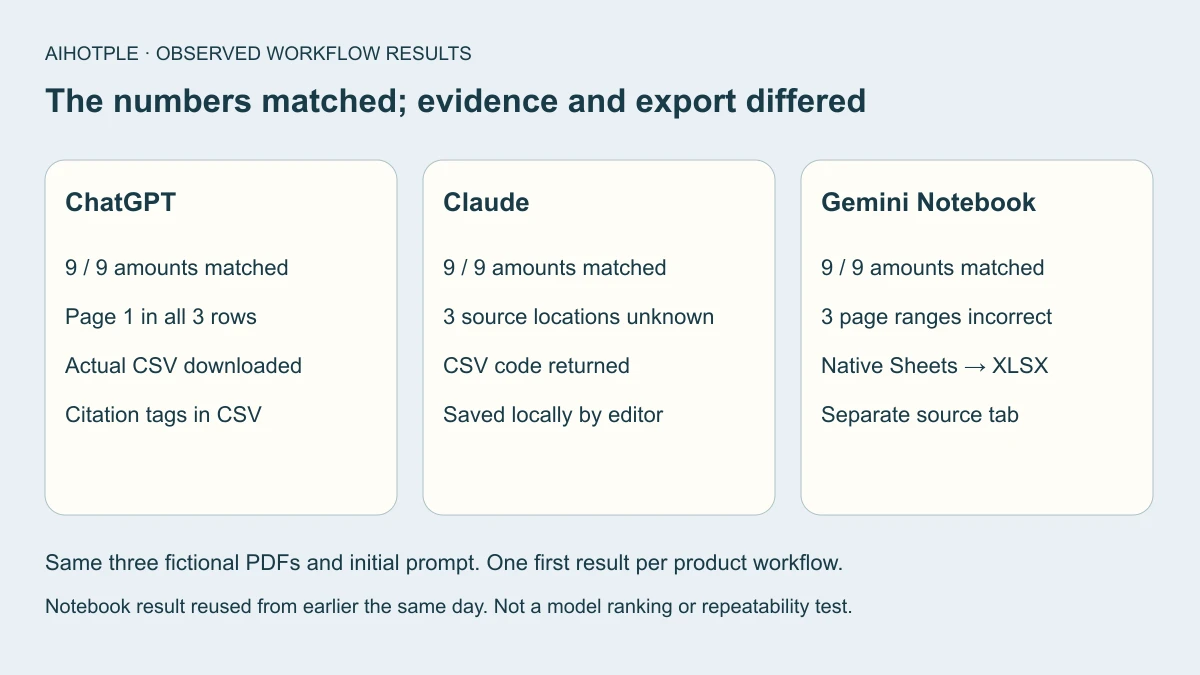
For this small three-PDF exercise, the important differences came after extracting the numbers. ChatGPT provided correct page-one labels and a real CSV with nonportable citation markup. Claude preserved uncertainty and supplied CSV code in the tested session. Gemini Notebook made a native Sheets/XLSX export, but all three page ranges needed correction. This is one observed result per product workflow, not a universal winner.
Files for this exercise
AIHotple example files and prompts. Try the exercise before substituting real work data.
The result in one table
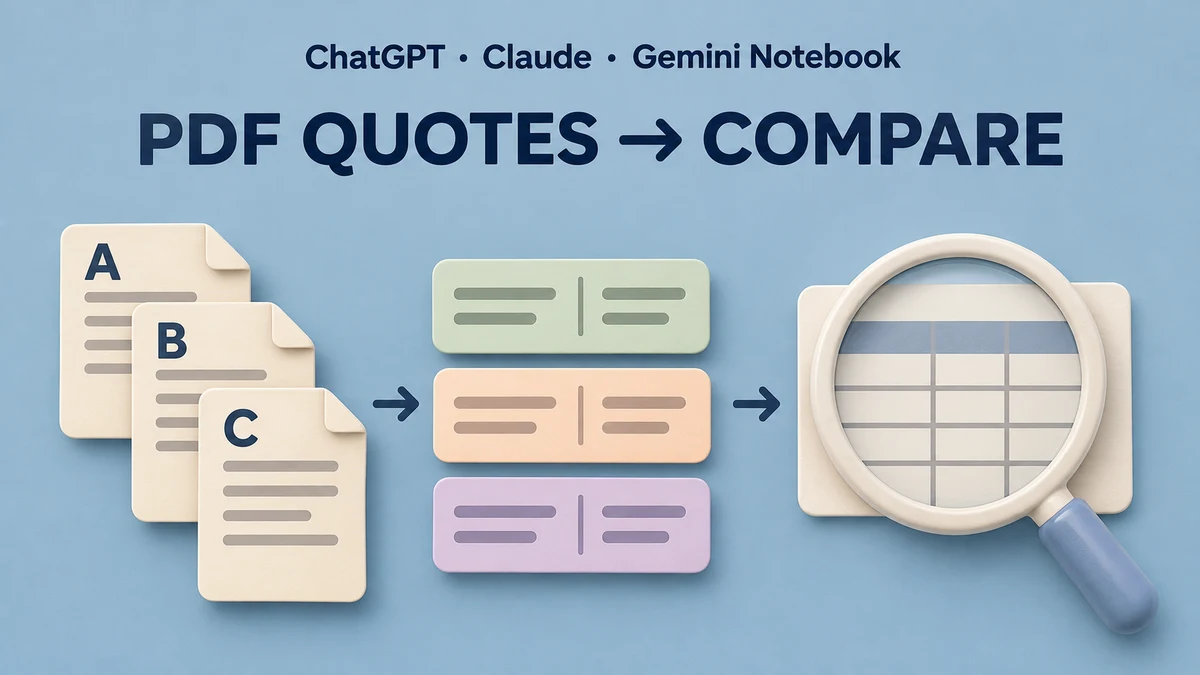
We compared a specific task: turn three quotations for a fictional five-page website into one decision-support table. This is not a PDF version-difference test, a scanned-document benchmark or a general ranking of the three companies’ models.
All three workflows copied the nine requested subtotal, first-year maintenance and first-year base amounts correctly. Each also retained the unknown VAT treatment for two suppliers and kept business-day and calendar-day delivery terms distinct. That shared result does not settle which output is easiest to verify or reuse.
The source-location and export differences below are observed results from our selected sessions. “Not provided” is different from an incorrect page range; a caution about an unknown source location should not be counted as inventing one.
| Check | ChatGPT | Claude | Gemini Notebook |
|---|---|---|---|
| Supplier rows | 3 | 3 | 3 |
| Requested cost amounts | 9 of 9 matched | 9 of 9 matched | 9 of 9 matched |
| Source location in first table | Correct filename and page 1 in all rows | Filename/page left unknown | Correct filenames; wrong pages 1–2 in all rows |
| Export route tested | Actual downloadable CSV | CSV code; saved locally by editor | Native Sheets export, downloaded as XLSX |
| Important follow-up | Remove nonportable citation tags from a reviewed copy | Confirm source mapping and file-creation access | Correct page fields and inspect source terms |
What we held fixed—and what we did not
The input set is quote-A.pdf from Cedar Studio, quote-B.pdf from Birch Web and quote-C.pdf from Willow Digital. Every PDF has one page and selectable text. Names, prices and commercial terms are original fictional teaching material. The practice pack includes the same three files and their byte hashes.
The initial request specified exactly three rows and twelve fields: vendor, quote ID, one-off subtotal, first-year maintenance, first-year known base, VAT, delivery and trigger, revisions, payment, validity, exclusions/unknowns and source filename/page. We asked for English, citations on every row and no web research. We did not tell the products where the later errors would be.
Product routes differ. ChatGPT and Claude answered in a conversation; Notebook generated a Studio Data Table with an additional Source field. The Notebook run happened earlier that day in our dedicated exercise. Its saved request and source bytes match this test, and its original result was reused without a new generation.
This makes a practical workflow comparison, not a controlled model benchmark. Different account settings, service tools and undisclosed model routing can affect the outcome. One first response from three clean text PDFs cannot establish a success rate, a fastest tool or a cheapest plan.
Use only the three uploaded fictional quotations. Output in English. Create exactly three rows, one per vendor, with columns: vendor, quote ID, one-off subtotal GBP, first-year maintenance GBP, first-year known base before applicable VAT GBP, VAT treatment, delivery and trigger, revision rounds, payment terms, validity date, exclusions/unknowns, source filename and page. Keep tax and hosting unknown when absent; do not turn them into zero. Do not compare delivery days as equivalent because business and calendar days differ. Do not rank a cheapest all-in supplier when costs are incomplete. Copy source amounts; do not invent a price or a total. Include source citations for every row. Do not use web research.How to repeat the exercise in each product
ChatGPT: start a new conversation, use the attachment menu to upload all three PDFs, and wait for their upload indicators to finish. Paste the request unchanged. We used a temporary session and selected Not personalized, because the temporary-session notice initially said personalization could still be used. Medium was displayed, and the profile showed Pro. We did not select a named backend model or activate web search.
Claude: start a new incognito session, choose the add-files menu, then Upload or add files → Upload from computer in the interface we observed. Select the same three PDFs and paste the same request. The model control displayed Sonnet 5.5 and High. We used no Project, research command or connected document as an input. Current controls and file-creation availability may differ across accounts.
Gemini Notebook: create a dedicated notebook, upload only those three files and keep them selected. Open Studio → Data Tables, customize the table in English and paste the same request. Open the first completed table. The companion article documents our exact upload, customization and native export path.
Before trying this with client material, check the relevant service’s account and data settings. This exercise uses fictional PDFs so a reader can inspect the method without uploading a real supplier quotation. The upload labels described above are the routes we actually observed, not a claim that every interface has identical button positions.
- Keep the inputs identical
Use the three supplied PDFs and the exact English initial request; do not add the answer key.
- Save the first completed result
Keep source and uncertainty fields even when they are inconvenient. Do not silently replace the first answer with a repaired version.
- Treat export as a second step
Preserve the first table before making a file request or using the native export menu.
Check the money without inventing an all-in winner
The source-stated first-year bases are Cedar £1,700, Birch £1,800 and Willow £1,500. They reconcile to the quoted one-off subtotal plus first-year maintenance: 1,500 + 200; 1,350 + 450; and 1,250 + 250. Each workflow retained those nine component/base figures.
Only Cedar explicitly states a tax rate and gross figure: 20%, £340 and £2,040. Birch and Willow say that VAT treatment is not stated and gross is unknown. All three outputs kept that uncertainty. Applying Cedar’s tax rate to the other quotations would create a condition the sources do not provide.
The scope still needs human attention. Cedar lists £200 first-year maintenance but later excludes ongoing maintenance. This may distinguish a first-year allowance from later support, or it may be unclear drafting; the source does not settle it. ChatGPT explicitly asked for clarification in its exclusions cell. Claude copied both terms and discussed the ambiguity in its response notes. Notebook repeated both statements without an explicit conflict warning in the table.
We treat that last difference as a review aid, not an extra accuracy percentage. The initial request did not supply a standardized conflict-detection rubric. Do not call a supplier the cheapest all-in offer while its tax, hosting or support basis remains unresolved.
Check the source location separately from the number
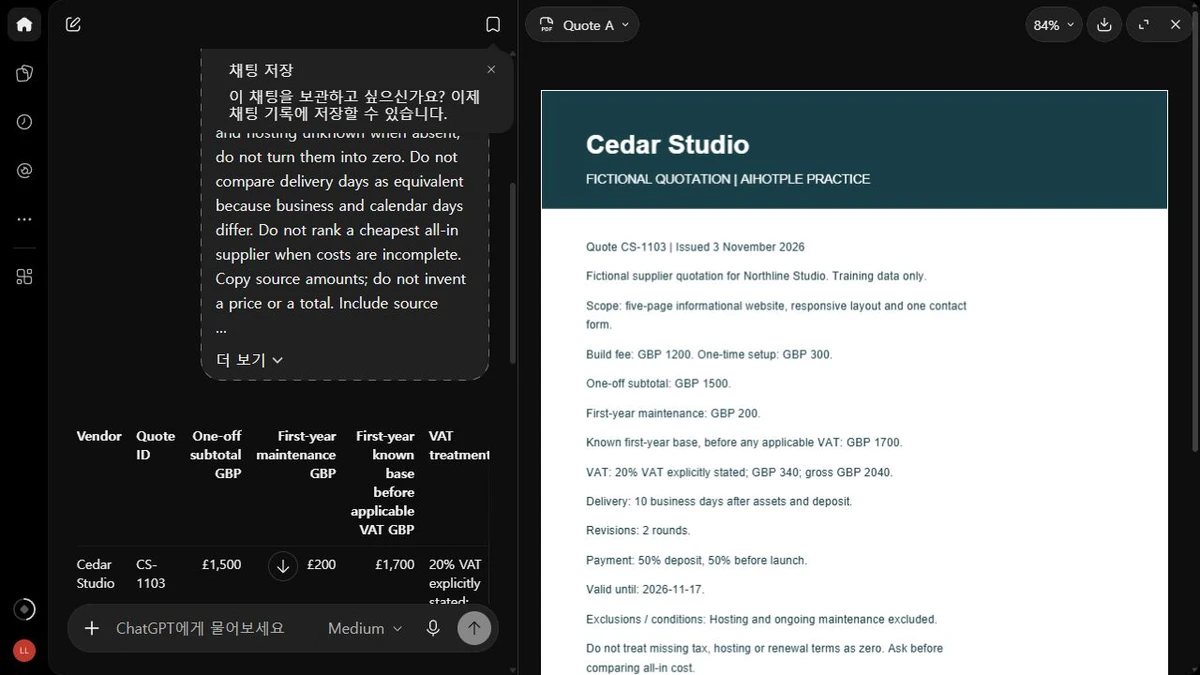
ChatGPT placed the correct filename and p. 1 in all three source-location fields, with file-citation controls beside the rows. Opening Cedar’s citation showed the uploaded source in the side viewer; the reference card also displayed Page 1. We compared all three written locations with the one-page PDFs. We did not audit every possible in-product citation interaction.
Claude wrote Uploaded document 1/2/3, filename not shown, page not marked. Its response said it could not see filenames or page numbers and would not invent them. The upload interface itself displayed the filenames; that visible interface is not proof of exactly what attachment metadata was available to the model. The useful conclusion is narrower: this response did not provide the requested verifiable file/page mapping.
Notebook named the right source files, and its exported source-reference tab mapped three citation indexes to those names. However, every row’s location field said pages 1–2 even though every input has one page. A separate source tab did not correct those page strings.
For a real decision, open the file and find the relevant wording yourself. A valid number, a source marker and a correct page location are separate properties. An unknown location remains a manual task; an incorrect location needs correction before sharing.
Ask for a CSV—and inspect what actually leaves the chat
After preserving the first tables, we sent ChatGPT and Claude the identical follow-up below. It requests an actual UTF-8 CSV while allowing a clearly labelled code fallback. It explicitly forbids reanalysis or correction. Notebook used its native Export to Sheets command instead of this conversational follow-up.
ChatGPT produced a real CSV file and its download completed. The file has twelve columns and three vendor rows. After normalizing only display whitespace, all 33 cells in the first eleven columns matched the initial rendered table. The source column contained a different kind of problem: all three fields included a literal FileCite tag with chat-internal citation references.
Those tags are plain text in the CSV; they are not portable working links to the PDFs. The filename and page text remain, but another spreadsheet reader cannot rely on the chat’s citation widget. We retained the original download unchanged so you can see the boundary between an in-app reference and an exported cell.
Claude’s tested incognito session explicitly said no downloadable file had been created and returned a fenced CSV block. We saved the exact visible code as a local file. It parses to twelve columns and three rows, with all 36 data cells matching the initial table after whitespace normalization. This was an editorial save of model text, not a native file download.
The absence of a Claude file in this session is not a general product limitation. Anthropic’s documentation describes file-related capabilities and account-dependent features; our other Claude exercises include actual spreadsheets. Check your current environment before treating a refusal in one session as a reason to switch services.
Export the exact comparison table you just returned as a downloadable UTF-8 CSV file named quotes-comparison.csv. Preserve every cell and every unknown; do not reanalyse or correct the table. Do not browse the web or contact anyone. If you cannot create an actual downloadable file in this mode, return a fenced CSV block and state that no downloadable file was created.Notebook export: a convenient sheet is still a draft
Notebook’s table menu created a private Google Sheet with Table 1 and a source-reference tab. We downloaded that actual workbook as XLSX during the earlier exercise and reused the unchanged file here. Its first table has thirteen columns because Notebook adds a separate Source index.
The source tab contains filename mappings, not copies of the PDFs, and the three wrong page fields remain in Table 1. Its headers reflect our Korean interface while the generated comparison is English. We did not test the file in the native Microsoft Excel application.
Google says edits in exported Docs or Sheets do not synchronize back to the Notebook artifact and sharing permissions do not carry over. If you correct the sheet, label that reviewed version and check access separately. Our standalone Notebook article includes a separately labelled editorial CSV; this comparison kit preserves the original model exports.
Which workflow would we choose for this task?
For an interactive source check on these PDFs, our editorial preference is the tested ChatGPT route: the first table gave correct page-one labels, called out the ambiguous maintenance wording and let us open the source. We would still review the CSV’s source fields before handing it to someone else. This is a preference for this observed task, not a general quality winner.
For a continuing table in Google Sheets, Notebook offers the native path we actually used, including a separate reference tab. It is a reasonable workflow to try when that destination matters, provided you verify and correct page references and ambiguous terms. Do not confuse export convenience with verified grounding.
For a discussion that leaves unverified source details unknown, the tested Claude response was appropriately explicit about its limits and also flagged the maintenance ambiguity. Its numerical table was usable; source mapping and obtaining a native file remained additional tasks in this session. If your configured Claude environment can make files, test that route on a harmless sample rather than assuming the fallback here applies to it.
Start with the next action you need: checking a source, discussing unresolved terms or continuing a spreadsheet. Then inspect the output that will leave the chat. Repeated representative tests, your actual account conditions and the required destination matter more than declaring a universal best AI from this one example.
For a different task: compare two PDF versions and check the change log →
An actual Claude Excel exercise with formula repair and recalculation →
Inspect the original Notebook result and its separate editorial corrections →
Continue this workflow
Audit a PDF answer against quotes, conditions and deliberately missing facts →
Sources & verification
Observed on 3 November 2026. ChatGPT web started in Chat with Medium displayed, a temporary Not personalized session and Pro account label; its exact backend model was not exposed. Claude web used an incognito session with Sonnet 5.5 / High displayed. Gemini Notebook used English Studio Data Tables; we reused the first preserved result from earlier the same Korean calendar date, rather than rerunning until it improved. All three used the identical 715-character initial request and identical PDF bytes. ChatGPT and Claude each received one identical export follow-up; Notebook used its native table-menu export. Claude and Notebook subscription tiers were not independently reconfirmed. We did not equalize models, compute budgets, product tools or execution times, measure costs, test repeatability or native Excel, buy anything, contact suppliers or use real procurement data. The article separates actual downloads from editorial text copies and retains original errors.
- OpenAI · choose Chat or Work and use uploaded files
- OpenAI · review and download generated files
- Anthropic · upload files to Claude
- Google · Data Tables and export to Sheets
Sources checked: 2026.11.03