- Ask one question about a specific feature.
- Inspect source locations after REA analysis.
- This sample saves JSON in localStorage and reads it on startup.
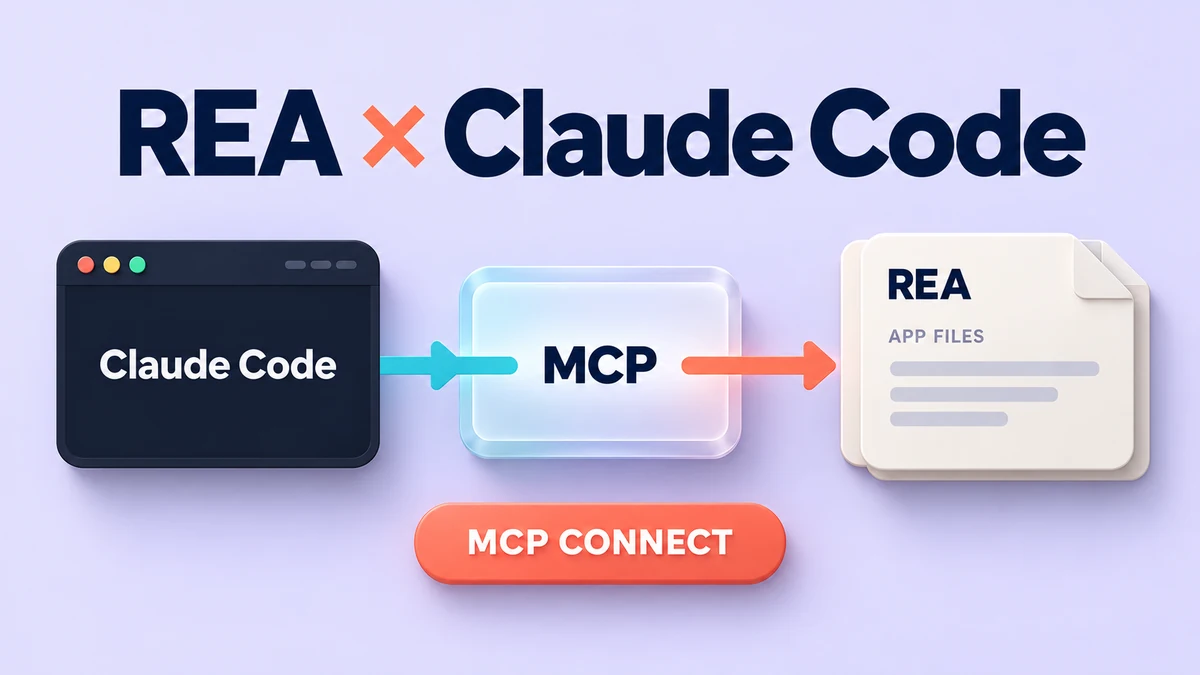
We executed REA MCP analysis followed by Claude Code source reads on an editor-owned JavaScript example.
Files for this exercise
AIHotple example files and prompts. Try the exercise before substituting real work data.
The answer: where the completed state goes
The executed task examined an owned note app: click → flip done → saveNotes → JSON in localStorage → loadNotes at startup. The key is hotple.notes.v 1. This specific answer came from source reads after the REA analysis.
| Action | Source | Meaning |
|---|---|---|
| Toggle/save | app.js12–14 | Flip done and call saveNotes |
| Persist | storage.js10–11 | stringify and setItem |
| Restore | app.js3 / storage.js2–4 | getItem and parse |
1. Prepare the example
Unzip the reader kit and open its parent directory in a terminal. It includes the owned five-file sample, configs, server and requests. Check Node and installed/authenticated Claude Code. REA 6.5.0 requires Node^22.19.0, ^24.11.0 or>=26.0.0.
node --version
claude --version
2. Connect this session
Use the OS-specific command below, then inspect rea with /mcp. The npx templates follow documented launch guidance and may download the pinned package. Our actual test used existing absolute Node/REA paths. These flags select session configuration, not a filesystem sandbox.
claude --strict-mcp-config --mcp-config ./rea-windows.json

# macOS / Linux
claude --strict-mcp-config --mcp-config ./rea-macos-linux.json

# Inside Claude Code
/mcp
3. Ask about the feature
The actual Korean task used one REA analysis followed by Read on app.js and storage.js. The summary did not identify the storage key; source reads supplied that evidence. Review tool approval for the intended analysis/reads.
Explain why the completed state in ./sample-app persists after reload. First call REA MCP analyze_javascript_application with format directory and detail summary. Read only app.js and storage.js. Explain toggle, save, store/key, JSON conversion and startup restore with file/line references. Separate REA findings from source evidence. Do not modify or run code, inspect other folders, or claim a browser test.4. Follow the source evidence
app.js 13 flips done; line 14 calls saveNotes before rendering. storage.js 11 writes JSON.stringify(notes) with setItem. At startup, app.js 3 calls loadNotes, and storage.js 3–4 gets the same key and parses the saved array. Storage is scoped by origin, including port. This example is not cross-device cloud synchronization.
const STORAGE_KEY = 'hotple.notes.v1';

// loadNotes 안에서 읽기
const saved = localStorage.getItem(STORAGE_KEY);
// saved가 있으면 JSON.parse(saved)를 반환

// saveNotes 안에서 저장
localStorage.setItem(STORAGE_KEY, JSON.stringify(notes));
5. Reproduce in your browser
In a separate terminal at the kit root, run node server.mjs and open the printed loopback URL. If 5599 is occupied, use node server.mjs 5600. Keep the same origin. Toggle a note, reload, and inspect Application → Local Storage in Chrome/Edge for hotple.notes.v 1. Browser menus differ. These are reader reproduction steps, not a new browser test; Node round-trip and HTTP checks were performed separately without screen automation. Stop the server with Ctrl+C.
node server.mjs

# Another port
node server.mjs 5600
6. Diagnose the right stage
If rea is absent, check config name, working directory and executable path. If connected without a call, name the tool and target. If storage is unexplained, ask for source/caller lines. If state differs, check the exact origin and storage errors. Another device is not expected to share this local-only state.
Reuse the question pattern
Try where a search term goes or where a setting is read. Keep the input small and inspect the source behind the conclusion. Parsing success does not establish full app recovery; semantic unknowns remain. The kit includes a sanitized actual Korean answer and runnable owned sample.
Sources & verification
Actual Windows test 16 October 2026: Node 24.20.0, REA 6.5.0, Claude Code 2.1.301/model claude-sonnet-5-5. One MCP analysis plus two Read calls; source hashes unchanged. REA reported 5files/3JS/0parse failures and semantic unknown. Storage/key/line evidence came from source reads. Node round-trip and HTTP checks are separate editor tests; no new browser execution. Existing absolute executables were used; npx reader templates were not executed. No global setup, skill installation, native recovery or cloning. English prompts are adaptations.
Sources checked: 2026.10.16