- Choose the source, Brief format and output language explicitly.
- We created and downloaded a real 88.44-second M4A without playback.
- The source-check companion is not a transcript or a passed spoken-audio audit.
- Review factual conditions and unknowns before sharing any generated briefing.
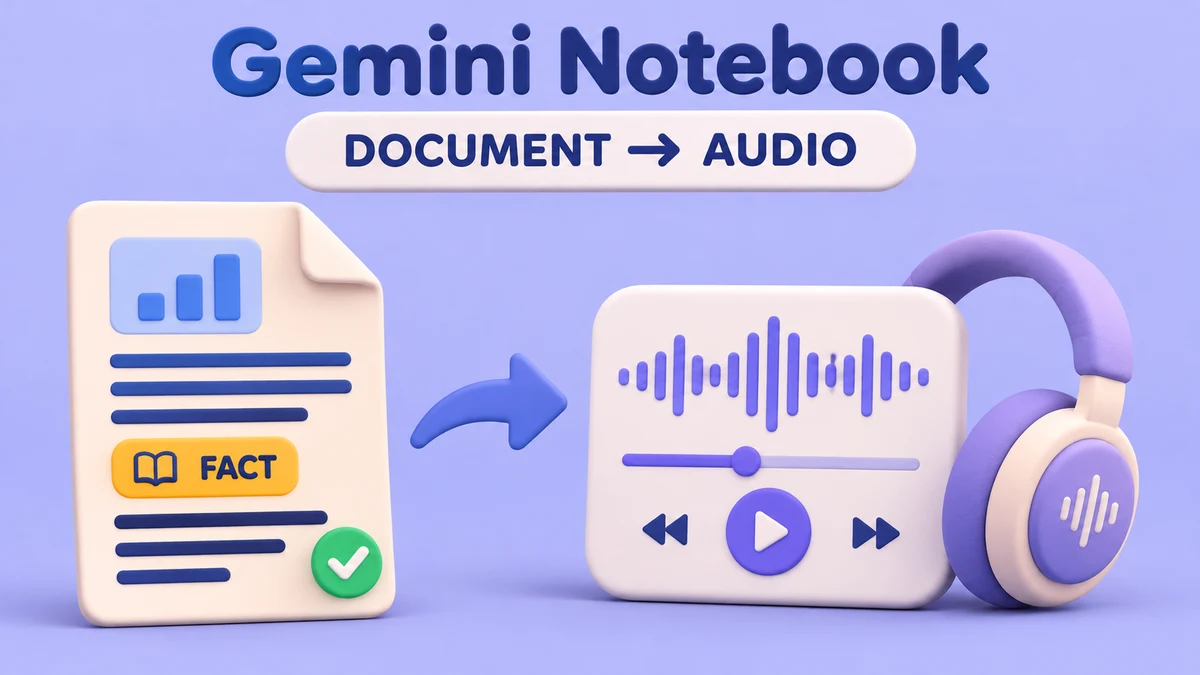
Select the source, choose Audio Overview → Brief, set English explicitly and give the host a focused request. Our fictional workshop guide produced an actual 88.44-second M4A. We verified generation, download and file metadata without playback. The supplied source-check companion helps you review the spoken result; it is not a transcript or a claim that the audio passed a factual or listening audit.
Files for this exercise
AIHotple example files and prompts. Try the exercise before substituting real work data.
Choose an audio brief for a specific listening job
A spoken overview is useful when you want to revisit a document while away from the screen. A short attendee briefing, a revision session or a project recap is a clearer target than “make a podcast about everything”. For exact wording, contractual terms or detailed tables, keep the written source available.
Our source is a fictional community-workshop guide. It includes an example date, price, capacity, refund condition and several unknowns. The point is to preserve those conditions, not to make a persuasive invitation. The actual test pasted text; if you start with a PDF, inspect its extracted text first, especially for scanned pages and tables.
Create a notebook and add only the material you need
Open Gemini Notebook, choose New notebook and give it a descriptive title. In Add sources, choose Copied text and paste audio-source.txt from the kit. Wait until the source is available and selected. Our interface initially opened the pasted material as a note as well; close the note panel to return to Studio.
For your own material, confirm you have permission to upload it and share any resulting audio. Avoid mixing current and obsolete policy versions without clearly labeling them. The host can only summarize the source set you provide; additional irrelevant documents can make the intended brief harder to control.
- Read the source in the notebook.
Check that £35, 12 places, the seven-calendar-day condition and the unresolved access details survived ingestion.
- Select the intended source.
Use the source checkbox before opening Studio. Our exercise had one selected source and did not use web research.
- Keep a separate fact ledger.
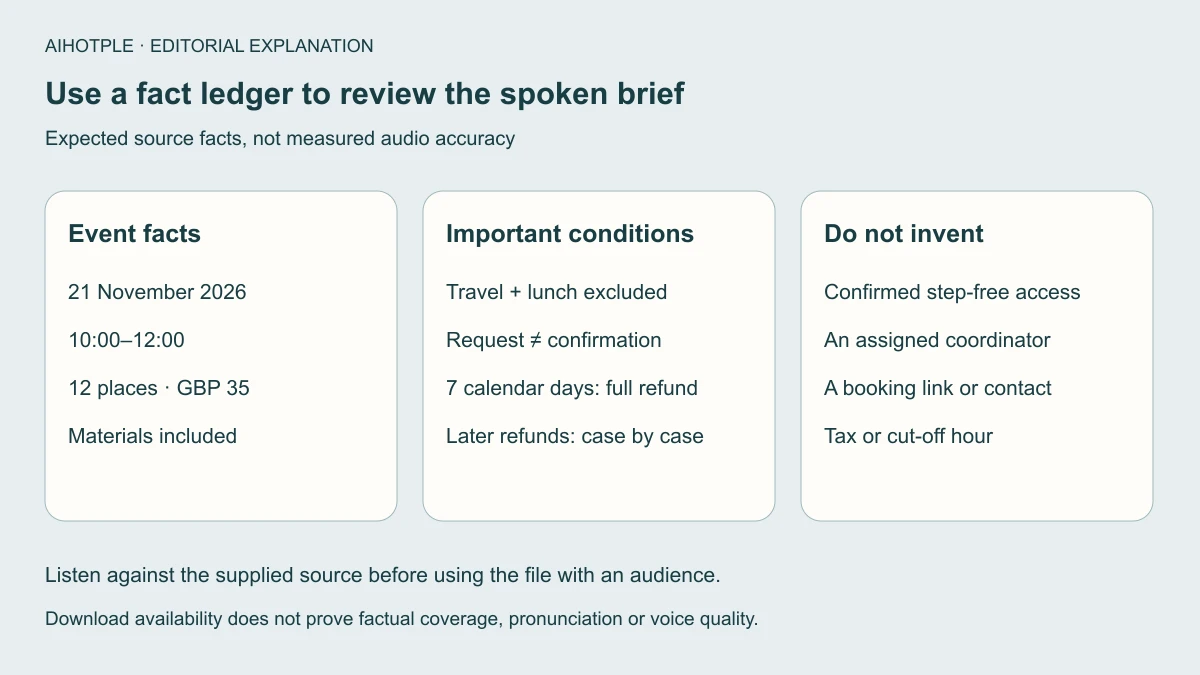
The kit includes expected facts and unknowns. This is a reference for review, not a transcript extracted from the generated audio.
Choose Brief and English before generating
In Studio, select Audio Overview. The customization dialog offers formats such as Deep Dive, Brief, Critique and Debate. We selected Brief for a concise, single-speaker overview. We also changed the output language from the account’s Korean default to English.
Paste the request below into the focus-instructions box, confirm the selected source, then choose Generate now. Format, instructions and generation limits may depend on the current account and product UI. A requested focus does not guarantee that every fact will be spoken or that a target duration will be exact.
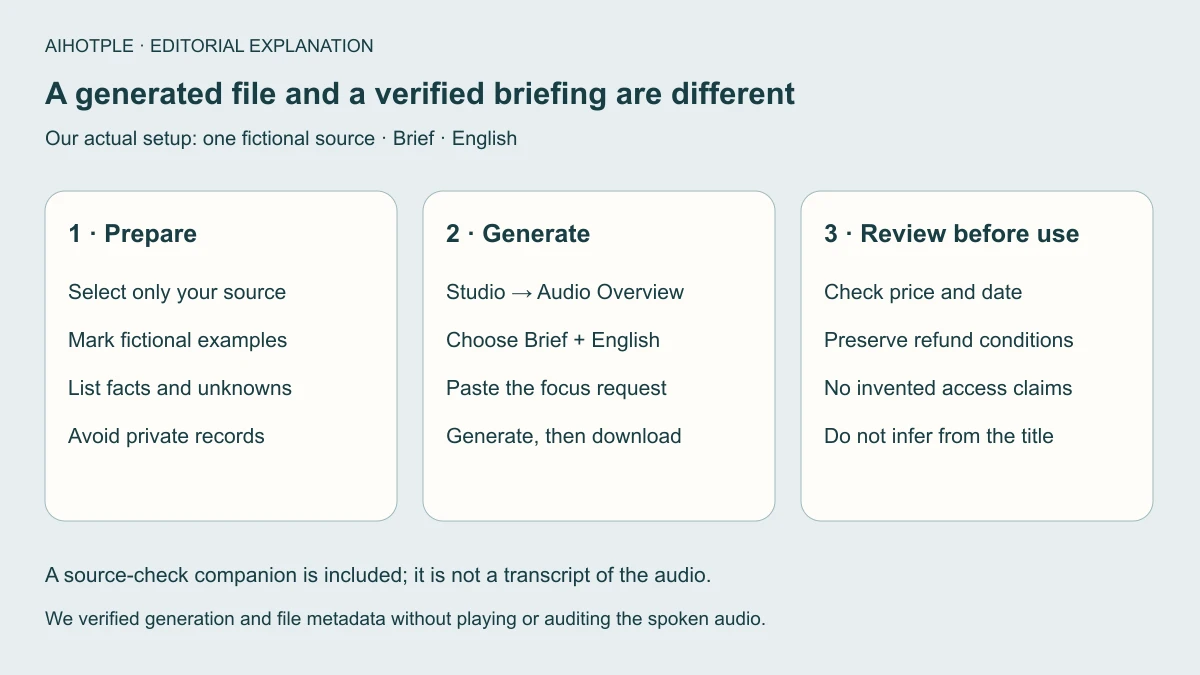
Create an English Brief for a first-time attendee, using only the supplied fictional Lantern workshop guide. State clearly that this is a fictional example. Cover date and time, capacity, ticket price, what is and is not included, the difference between a request and confirmation, the seven-calendar-day refund condition, and the unresolved accessibility and coordinator details. Do not invent contact information, a cancellation cut-off hour, tax treatment, availability or confirmed access. Do not describe this as a real booking invitation. Keep it concise. Where a fact is unknown, say it is unknown.Download the file without making the notebook public
After the artifact was ready, our Studio card showed “Lantern Workshop Registration and Missing Details” and 1:28. We used its More menu → Download. We did not press Play or change the notebook’s sharing settings. A browser download-event wait timed out, but the completed local M4A was present; we checked that file rather than generating another overview.
The actual file contains 2,847,284 bytes. Its container metadata reports 88.4448 seconds, AAC audio, two channels and a 44.1 kHz sample rate. Those checks establish a saved audio result and its basic properties. They do not establish intelligibility, natural voice quality or factual correctness.
The kit includes the original native M4A. Download it if you want to review the example yourself. There is no autoplay player on this page. Sharing a downloaded file and granting access to a notebook are separate decisions; do not make private source documents public merely to share an overview.
Check the spoken brief against facts and conditions
Before using generated audio with other people, listen against the original source. Check the date, time, capacity and ticket price, then the less convenient qualifications: materials are included but travel and lunch are not; requesting a place does not confirm it; later refunds are not guaranteed.
The guide leaves step-free access, the coordinator, contact details, tax treatment and the cancellation cut-off hour unknown. An attractive narration must not turn those gaps into reassuring claims. We have not performed that listening audit on this file, so the table below is an expected-source checklist rather than a passed audio score.
| Source fact | Expected wording to retain | What would need correction |
|---|---|---|
| Booking | A request needs explicit confirmation | Treating a request as a confirmed place |
| Refund | At least seven calendar days: full refund | A blanket guarantee for late cancellations |
| Access | Step-free access not confirmed | Claiming accessible access is confirmed |
| Missing details | Coordinator and contact not supplied | Inventing a name, email, link or cut-off hour |
When the first result is not ready to share
If a fact is wrong, fix an incorrect source before regenerating. If the source was correct but a key condition was omitted, sharpen the focus request and generate a new version within your available allowance. Record which version you reviewed; editing the source does not prove an existing audio file updated itself.
Google warns that Audio Overviews can contain inaccuracies and audio glitches. Interactive mode is separately documented and English-only; we did not test it. For an exact script or a precisely timed production voice-over, consider a workflow with direct script control rather than assuming an overview generator will read your preferred text verbatim.
Use the companion request, original source and fact ledger to run your own bounded review. For a visual training package next, continue with our onboarding slides/video workflow; for figures that must remain inspectable, use the source-linked table workflow instead.
Sources & verification
Observed on 6 November 2026 in the Gemini Notebook web interface, formerly NotebookLM. The actual input was one 285-word pasted English text, not a scanned PDF or a web-research run. Brief and English were selected; one generation produced an 88.4448-second MP4-container AAC audio file, two channels at 44.1 kHz. We downloaded the native M4A without playing it. Subscription tier and backend model were not reconfirmed; we did not measure repeatability, listening quality, pronunciation, spoken factual coverage or interactive mode. No real registration, payment, contact data or public notebook sharing was used.
Sources checked: 2026.11.06