- Describe the rules, answer key and reset state before asking for a visual style.
- Download and test the actual HTML rather than relying on a chat’s “ready” message.
- Check invalid input, a valid wrong answer, hint limits and replay after winning.
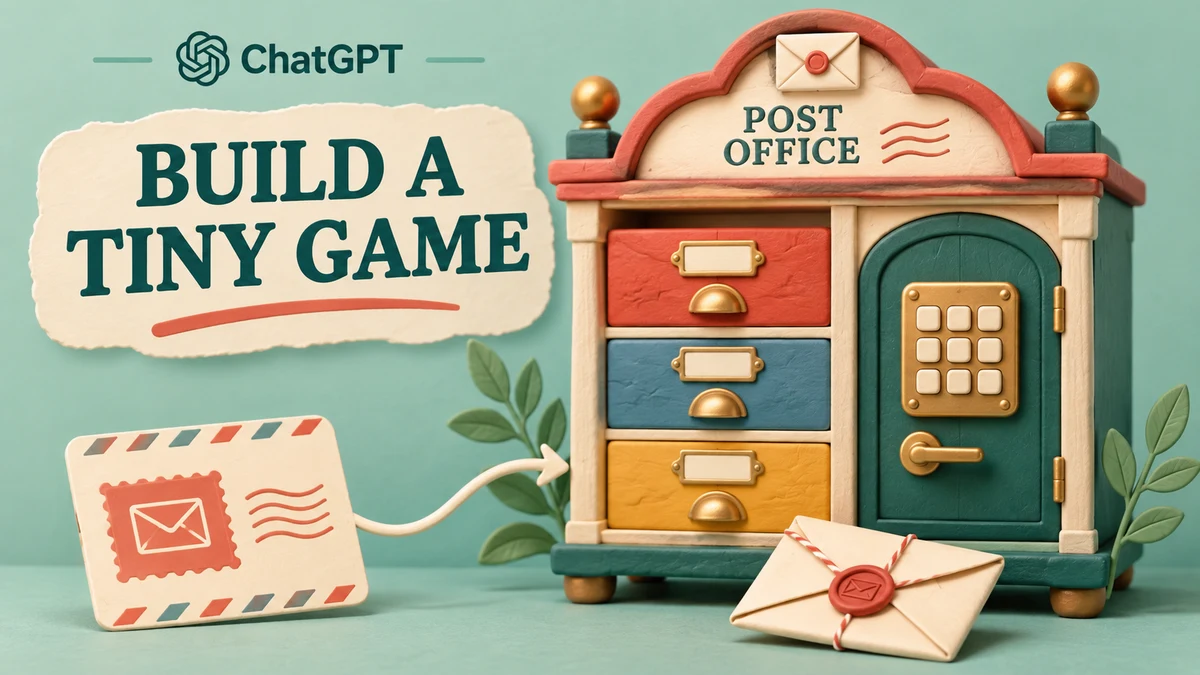
ChatGPT produced the playable Clockwork Post Office as a single HTML file. In the downloaded original, empty and letter inputs did not increase attempts, 042 counted once as a wrong answer, hints stopped at three and resetting after a win restored a fresh game. The file is included unchanged.
Files for this exercise
AIHotple example files and prompts. Try the exercise before substituting real work data.
A useful first game has a small, testable rule set
A request such as “make an escape room” leaves the answer, clues and failure behavior to chance. Our original puzzle is intentionally tiny: three drawers reveal three digits, and a separate note supplies their order. The work is small enough to test without a game engine or a programming course.
The result is also a useful way to learn interactive prototyping. Opening a drawer changes visible state. Submitting a code validates input. Winning disables a control, while reset must undo several kinds of state at once. Those same ideas appear in quizzes, calculators and small business tools.
The downloaded game needs no ChatGPT subscription or API key to play. Creating a new version in ChatGPT still depends on your account’s current access and usage allowance. This is an entertainment puzzle with its answer in client-side code, never a real lock or authentication system.
Write down the behavior before generating the file
The post-office theme is decoration around a short specification. We supplied the answer and defined what should happen for invalid input, a wrong answer and a replay. We also requested no external resources or storage so the deliverable could remain one inspectable file.
Our specification keeps leading zeros as text: 042 is a valid three-digit attempt, but it is not 427. Converting the input to a number too early can accidentally change a rule. State requirements such as “hints stop at three” are similarly more useful than “add a hint button.”
| Part | Required behavior |
|---|---|
| Drawers | Red reveals 4, Blue reveals 2, Gold reveals 7; revealed numbers remain visible |
| Order note | Separately reveals Red → Blue → Gold |
| Invalid entry | Empty or non-three-digit input gives feedback without counting an attempt |
| Wrong valid entry | Counts once; discovered clues remain visible |
| Hints | Three progressive hints; no duplicates beyond the limit |
| Win and reset | Win locks further submissions; reset clears clues, hints, counts and input |
Generate the game and open the actual code result
We used Chat mode and requested a complete HTML code block. The response displayed the game in Preview and offered Code and Download code controls. Those labels were localized in our account. OpenAI says supported previews and actions vary by block, device, plan, settings and rollout; a missing Preview is not proof that the HTML cannot run.
Only use the code from the response, not the surrounding explanation. The kit below already contains our actual downloaded file if you want to start by testing it rather than generating another version.
- Start a fresh ChatGPT chat
Choose Chat mode where available. Use the fictional specification below; no personal files or connected apps are needed. We did not request publishing or a new Site.
- Paste the complete request
Send the request and wait until the complete HTML block has finished. A partial streaming response may not contain the closing script or document tags yet.
- Inspect Preview when it is available
Select Preview on the HTML block, or use its already-rendered preview. Confirm that the drawers, note, hint button and exit input appear. Preview alone does not establish that every interaction works.
- Download the HTML and keep the extension
Choose Download code on the block when available. In our run the native download was named preview.html; we retained the same bytes as clockwork-post-office.html. Alternatively copy the complete block into a plain-text file with an .html extension, not .html.txt.
- Open the extracted file in a browser
Extract the downloadable kit and open clockwork-post-office.html. No installer is involved. Inspect generated code before running an unfamiliar version, especially if it requests external resources or credentials.
Create an original tiny browser escape-room game called The Clockwork Post Office. Return one complete standalone HTML file in a single HTML code block. Use an available code Preview if supported. Do not publish a Site or use external services, libraries, fonts, images, sound, accounts, AI APIs, network requests or browser storage. The result should work when saved locally and opened in a browser.

Use this original fictional puzzle, exactly:
- The player inspects three drawers. The red drawer reveals 4, the blue drawer reveals 2 and the gold drawer reveals 7. Clicking a drawer reveals its own number and keeps it visible.
- A separate delivery-order note says Red → Blue → Gold. The correct three-digit exit code is 427. This is an entertainment puzzle, not a real security lock.
- A labelled text input accepts an exit code. Submit via a button or Enter. Empty or non-three-digit input shows a validation message and does not count as an attempt. A three-digit wrong answer counts once and leaves the drawers revealed. Leading zeros are allowed as input but are not correct.
- A Hint button reveals three progressively clearer hints, one at a time. Further clicks must not add duplicate hints or increase the hint count beyond 3. Avoid a timer.
- A correct answer opens the fictional mailroom exit, announces success and disables further attempts. The Reset button starts a genuinely fresh game: all drawers closed, note hidden, hints cleared, attempts zero, exit locked, input empty and enabled, and all controls usable again.
- Keep a visible attempts count and hints count. Make controls keyboard accessible with visible focus, an explicit input label and a live status message. Use drawer labels as well as colors. Use responsive CSS without horizontal overflow on a 375px screen. Do not target children under 13.

Choose a warm illustrated-in-CSS visual style with a teal and paper palette. Keep the code readable. Briefly explain how to copy the HTML and what to test. Do not claim the game was tested unless you actually run those checks.
Play the room once, then inspect the answer key
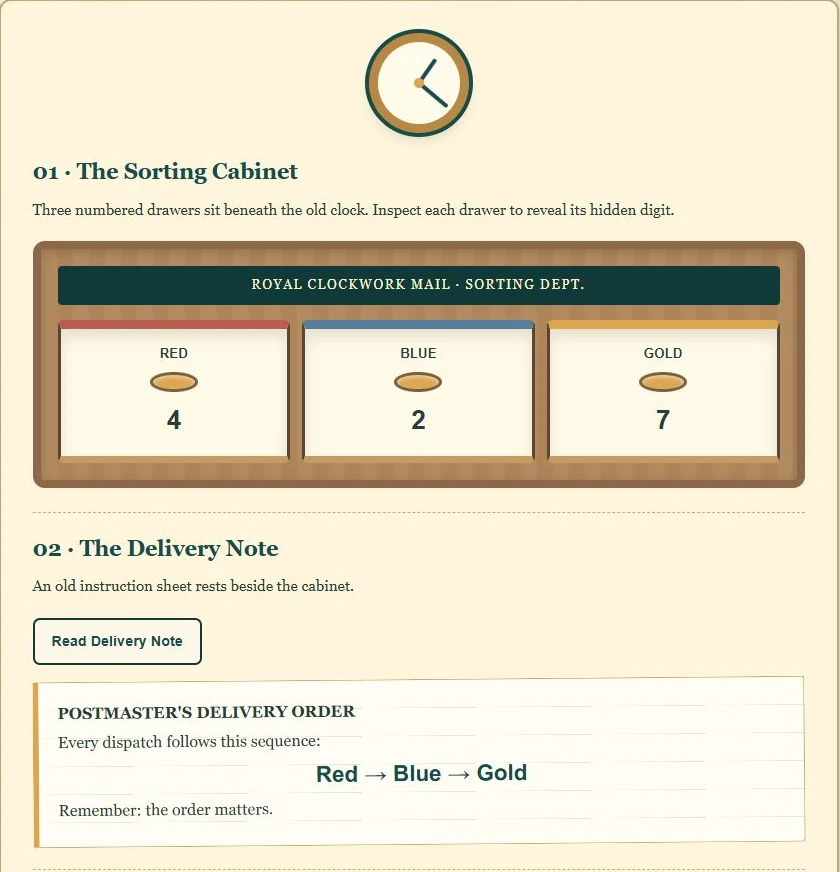
Choose RED, BLUE and GOLD. Their numbers should remain on screen. Then choose Read Delivery Note; the note supplies an ordering rule rather than another digit. Enter the assembled three-digit code and select Unlock Exit or press Enter.
The answer below is a spoiler for this intentionally simple exercise. After your first play, use it to check the controls and state transitions rather than judging the game only by its appearance.
Show the answer and clue check
| Clue | Result in the downloaded game |
|---|---|
| RED | 4 |
| BLUE | 2 |
| GOLD | 7 |
| Delivery note | Red → Blue → Gold |
| Correct code | 427 |
Test a wrong path before trusting the finished game
We tested the downloaded file, not just the chat preview. Empty input and 12A displayed a validation message while attempts remained zero. Entering 042 with Enter gave one incorrect attempt without hiding the drawer clues. Three hints appeared in order; the button disabled at the third, preventing further normal clicks.
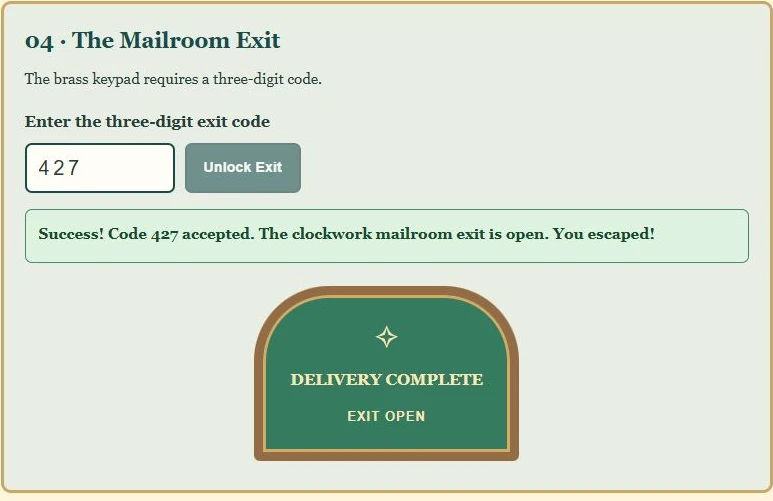
Entering 427 after that wrong answer opened the exit and brought the attempt count to two. The successful answer counts as an attempt too. Both the input and Unlock Exit became disabled. That detail is worth checking when you compare your own generated variant: a count of two here is consistent with one wrong plus one correct submission.
| Action we performed | Observed result |
|---|---|
| Submit an empty field | Validation feedback; attempts 0 |
| Submit 12A | Validation feedback; attempts unchanged |
| Submit 042 using Enter | Incorrect; attempts 1; clues retained |
| Reveal all three hints | Three distinct hints; further normal clicking disabled |
| Submit 427 after the wrong answer | Success; attempts 2; field and submit button disabled |
| Reset after success | Clues and note hidden, hints cleared, counters zero, empty enabled input |
| Submit 427 by Enter after reset | Success again |
| Focus BLUE and press Space | Blue drawer opens and shows 2 |
| Inspect at a 375px browser viewport | Controls fit without horizontal overflow |
Reset must restore behavior, not just the heading
Choose Reset Game after winning. The cabinet should return to question marks, the delivery note should disappear, the hint list should be empty, counters should return to zero and the input should be usable again. Our test then submitted the correct code with Enter and won again.
Resetting the visible text without clearing the internal unlocked state would leave a game that looks fresh but cannot be played. Clearing the counters without removing the old hint elements creates a different defect. The generated file handled both in this run; these are still useful regression checks after every change.
Our source review also found that opening a revealed drawer does not close it and that the code compares the three-character string. We tested a keyboard activation and mobile-sized layout, but did not audit every keyboard path, screen-reader announcement or contrast combination.
Change one rule, then rerun the same checks
A good next version might use a museum delivery room, swap the clue order or replace digits with short words. Change one rule at a time. If you change a digit or order, update the correct code, drawer mapping and hint text together. Otherwise the game can tell players one answer and accept another.
The follow-up below is an unrun adaptation request, not a second tested game. Keep the original file so you can compare behavior. Ask for a complete replacement file and rerun the same invalid-input, wrong-answer, hint-cap, winning and reset checks before sharing it.
Change only the delivery order to Blue → Gold → Red. Keep Red=4, Blue=2 and Gold=7. Update the accepted code and every hint that states an order or answer so they agree. Preserve invalid-input counting, the three-hint cap, keyboard submission and full reset. Return one complete HTML file. List the changes and the checks that still require running; do not claim you tested them.Try a source-based quiz as another small interactive project →
Learn how to improve a working interface while preserving its behavior →
Sources & verification
Tested November 20, 2026 in ChatGPT web Chat mode; the composer showed Medium, while the exact backend model was not independently identified. The response offered a live code Preview and a native code download. We downloaded its HTML and tested that same unmodified file in the ChatGPT in-app browser on desktop and a 375px viewport. No AI API, external package, game engine or hosted Site was created. Source review found inline CSS/JavaScript with no external resources, network-request or browser-storage APIs. We did not perform a comprehensive security/accessibility audit, a physical-phone test, cross-browser certification or a disconnected-network test.
Sources checked: 2026.11.20