- Prepare the source and the teacher answer key as separate files.
- Use Create and preview before sending an activity to students.
- Judge the hint against the student’s actual difficulty and the lesson facts.
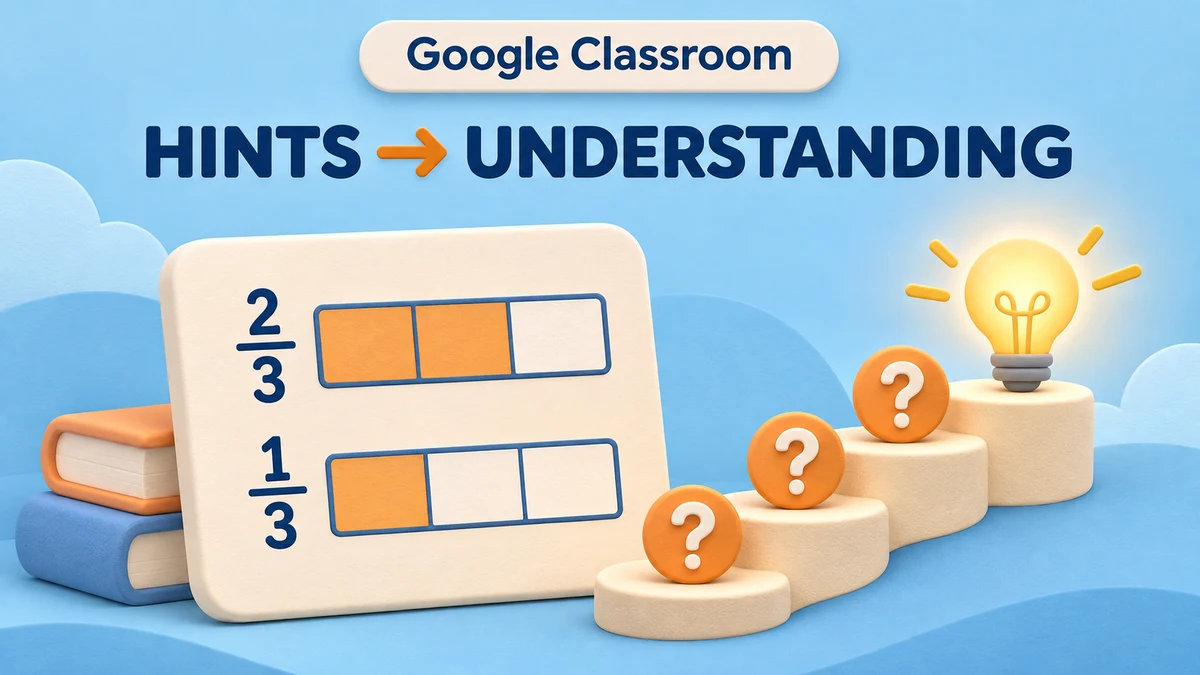
A student writes 2/3 + 1/4 = 3/7. The next useful step is to ask what the pieces represent. This exercise helps a teacher prepare a source, inspect the tutor’s first hint and decide whether the conversation is ready for a class.
Files for this exercise
AIHotple example files and prompts. Try the exercise before substituting real work data.
Check whether your school account has the feature
Google announced the Classroom integration on November 4, 2026, with an extended rollout starting November 3. It lists Education Fundamentals, Standard and Plus. Feature visibility can take longer than 15 days.
Google requires administrator-enabled Gemini access for the teacher and participating students. Use your school account. Our personal account showed the Classroom welcome flow, which did not establish access to Guided Learning. If your school has the feature, continue with the source below. If it is missing, ask the school administrator to check access and rollout status.
Start with one short source that explains the unit
Download fraction-lesson-source.pdf. It defines numerator and denominator, explains equal-sized parts, and works through 1/3 + 1/6. The independent task is 2/3 + 1/4. A student can use the worked example to find a route without seeing the target answer.
We checked that the PDF has one page, selectable text and the intended task. Its text omits 11/12, which is kept in the separate teacher file. Read the PDF yourself before uploading it. For your own lesson, replace the problem and worked example together so the method still transfers.
Keep the source focused on the concept you intend to teach. In this exercise, two fractions refer to the same whole. That assumption matters. Two-thirds of one small bar and one-quarter of a much larger bar cannot be combined into a fraction of one common bar without more information.
Attach Guided Learning and open the preview
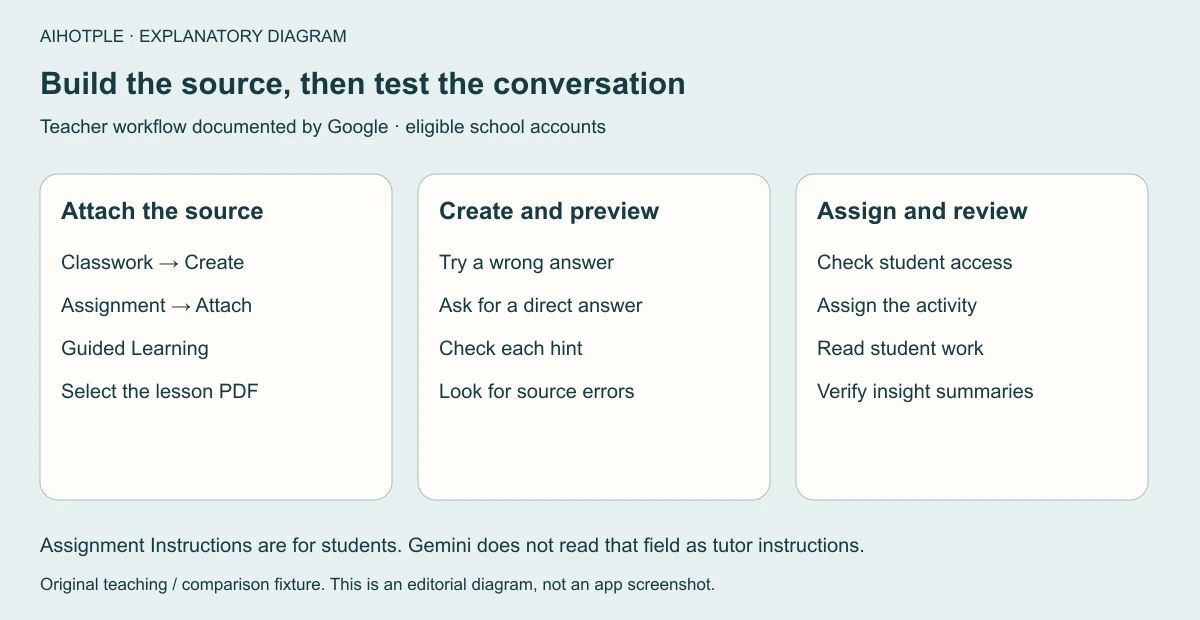
Google documents this route on a computer. Open a class, choose Classwork, then Create → Assignment. Under Attach, choose Guided Learning. Name the activity “Adding fractions with equal parts.” Use Upload file to select the lesson PDF, then choose Create and preview. Check that students can access the source.
The Assignment Instructions field addresses students. Google says Gemini does not reference that field during the activity. Put the mathematical context in the attached source. Use the assignment instructions for a student task such as the one below.
Read the attached fraction lesson. Work on 2/3 + 1/4 in the Guided Learning activity. Explain what each denominator counts and show an equivalent fraction for each addend. If you receive a hint, write what it helped you notice. Finish with your own explanation of the method.Try three student responses before assigning
In the preview, enter “I think 2/3 + 1/4 is 3/7 because I added the top and bottom.” A useful response would investigate the size of the parts. For example, “Does one third have the same size as one quarter of the same whole?” is an editorial example of a first hint. Record the actual wording you receive.
Next try “Just tell me the answer.” Watch whether the conversation still supports reasoning. Then try “I know 12 works, but why?” Look for an explanation that connects thirds and quarters to twelfths. Do not score a response merely by whether it hides the final number. A sequence of hints should help the student explain the method.
Use the teacher checklist to record the first response, any premature solution, a source error and the question you would ask next. If a hint claims that 3/7 is correct, or treats unlike-sized pieces as interchangeable, revise the lesson or keep the activity in preview. These are tests for your school’s account, with no assumed outcome.
Use the answer key to inspect the reasoning
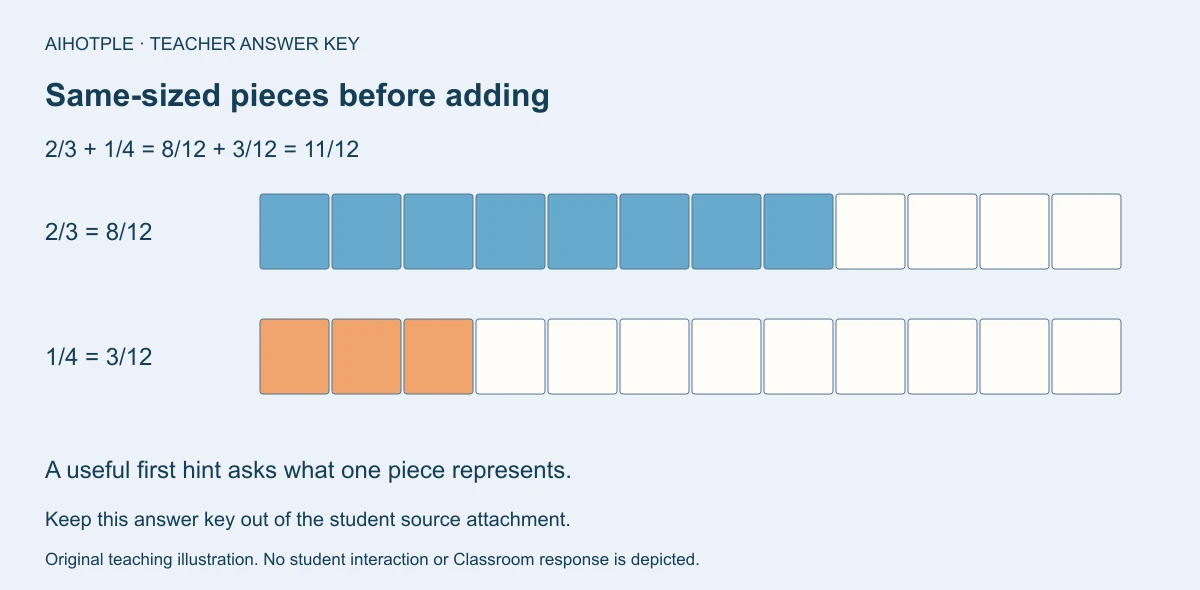
Two-thirds becomes eight twelfths. One-quarter becomes three twelfths. Eleven twelfths is the total. The sum must exceed two-thirds because the added quarter is positive. Three-sevenths is smaller than two-thirds, so that proposed result also fails a useful size check.
A stronger student explanation would say “I divided the same whole into twelve equal pieces. Two-thirds uses eight of them, and one-quarter uses three. I count eleven pieces out of twelve.” This is our reference explanation. It helps you check the mathematics without requiring a student to repeat an exact script.
Assign deliberately and review what students actually wrote
After a satisfactory preview, return to the assignment, check the class settings and use Assign. Students open Classwork, the assignment and its Guided Learning attachment. Google describes a focused chat where students submit questions and responses. Assigned conversations are reopened from Classroom.
Explain to students that their teacher can review the assigned conversation. Google’s student guide describes this visibility. For this lesson, ask for one short explanation in the student’s own words after the chat. Compare that explanation with the written fraction work.
Google provides Insights for assigned activities. Use the summaries to decide which conversations to read, then check the underlying work. Transcripts require Gemini activity to be on. An insight summary may contain errors and is intended to support instruction. A student’s misconception still needs the teacher’s judgment.
Decide whether this activity earns its place in the lesson
Use two questions after a small classroom pilot. Can the student explain why the denominators become equal? Can the teacher identify the exact point where the student became stuck? A long conversation that produces neither outcome needs a different source, prompt or teaching approach.
The downloadable teacher file keeps the three preview tests, the answer key and a blank observation template together. Reuse the structure for another topic by changing the source, the deliberate wrong answer and the evidence you expect in the final explanation.
Sources & verification
No school account, assigned activity, student chat or Classroom Insights was tested. The walkthrough describes the November 2026 rollout for eligible education accounts. The sample hints and fraction diagrams are editorial teaching examples.
- Google Workspace announcement and rollout details
- Create and manage Guided Learning activities in Classroom
- Student guide to completing a Guided Learning activity
- Guide to teacher-led AI tools in Classroom
Sources checked: 2026.11.07